

You're staring at a familiar mess. A customer browses your site, checks stock, adds an item to cart, then hits a problem because the price at checkout does not match what they saw earlier. If they buy anyway, the return trip is worse, because store staff cannot see the online order, the refund needs extra back-and-forth, and the customer leaves with one clear lesson: your channels do not talk to each other.
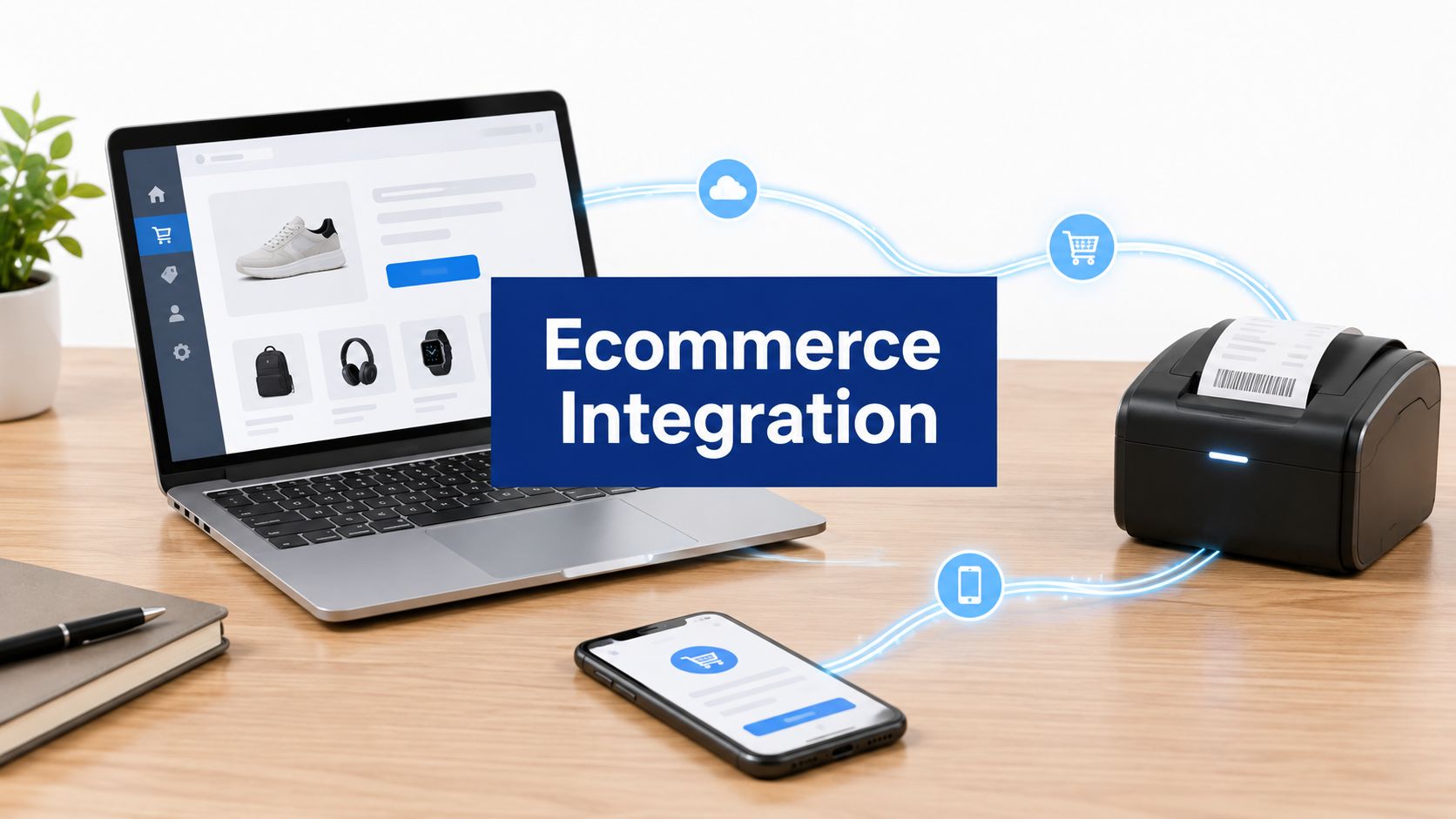
Ecommerce integration changes that experience. It connects the parts of your business that customers already move through as one journey: your site, checkout, payments, inventory, delivery, support, and returns. In omnichannel commerce, buyers do not care which system owns each step. They notice whether the experience feels consistent, fast, and trustworthy.
For Canadian businesses, this is not abstract. The federal government's CDAP push launched in 2022 with $4 billion in funding over four years to support up to 160,000 businesses as they modernised digital operations and ecommerce capabilities. It also saw substantial uptake by late 2023 and early 2024, including over 43,000 applications for the Grow Your Business Online grant and over 20,000 grants approved. Canadian SMEs know they need more than a website; they need retail system integration that holds the whole journey together.

If you've been trying to reduce support tickets, connected systems can cut repetitive customer-service work. A simple hand-off failure can turn into a long email thread. Practical guidance on reducing support costs with integrations shows why the same logic matters in commerce, where sales, stock, and service may all pull from different places.
What Ecommerce Integration Really Means for Modern Retail
A customer adds an item to cart, pays at checkout, then expects the order, inventory, and delivery updates to line up without extra effort. Ecommerce integration is the set of connections that makes that handoff work across your store, payment tools, CRM, inventory, and fulfilment systems. When those pieces stay in sync, the experience feels coordinated instead of patched together.
The system of record matters
The first question is always: which system owns the truth. If your POS says one thing, your website says another, and your spreadsheet says a third, your team spends time reconciling data instead of serving customers. A store can launch and still be badly connected underneath.
A simple rule helps here. One system should hold the master version of key data, while the other tools read from it or update it in controlled ways. Product details, stock levels, prices, customer records, orders, and refunds all need an agreed path. Without that, your team may still sell online, but it will not trust what happens after the sale.
Practical rule: if two teams can change the same record in different systems without clear ownership, the customer will eventually feel the inconsistency.
Where Ecommerce API integration fits
Ecommerce API integration is one way to make systems talk. APIs let software exchange data in a structured way, which helps when you need near real-time order updates, stock adjustments, or customer sync. They are useful, but they are not the only option, and they are not always the right starting point for a small merchant with a simple catalogue.
Many Canadian SMEs start with a store, a payment app, and a shipping app, then find that returns, inventory, and fulfilment have already outgrown that setup. As noted earlier in federal CDAP material, deeper digital coordination has been a clear need for many businesses. The lesson for a smaller retailer is practical: if daily operations depend on accurate stock and order status, the connection between tools matters as much as the tools themselves.
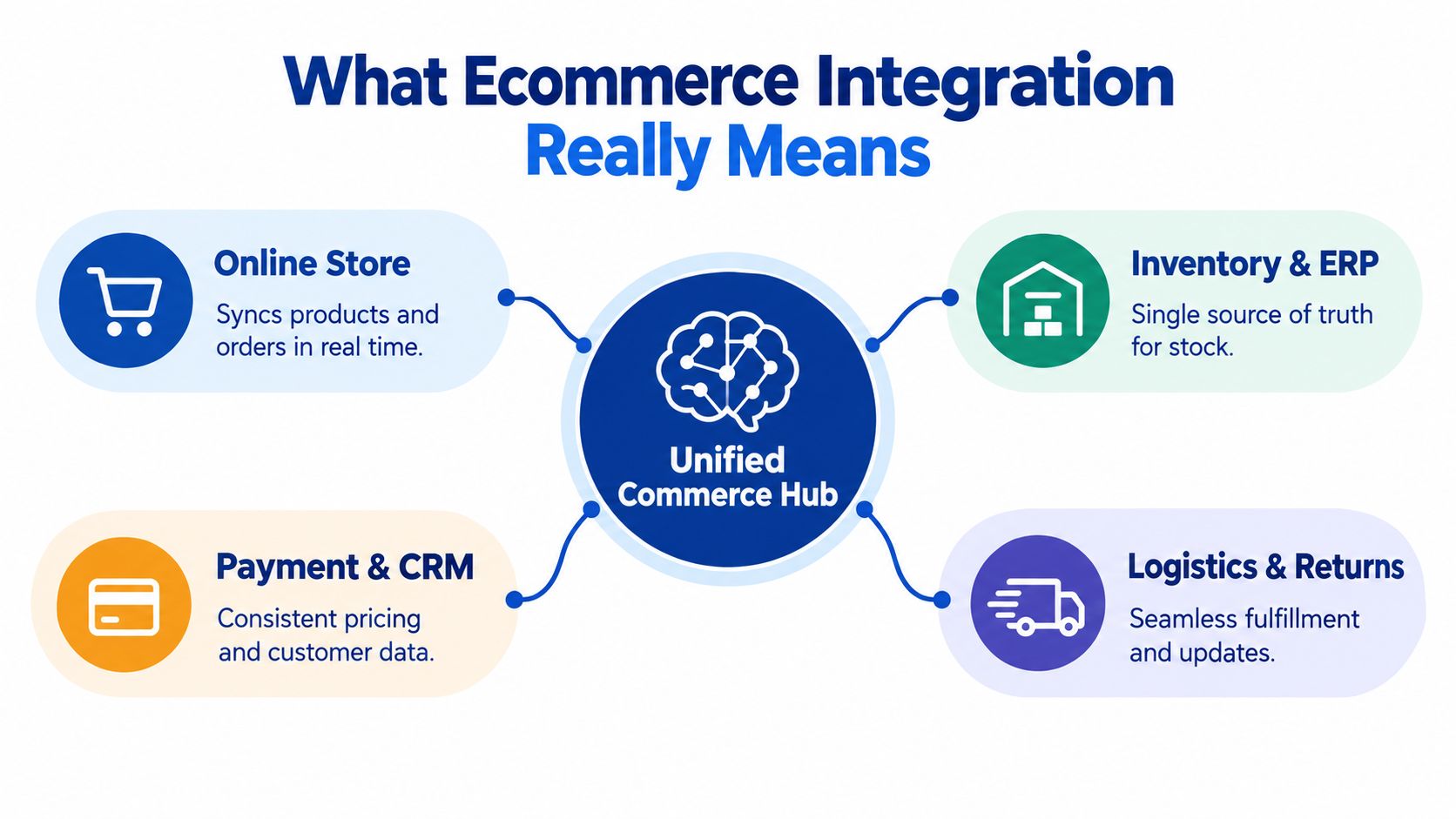
Integration is customer journey glue. At product discovery, it keeps what shoppers see aligned with what is available. At checkout, it links payment approval to the order record. After purchase, it pushes fulfilment and tracking details back to support teams so they can answer questions without hunting through separate systems.
That daily routine is what “shared workflow” really means. A warehouse update can refresh stock, a payment event can create the order, and a shipment scan can tell support whether the package is still moving or already delayed.
Exploring Ecommerce Integration Types and Architectures
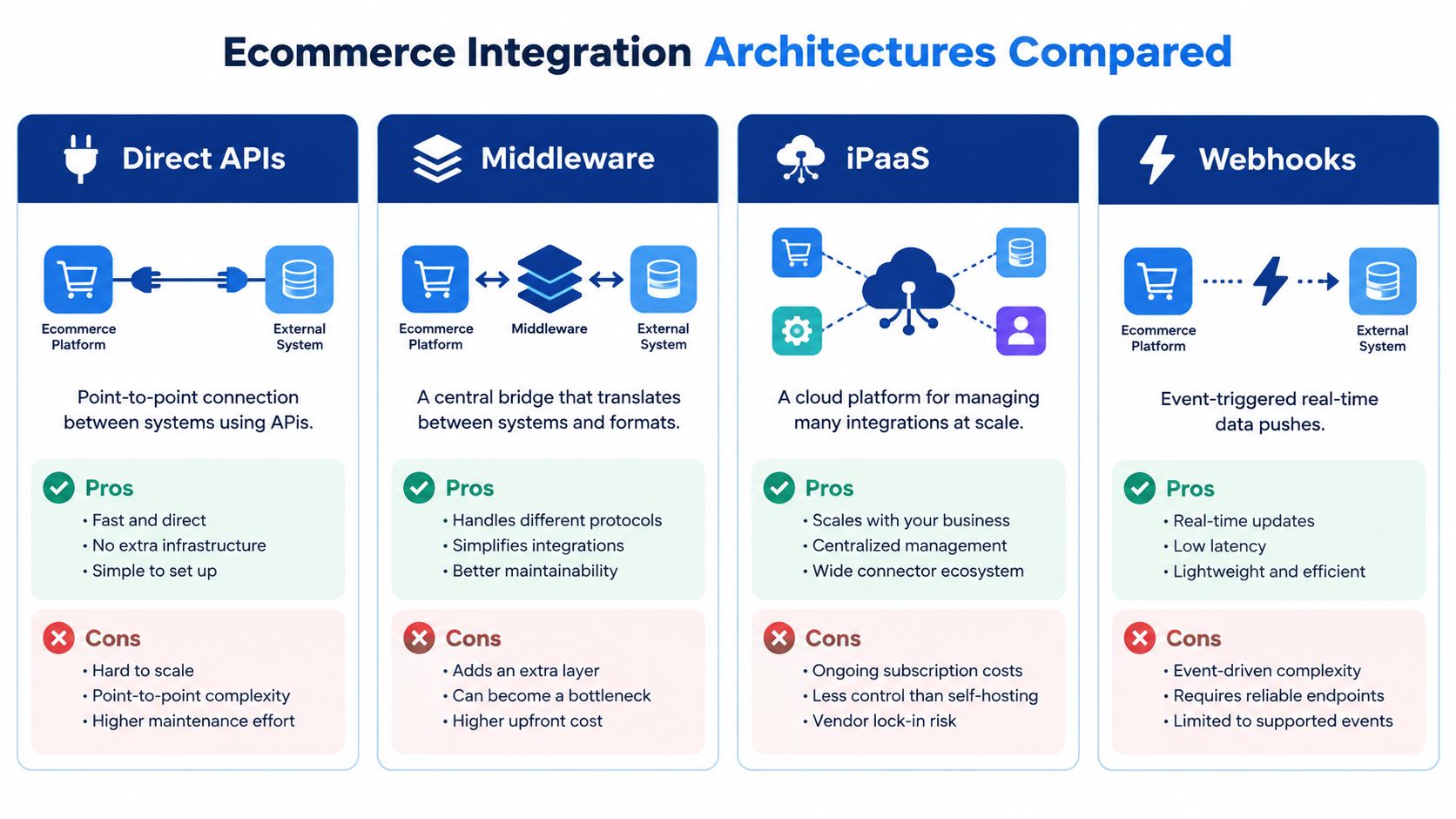
The right architecture depends on how many systems you need to connect, how often data changes, and how painful a mismatch would be if something goes wrong. A business with a small catalogue and low order volume may start with app-based sync. A retailer handling returns, multiple locations, bilingual content, and carrier choices often needs something sturdier.
Choosing your architecture
| Architecture | How It Works | Best For | Watch Out For |
|---|---|---|---|
| Direct APIs | Point-to-point connection between two systems | A small number of systems with clear data flows | Can become hard to scale and maintain |
| Middleware | A central bridge translates data between systems | Merchants that need control without custom-building everything | Needs good rules or it becomes another messy layer |
| iPaaS | A cloud platform manages many integrations | Businesses with several tools, brands, or workflows | Costs and governance can grow with complexity |
| Webhooks | Events push data when something changes | Real-time alerts, order triggers, payment callbacks | Needs strong error handling and retries |
When to stay simple and when to step up
For a small business, app-based sync can be enough when the catalogue is limited, and inventory doesn't move constantly. If you're only syncing a handful of products, that can keep things lean and quick. The moment returns, stock changes, and fulfilment need to update each other in near real time, you're usually beyond what simple sync handles comfortably.
That shift matters even more in Canada, where bilingual storefronts and multi-carrier shipping are common. A customer may buy in English or French, choose different delivery options, and expect the order to move cleanly between store, warehouse, and support. That's where middleware or API-first design starts to make sense, because the integration has to coordinate more than one event.
Decision rule: if the cost of a wrong update is low, start small. If the cost is overselling, refund confusion, or delayed fulfilment, move to middleware or API-first sooner.
For a practical guide to the back-end side of this shift, see Cleffex's ecommerce backend modernisation guide. It's especially useful if your current stack works on the surface but can't support the workflow underneath.
Resilient shipping error handling is also a useful reference point when shipping data needs to keep moving even if one carrier or label step fails. That sort of planning is what keeps an integration from falling apart at the first exception.
Business Benefits and KPIs of a Unified Commerce Experience
A unified customer journey is not just nicer to use; it's easier to manage. When online and offline systems share the same data, people stop arguing over which screen is correct and start working from the same operational picture. That changes how fast orders move, how often staff make avoidable mistakes, and how much confidence customers have in the brand.
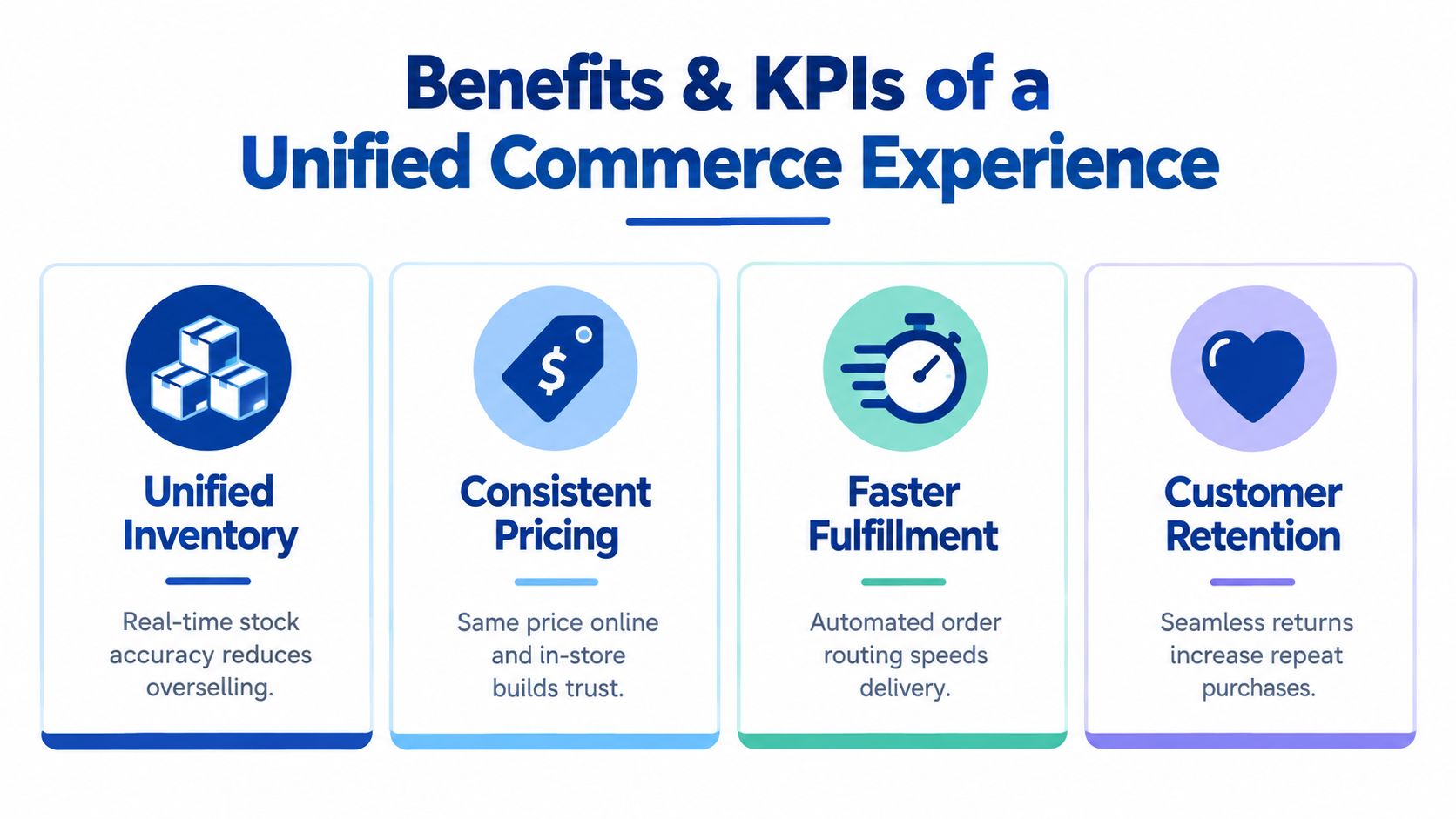
The benefits customers feel first
A big one is unified inventory. If online stock reflects what's available, you're less likely to oversell and disappoint customers after checkout. That matters because Canadian online retail has become structurally important, with ecommerce making up 5.7% of retail sales in Canada in 2023 and 6% in 2024, according to a later industry report from Payments Canada's retail payment transactions report.
Another visible benefit is consistent pricing. When price data flows cleanly between channels, customers don't feel tricked, and store staff don't have to improvise corrections. In practical terms, the KPI to watch is price accuracy across channels, because inconsistency can kill trust before conversion even starts.
KPIs that tell you the integration is working
You can track the journey through a few operational metrics:
Conversion and checkout completion: If the payment flow is clean, more shoppers finish the order.
Order accuracy: If product, tax, and fulfilment data stay aligned, fewer orders need manual correction.
Inventory accuracy: If stock updates travel quickly, teams can promise what they can ship.
Fulfilment speed: If routing is automated, orders can move from cart to packing without waiting for staff intervention.
Return handling quality: If returns data syncs properly, refunds and exchanges are easier to process.
That last point matters in retail specifically. Canadian omni-channel research found that only 31.0% of retailers offered Click and Collect, while 74.7% of omni-channel retailers offered Buy Online Return In-Store, which shows that return and collection mechanics are already part of the customer journey for many retailers.
For broader omnichannel planning, omnichannel retail solutions integration is a useful companion read. It helps connect the idea of customer convenience with the systems that make it possible.
Your Step-by-Step Ecommerce Integration Implementation Checklist
A customer places an order, checks shipping, then waits for confirmation. If the store, payment tool, and fulfilment system do not hand off cleanly, that simple journey turns into manual follow-up. Start by deciding which system owns each record, then build the connection around that choice.
Build the data map first
List the systems already in use. That usually includes your store platform, POS, payment provider, shipping carriers, accounting software, CRM, and maybe booking or support tools. Then map the flow in plain language: who creates the record, who updates it, and who needs it next.
A small merchant can begin with the products that sell most often. That keeps risk lower while you prove the setup. If those items move cleanly through the process, you can expand the catalogue later without rebuilding the whole stack.
Good implementation habit: connect the smallest useful slice first, then expand only after the order, payment, and fulfilment loop is stable.
Choose integrations that fit the workflow
Different customer moments call for different kinds of integration. A basic app sync is often enough when one system only needs to pass along a simple update, like a stock change or a receipt record. Middleware fits better when several systems need to stay in step, such as store, shipping, and accounting updates that all have to agree on the same order. API-first setups make more sense when the checkout or customer journey needs tighter control, especially if you expect more custom rules later.
For payments and shipping in Canada, the practical question is how the hand-off behaves. Payment routing may involve cards, local options, or a multi-rail checkout, while shipping may involve Canada Post, Purolator, or another carrier. The carrier list matters less than whether order, tax, and fulfilment data stay aligned from checkout to delivery. Canada ecommerce integrations guide is a useful reference if you want to compare those choices in a Canadian setting.
If you use modular payment abstractions, you can change processors later without redesigning the whole checkout flow. That helps when you need flexibility around acceptance, reconciliation, and fraud controls. It also reduces the amount of reporting your finance team has to rework every time the gateway changes.
Test before customers see it
Testing needs to cover real edge cases, not just happy-path orders. Check how cancellations, refunds, partial shipments, and failed payment attempts behave. If bilingual content, provincial tax treatment, or local fulfilment rules are part of the business, test those too.
After launch, monitor the hand-offs first. Watch for failed syncs, duplicate records, manual fixes, and delayed status updates. Those are the points where the journey starts to break, and they usually show up before anything appears wrong on the storefront.
Common Pitfalls and Real-World Examples Across Industries
The most common mistake is believing the storefront is the whole job. A site can look polished while the back end still runs on disconnected spreadsheets, manual exports, and support staff fixing order data by hand. That usually works, until volume rises or an exception breaks the flow.
The pitfalls that show up first
One pitfall is no single source of truth. If inventory lives in three places, customers will eventually see a promise that the store can't fulfil. Another is ignoring payment orchestration, because checkout may look fine until settlement, fees, or fraud controls create reconciliation work later.
A third problem is leaving returns to be handled after launch. Returns data has to sync with stock, refunds, and customer records, or the customer support team ends up chasing the same order through multiple systems. The final trap is choosing a simple app sync for a workflow that clearly needs middleware or API-first coordination.
Examples by business type
A small retail shop often needs a light sync between store, stock, and receipts, especially if it only sells a narrow range of top products. A clinic with bookings needs the integration to respect appointment times, customer records, and payment confirmations, because a missed sync can turn into a no-show or double booking. An automotive dealership usually needs lead flow tied to CRM and follow-up, so the customer doesn't have to repeat their details every time they engage.
A scaling startup on Shopify usually runs into the same problem from a different angle. The front end moves quickly, but order handling, fulfilment updates, and customer service all begin to drift apart. That's often the point where middleware or API-driven design becomes more sensible than piling on more plugins.
A useful way to think about it is this: the more people rely on the same record, the more important the integration becomes. If your team can't answer whether an order is paid, packed, shipped, or returned without checking multiple tools, the customer is already paying the price for the gap.
Conclusion: Choosing the Right Ecommerce Integration Approach for Your Business
The right approach depends on the customer moment you are trying to protect. If you need a quick link between store, stock, and receipts, lightweight app sync can keep things simple. If orders, payments, and fulfilment need more coordination, middleware or iPaaS gives you a better control room for the handoffs. If your business has many moving parts, API-first integration fits better because it keeps systems talking to each other without forcing every process through one narrow path.
A useful rule is to match the tool to the journey step that matters most. App sync works well for basic updates that do not change often. Middleware fits the points where one action, like a sale or refund, has to update several systems at once. API-first design makes more sense when stock, returns, fulfilment, and customer records all need to move in sync across channels.
The aim is a unified customer journey. When the systems behind the scenes stay aligned, the customer sees consistent pricing, accurate stock, smoother checkout, and a cleaner return experience. That is what ecommerce integration should do; it acts like the glue between each touchpoint so the experience feels joined up instead of patched together.
If you are mapping store, payments, inventory, and fulfilment into one journey, start with Cleffex Digital Ltd. A short planning call can save you months of patching disconnected tools later.
Frequently Asked Questions
What does ecommerce integration cost?
It depends on how many systems need to connect, how much custom logic you need, and whether you use app sync, middleware, or API-first architecture. A simple setup usually costs less up front, while more complex omnichannel builds need more planning and implementation work.
How long does ecommerce integration take?
A small, straightforward integration can be set up faster than a multi-system project, but the timeline depends on testing, data cleanup, and how many edge cases you need to handle. The more systems you tie together, the more time you should allow for validation.
What's the difference between API integration and iPaaS?
API integration connects systems directly through their interfaces, while iPaaS gives you a cloud platform to manage several integrations in one place. API-first can be more flexible, while iPaaS is often easier to govern when your stack keeps growing.
How do you keep data consistent across channels?
Pick one system of record for each key data type, then make sure every other tool updates from that source through defined rules. Good testing, error handling, and regular reconciliation also help stop records from drifting apart.
Cleffex Digital Ltd helps businesses connect storefronts, payments, inventory, and back-office systems into one working customer journey. If you want your checkout, order flow, and fulfilment process to feel joined up instead of patched together, visit Cleffex Digital Ltd and start a conversation about the right integration path for your business.