

Developing clinic management software is all about creating a custom tool that fits your healthcare facility like a glove. It’s the process of planning, designing, and building an application that untangles the complex web of administrative, clinical, and financial tasks. This means defining what you need, designing intuitive interfaces, and writing the code for everything from appointment scheduling to billing, all while making sure the system is rock-solid secure and compliant with regulations like PHIPA in Canada.
Why You Absolutely Need a Custom Clinic Software Blueprint
Effective clinic management software development isn’t just about throwing technology at a problem. It’s about solving the real-world headaches that bog down your administrative and clinical staff every single day. Think of your plan as a detailed roadmap, guiding you from a rough idea to a secure, compliant platform that actually makes your clinic run smoother.
Without this blueprint, it’s easy to get lost. Projects without a clear plan are notorious for scope creep, blown budgets, and ending up with a final product that just doesn’t meet the specific needs of your team or your patients.
The journey kicks off by identifying the core features that will deliver the most impact, from a patient scheduling system that just works to a billing process that’s both secure and automated. After that, you’ll need to make crucial decisions about the technical architecture, choose the right technology stack, and bake in the non-negotiable requirements for security and regulatory compliance from day one.
This high-level process flow gives you a bird’s-eye view of the key stages involved, from initial planning straight through to data protection.
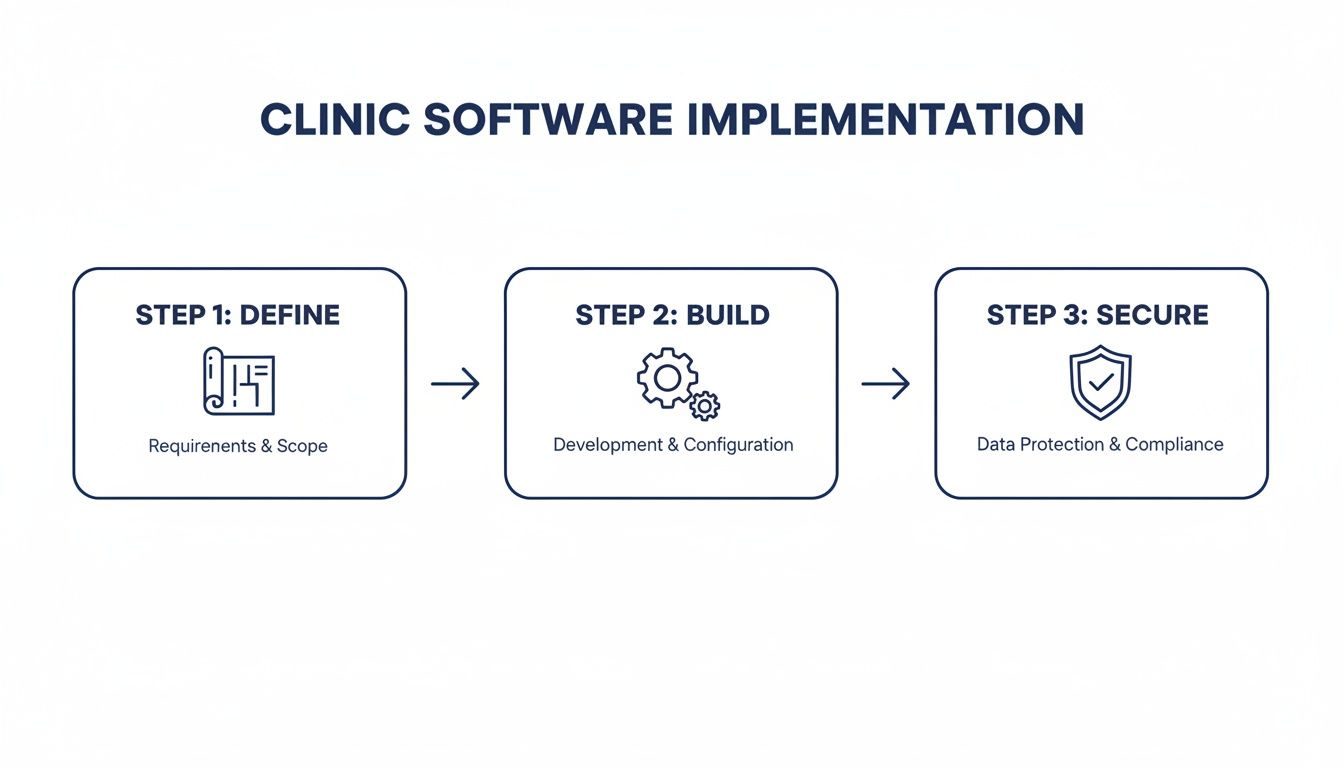
What this visual really drives home is that security isn’t a final checklist item; it’s a foundational principle that has to be woven into every step of the development process.
The Growing Need for Modern Solutions
The demand for these kinds of sophisticated healthcare tools is exploding. The Canadian healthcare SaaS market hit USD 1,230.0 million in revenue in 2024 and is on track to jump to a staggering USD 3,550.4 million by 2030. It’s no surprise that telemedicine led the pack, claiming the largest market share at 16.93% in 2024, which clearly signals the massive shift toward digital-first patient care.
A thoughtful development approach ensures your software isn’t just a tool, but a strategic asset. It can reduce administrative burden, minimise human error, and free up clinicians to focus on what matters most – patient outcomes.
Whether you’re a clinic owner looking to upgrade, a healthcare startup with a new idea, or an IT leader tasked with this project, this blueprint will give you a practical, actionable path forward. For a deeper look into this specialised area, check out our guide on custom software development for healthcare.
Core Features for a Minimum Viable Product (MVP)
When you’re starting out, it’s tempting to build every feature you can dream of. A much smarter approach is to launch a Minimum Viable Product (MVP) that focuses on solving the most critical problems first. This lets you get the software into the hands of real users faster, gather feedback, and iterate.
Here’s a breakdown of the essential features you should prioritise for your initial build.
| Feature Category | Core Functionality | Primary Benefit |
|---|---|---|
| Patient Management | Secure patient registration, demographic data storage, and a centralised record. | Creates a single source of truth for patient information, reducing errors. |
| Appointment Scheduling | Calendar-based booking, appointment reminders (SMS/email), and staff availability. | Minimises no-shows, optimises clinician schedules, and improves patient experience. |
| Electronic Health Records (EHR) | Digital charting, clinical notes, prescription management, and medical history. | Enhances clinical decision-making and ensures easy access to patient data. |
| Billing & Invoicing | Automated invoice generation, payment processing, and insurance claim management. | Speeds up the revenue cycle, reduces billing errors, and improves cash flow. |
| Secure Messaging | Encrypted communication channel between staff and/or patients. | Facilitates secure and compliant communication, protecting sensitive information. |
| Reporting & Analytics | Basic dashboards for tracking appointments, revenue, and patient volumes. | Provides key insights into clinic performance to inform business decisions. |
Focusing on these core functionalities ensures your MVP delivers immediate value, creating a solid foundation you can build upon as your clinic's needs evolve.
Defining Your Vision and Core Requirements
Every great piece of clinic management software starts with a conversation, not with code. Before you even think about tech stacks or architecture, you need to get on the ground and understand the real-world headaches and workflows of the people who will use it every single day.
This means pulling up a chair with your clinicians, your administrative staff, and yes, even your patients. The goal is to get past assumptions and uncover what really happens in the clinic. What part of the check-in process makes your front-desk staff want to pull their hair out? How many clicks does it take a doctor to document a simple patient encounter? Why do patients get confused by their bills?
These conversations are the foundation of your entire project. They are how you turn daily frustrations into a clear, actionable project scope.
From Insights to Actionable Plans
Once you've collected all those stories and pain points, it's time to give them structure. This is where you'll build out user personas; think of them as character sketches for your key users. You might have "Dr Evans," the GP who's always short on time, or "Sarah," the front-desk administrator juggling a dozen tasks at once. These personas aren't just a formality; they constantly remind your development team who they're building for.
Next, you can start mapping out patient journeys. Trace a patient's entire experience, from the moment they book an appointment online to the follow-up text they get a week later. This exercise is fantastic for spotting the hidden friction points and opportunities for improvement you might otherwise completely miss.
The most intuitive software is born from a profound understanding of user workflows. If you build a system that forces users to change how they work, adoption will fail. The software must adapt to them, not the other way around.
As you define your vision, understanding the essential practice management software features is a must. Knowing the landscape helps ensure you don't overlook standard functionalities that everyone will expect right out of the gate.
Creating Your Product Requirements Document
All of this crucial groundwork comes together in a Product Requirements Document (PRD). This isn't just a dry technical spec sheet; it's the blueprint for your entire project, spelling out exactly what the software needs to do.
A solid PRD will clearly define features and functionalities. For example:
Appointment Scheduling: Needs to handle calendars for multiple practitioners, support recurring appointments, and fire off automated SMS and email reminders without fail.
Patient Record Management: Must provide secure, PHIPA-compliant access to patient demographics, medical history, and clinical notes.
Billing and Invoicing: Should be smart enough to create invoices automatically from services rendered, manage insurance claims, and process payments online.
This is also where you need to look at what's happening in the market. In Canada's healthcare IT space, for instance, revenue cycle management was the big money-maker in 2023 as clinics fought to get their reimbursements optimised. At the same time, patient portals were the leading application, boosting patient satisfaction by an average of 25%. Knowing these trends helps you build something that’s not just functional, but competitive. You can dig deeper into the Canadian healthcare IT market on Grand View Research.
Prioritising for an Effective MVP
It’s easy to get excited and want to build every bell and whistle from day one. Trust me, that's a fast track to blowing your budget and timeline. The smarter play is to prioritise ruthlessly for a Minimum Viable Product (MVP) – the leanest, simplest version of your software that still delivers real value to your first users.
A framework I've always found incredibly useful for this is MoSCoW. It forces you to sort features into four simple buckets:
Must-Have: These are the absolute deal-breakers. Without them, the software is useless (e.g., secure patient login, basic appointment booking).
Should-Have: Important features that aren't critical for launch but should be high on the list for the next release (e.g., advanced reporting dashboards).
Could-Have: The "nice-to-have" features. You can add them if you have extra time or resources, but they won't hold up the launch (e.g., custom branding for the patient portal).
Won't-Have (this time): Features you've explicitly decided to leave out of this release. This is your defence against scope creep.
Using a framework like this keeps your team focused on delivering what matters most, first. It gets a working product into the hands of your staff sooner, which means you start getting valuable, real-world feedback that will shape everything you build next.
Now that you've mapped out what your clinic management software needs to do, it's time to decide how to build it. This is where we get into the technical blueprint – the architecture and the specific technologies that will form the backbone of your platform. Getting this right is crucial. These decisions will define how scalable, secure, and future-proof your system will be.

Think of it like building a house. Before you pick out the paint colours, you need to decide on the foundation and frame. In software, it starts with the architecture.
Monolithic vs. Microservices Architecture
One of the biggest forks in the road is choosing between a monolithic and a microservices architecture. Each has its place, and the right choice depends entirely on your goals.
A monolithic architecture is the classic, all-in-one approach. Your entire application, from the user interface to the database connections, is built as a single, tightly-knit unit. For a smaller clinic or a Minimum Viable Product (MVP), this can be the quickest way to get up and running. It's often simpler to develop and deploy at the outset.
Then you have the microservices architecture. This approach is about breaking your large application into a collection of small, independent services. Imagine one service that only handles patient scheduling, another that only manages billing, and a third for lab results. They all work together but can be developed, updated, and scaled on their own. If the billing service has a glitch, it won’t crash the entire system.
For a startup just getting its footing, a monolith often makes sense to get to market quickly. But if you’re planning for a large, multi-facility system or expect significant growth, a microservices approach will give you the flexibility and resilience you'll need down the line.
If you're looking to dive deeper into the nuts and bolts, it's worth exploring the various enterprise application architecture patterns that can guide your decision.
Picking Your Technology Stack
With the architectural plan in place, the next step is to choose the actual tools: the programming languages, frameworks, and databases. This is your "tech stack." For healthcare, the name of the game is reliability, security, and a strong community of developers who can support the tools you choose.
Let's break down the key components:
Front-End (The User Experience): This is everything your staff and patients will see and interact with. Frameworks like React and Angular are industry leaders here. They excel at building clean, responsive interfaces that feel intuitive and work beautifully on both a desktop computer and a smartphone.
Back-End (The Engine Room): This is the server-side logic that does all the heavy lifting. Node.js is a fantastic choice for its speed, especially for real-time features like instant appointment notifications. Other battle-tested options include Python (often with the Django framework) for its data science prowess or Java for its legendary stability in large-scale enterprise systems.
Database (The Vault): This is where all the sensitive patient health information (PHI) and clinic data live. PostgreSQL is a go-to for many developers; it's an open-source powerhouse known for its rock-solid reliability and robust security features. For less structured data like physicians' notes or medical documents, a NoSQL database like MongoDB can be a great, flexible option.
To help you weigh your options, here’s a quick comparison of some popular technologies used in healthcare applications.
Technology Stack Comparison for Clinic Software
| Technology Type | Option | Key Strengths for Healthcare | Considerations |
|---|---|---|---|
| Front-End | React.js | Huge community, component-based structure simplifies complex UIs, excellent for single-page applications. | Can have a steeper learning curve for new developers. |
| Front-End | Angular | Comprehensive framework, built-in features for enterprise-level apps, strong TypeScript integration for safety. | Can feel overly complex for smaller projects. |
| Back-End | Node.js | Fast and efficient for real-time applications (e.g., chat, notifications). Uses JavaScript, unifying the stack. | Being single-threaded, it's not ideal for CPU-intensive tasks. |
| Back-End | Python (Django) | Excellent for data analysis and machine learning integrations. Rapid development and clean syntax. | Can be slower than compiled languages like Java. |
| Database | PostgreSQL | Strong data integrity, robust security features, and excellent compliance support (ACID compliance). | Requires more upfront schema design than NoSQL. |
| Database | MongoDB | Flexible schema is great for unstructured data like clinical notes. Scales horizontally very well. | Lacks the strict transactional consistency of SQL databases. |
Ultimately, the best stack is one that your team knows well and that aligns with your project's specific needs for security, performance, and scale.
Choosing Your Cloud Infrastructure
Finally, your software needs a secure, reliable place to live. Today, that almost always means the cloud. Cloud platforms like Amazon Web Services (AWS) and Microsoft Azure are the gold standard, especially for healthcare.
Why? Because they've done a lot of the compliance groundwork for you. They offer services specifically designed to meet the rigorous security and privacy requirements of regulations like PHIPA here in Canada.
These platforms provide critical infrastructure right out of the box:
Secure, scalable servers that can grow with your user base.
Managed databases that automate backups, patching, and security.
Built-in data encryption, both when it's stored and when it's moving.
Advanced identity and access management to enforce strict controls over who can see patient data.
By building on a reputable cloud platform, you hand off a huge chunk of the infrastructure management burden. This lets your team focus their energy on creating the features that will actually make a difference for your clinic and patients, confident that the foundation is secure, compliant, and ready for whatever comes next.
Navigating Security and Regulatory Compliance
When you're building software for a clinic, security isn't just another feature on the list; it's the absolute foundation of trust. In healthcare, a single data breach can have devastating consequences for patients and completely shatter a clinic's reputation. This is why security and regulatory compliance have to be baked in from day one, not bolted on as an afterthought.
In Canada, the main piece of legislation you need to live and breathe is the Personal Health Information Protection Act (PHIPA). This provincial law dictates exactly how personal health information can be collected, used, and shared. Think of it as Canada's version of HIPAA in the US. Getting this wrong can lead to crippling penalties.
What this means for your project is that the software must be engineered from the ground up to protect patient data at all costs. It's a heavy responsibility, and it will shape every architectural decision, every line of code, and every permission you set.

Building a Digital Fortress Around Patient Data
Creating a genuinely secure environment is all about a multi-layered defence. You can't just put up a firewall and call it a day. A real security framework protects sensitive data from every conceivable angle.
Here are the non-negotiable security measures you absolutely have to get right:
End-to-End Encryption: All data, whether it's sitting idle in your database (at rest) or zipping across a network (in transit), must be locked down with strong, industry-standard algorithms like AES-256. This ensures that even if someone manages to get their hands on the raw data, it's nothing but unreadable gibberish.
Multi-Factor Authentication (MFA): Passwords just don't cut it anymore. MFA adds that critical second layer of security by making users prove their identity in another way, like a code sent to their phone. It’s one of the single most effective ways to stop unauthorised access from stolen credentials.
Role-Based Access Control (RBAC): Not everyone in a clinic should see everything. RBAC is about enforcing the "principle of least privilege," meaning users only get access to the specific data and functions they need to do their job. A receptionist has no business viewing a patient's detailed clinical notes, and your software must enforce that boundary.
These are just the starting blocks. To really navigate the complex world of healthcare data protection, it’s crucial to implement a full suite of actionable software security best practices throughout your entire development process.
Thinking Ahead with Risk Management and Constant Monitoring
Security isn't a "set it and forget it" task. Cyber threats are always changing, so your defences have to be just as dynamic. This is where you need to get proactive.
A critical first step for any Canadian healthcare software project is the Privacy Impact Assessment (PIA). This is a formal process where you identify, assess, and figure out how to mitigate privacy risks before you’ve even written a line of code. A PIA forces you to map out potential privacy issues before they become real problems.
A PIA is basically a pre-flight checklist for privacy. It makes you think through how data moves, where the weak spots might be, and what controls you need to put in place to protect that data every step of the way.
Once you go live, you need eyes on everything. That's where comprehensive audit logging comes in. Every single action: a user logging in, a record being pulled up, a prescription getting changed, must be recorded in an unchangeable audit trail. These logs are absolutely essential for investigating any security incidents and proving you're compliant. The gravity of this can't be overstated; for a deeper dive, consider the importance of cybersecurity in the healthcare industry.
Locking Down Your APIs and Integrations
Modern clinic software rarely works in isolation. It needs to talk to other systems: EHRs, billing platforms, labs, and pharmacies. These connections happen through Application Programming Interfaces (APIs), and if you're not careful, they can become a major weak point.
Securing your APIs means getting a few things right:
Strong Authentication: Using protocols like OAuth 2.0 to make sure only authorised applications can even talk to your API.
Rate Limiting: This stops bad actors from flooding your system with requests in an attempt to overwhelm it.
Input Validation: You have to rigorously check all incoming data to guard against common attacks like SQL injection.
The market for intelligent medical software in Canada is growing fast, with global projections showing a massive jump from USD 4.79 billion in 2025 to USD 22.33 billion by 2035. Hybrid SaaS models are gaining a lot of traction because they offer a great mix of security and scalability – a combination that’s vital for clinics handling data governed by PIPEDA and provincial laws.
By building this fortress of encryption, access controls, and secure APIs, you're not just checking off legal boxes. You’re earning the trust of the doctors, nurses, and patients who rely on your software to keep their most sensitive information safe.
Bringing Your Clinic Software to Life with Agile
You’ve done the hard work of laying the foundation: the blueprint is set, the architecture is decided, and the security framework is in place. Now for the exciting part: turning that vision into a real, working piece of software.
The most common mistake I see at this stage is trying to build everything at once in a rigid, year-long plan. That's a recipe for a product that's already outdated by the time it launches. A much smarter approach, and the one we use for complex projects like this, is agile development.
Instead of a single, massive project, we break the work down into small, two-to-four-week cycles called sprints. Each sprint delivers a small, complete, and working piece of the final product. Maybe the first sprint delivers a basic patient check-in form. The next might tackle the core appointment scheduling view.
The beauty of this is that you're not flying blind for months on end. After just a couple of weeks, you have something tangible to click on and show to your staff. This early feedback loop is crucial; it lets you make course corrections on the fly, ensuring the software you end up with is the software your clinic actually needs.
Assembling Your A-Team: In-House vs. Outsourced
One of the biggest forks in the road is deciding who will actually write the code. Do you hire your own team, or do you bring in an external partner? There's no single right answer, and I've seen both approaches succeed.
Building an In-House Team: Going this route gives you ultimate control. Your developers are fully immersed in your clinic's daily operations and culture. The downside? It's a huge commitment. You're on the hook for recruiting, salaries, benefits, and finding people who genuinely understand the nuances of healthcare software and compliance, which is a rare skill set.
Partnering with a Vendor: Working with a specialised development firm like Cleffex means you get a battle-tested team right out of the gate. They bring deep experience in healthcare, know the ins and outs of PHIPA, and can often get you to the finish line faster. You're essentially de-risking the entire technical side of the project.
Honestly, the best choice depends entirely on your budget, timeline, and long-term vision. A hybrid approach often works wonders: an in-house project lead who knows your clinic inside and out, managing a dedicated outsourced team. This gives you the best of both worlds: internal oversight and external expertise.
Quality Assurance Is Non-Negotiable
Let's be blunt: in healthcare software, a "minor bug" can have major consequences. An error isn't just an inconvenience; it could be a missed appointment, an incorrect billing claim, or worse, a clinical risk. This is why testing can't be an afterthought. It has to be baked into every single step.
In an agile world, Quality Assurance (QA) isn't a final hurdle to clear; it’s a continuous process that runs parallel to development.
The Four Layers of Testing You Can't Afford to Skip
Unit Testing: This is the first line of defence. Your developers write small, automated tests for every individual function they build to catch issues at the source.
Integration Testing: Once the individual pieces work, you have to make sure they play nicely together. Does the scheduling module correctly update the patient record? This is where you find out.
System Testing: Here, the entire application is put through its paces as a whole. We test it against every single requirement outlined in the initial product document to confirm it does everything it's supposed to.
User Acceptance Testing (UAT): This is the moment of truth. You hand the software over to your front-desk staff, nurses, and doctors and ask them to break it. They will run through real-world scenarios, and their feedback is pure gold for finding usability quirks and workflow gaps that developers would never spot.
Automating Your Way to Faster, Safer Releases
To keep pace with quick development sprints, you can't be bogged down by manual deployment processes. That's where a Continuous Integration/Continuous Deployment (CI/CD) pipeline becomes your best friend.
Think of it as a quality control assembly line for your code. Whenever a developer makes a change, this automated pipeline kicks in, runs all the tests, and packages the code for release. It catches bugs almost instantly, which means your team can push out updates and new features far more quickly and with much greater confidence.
Planning a Smooth "Go-Live" Day
The launch day is a huge milestone, but a successful rollout is all about the prep work. It’s far more than just flipping a switch.
Your deployment strategy has to nail a few key things:
Data Migration: You probably have years of patient data sitting in old systems or even spreadsheets. You need a rock-solid, meticulously tested plan to move every last bit of it into the new software without losing or corrupting anything.
Staff Training: Never underestimate the importance of proper training. Organise hands-on sessions for every staff member, tailored to their specific roles. Give them cheat sheets, video guides, and a go-to person for all their questions.
Phased vs. "Big Bang" Rollout: You have two main options. A "big bang" launch means everyone switches over at the same time – high-risk, but quick. A phased rollout, where you launch for one department at a time, is much safer. It lets you find and fix any unexpected issues with a smaller group before going clinic-wide.
By combining an agile mindset with obsessive testing and a thoughtful deployment plan, you transform a great idea into a reliable, high-quality tool that becomes the backbone of your clinic's operations.
Your Work Is Just Beginning: Post-Launch Success and Growth
Getting your clinic management software launched is a huge achievement, but let's be clear: this is the starting line, not the finish. The marathon has just begun. Now, the focus pivots from the intensity of development to the long-term, strategic work of making this platform a core asset for your clinic.
Think of it this way: your newly launched software is a living system. It needs care, attention, and a solid plan to thrive. This is where a robust maintenance and support strategy comes in. It's about much more than just swatting the occasional bug; it's a promise to your users that the system they rely on every day will be dependable. You need a clear, well-defined process for everything from tiny interface glitches to critical security patches.
Keeping an Eye on Performance and Learning from Your Users
Once the software is out in the wild, data is your new best friend. Setting up Application Performance Monitoring (APM) tools isn't optional; it's essential. These tools do more than just tell you if the system is "on" or "off"; they give you a real-time look under the hood to see how it's actually performing for your team.
APM tools help you answer critical questions, such as:
Response Times: Is the patient scheduling module lagging at 9 a.m. when everyone is trying to book appointments?
Error Rates: Why are front-desk staff reporting that the billing feature crashes every Friday afternoon?
Resource Utilisation: Are you paying for server capacity you don't actually need, or are you about to hit a performance ceiling?
This kind of data lets you get ahead of problems before they grind your clinic's operations to a halt. At the same time, you need to be watching how people actually use the software. Analytics that track user journeys and feature adoption will quickly show you what’s working and what’s not. You might discover that a feature you thought was critical is being completely ignored, while a minor function has become indispensable.
Your first version of the software is an educated guess. Your users' behaviour is the truth. Listen to what the data is telling you to guide your next steps.
Evolving and Scaling Your Platform for the Long Haul
The journey of developing your clinic software never really ends. Instead, it shifts into a continuous cycle of improvement, fuelled by the feedback and performance data you're now collecting. And when we talk about scaling, it’s not just about adding more users. It's about growing the software's capabilities to keep pace with your clinic's evolving needs.
Your growth roadmap should be built directly from user feedback. For instance, if you hear from multiple doctors that the e-prescribing workflow is clunky and needs better integration, that's your cue to make it a top priority for the next update.
On top of that, the healthcare world never stands still. Regulatory frameworks like PHIPA will be updated, and new standards will emerge. A crucial part of your long-term plan is staying on top of these changes, ensuring your software remains secure and fully compliant. By marrying proactive monitoring with a user-focused approach to updates, you ensure your platform doesn't just function; it evolves into a cornerstone of modern, efficient patient care.
Frequently Asked Questions About Building Clinic Software
When you're diving into a project as complex as custom clinic management software, a few big questions always come up. Let's tackle the two I hear most often: cost and timeline. Getting a handle on these early helps everyone set realistic expectations from the get-go.
What’s the Real Cost of Building Custom Clinic Management Software?
This is the million-dollar question, and the answer truly is: it depends. The price tag can swing wildly based on how deep you want to go.
For a lean Minimum Viable Product (MVP) with just the core, essential features, you’re likely looking at a starting budget somewhere in the $50,000 to $100,000 range. But if you’re envisioning a comprehensive platform with advanced features, think multiple third-party integrations with EHRs, labs, and payment gateways, plus custom-built clinical workflows, the investment can easily climb north of $250,000.
The biggest cost drivers are almost always the complexity of those integrations, the specific compliance hoops you need to jump through (like PHIPA), and the level of ongoing support and maintenance you’ll need post-launch.
How Long Will It Take to Develop?
Just like cost, the timeline is a direct reflection of the project's scope.
If we're building an MVP using an agile approach, we can often get the essential functions up and running in about 4 to 6 months. This gets a working product into the hands of users quickly, so you can start gathering feedback.
However, a full-scale, bespoke solution is a different story. Factoring in extensive integrations, multiple custom features, and the rigorous testing required for compliance validation, a more realistic timeline is anywhere from 9 to 18 months, sometimes even longer, from the first sketch to the final go-live.
At the end of the day, the technology is only one piece of the puzzle. The real secret to success is marrying a deep, genuine understanding of clinical workflows with an unwavering commitment to security and privacy regulations. You can have the slickest tech in the world, but if it isn't intuitive for healthcare professionals and ironclad secure, it's a non-starter.
Ready to build a secure, compliant, and efficient software solution for your clinic? Cleffex Digital Ltd has the expertise to bring your vision to life. Learn more about our custom healthcare software development services.