


A referral leaves your clinic on Monday. By Thursday, nobody can say whether the specialist received it, the patient is calling for an update, and a staff member is retyping details that were already in the chart. That gap between sending work and knowing what happened next is where patient journeys stall.
Healthcare workflow automation closes those gaps by connecting handoffs, confirming receipt, and flagging delays before patients have to chase you. Done well, it doesn't replace clinical judgement. It removes the repeated searching, retyping, and reminder calls around it.
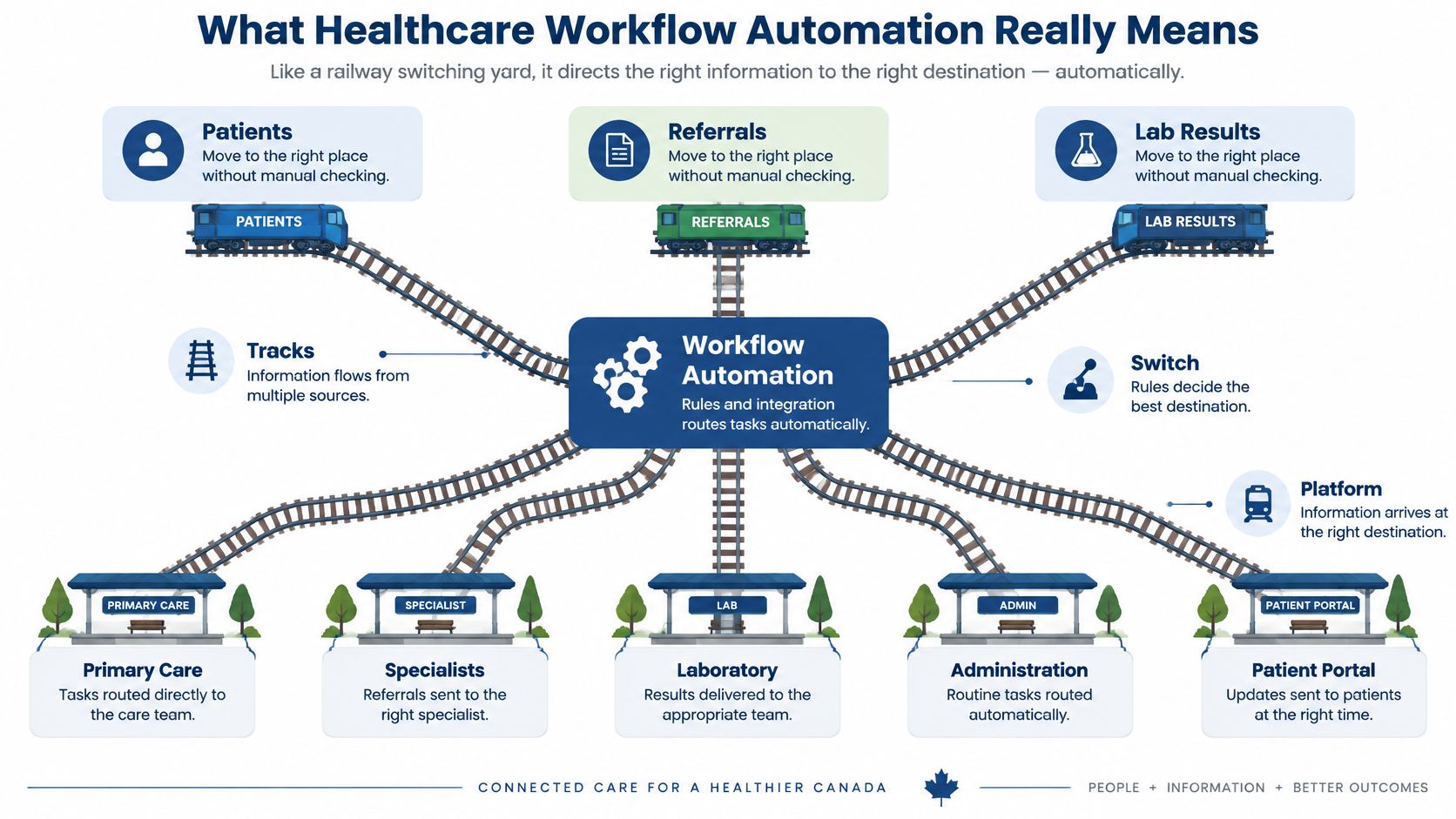
What Healthcare Workflow Automation Really Means
Think of a railway switching yard. Patients, referrals, prescriptions, and lab results are trains that need to reach the right platform in the right order. Healthcare workflow automation sets the switches in advance, so staff don't have to check every junction by hand.
In practice, it uses rules, triggers, and data exchange to move tasks and information along a care pathway. A completed form triggers an eligibility check. A new result routes to the ordering clinician. An unanswered referral creates a follow-up task after a set time.
Digitisation Is Not Automation
A scanned referral is digital, but it isn't automated. Someone still opens it, forwards it, retypes it, and chases a reply.
An automated route works differently. The system sends a structured referral, confirms receipt, records the status, and flags it if no response arrives. The person steps in only when something needs judgment or doesn't match the expected path.
Three Layers Working Together
Most patient journey automation combines three layers:
Task automation: Handles single repeated actions, such as reminders, form routing, and status notifications.
Process orchestration: Connects multi-step pathways across teams, such as intake, triage, booking, and follow-up.
System integration: Moves data between the EMR, laboratory, imaging, pharmacy, and patient messaging systems.
Confusion often starts when a team buys task automation and expects a connected journey. A reminder that doesn't update the schedule when a patient cancels has moved work to the front desk, not removed it.
Practical exercise: List the five handoffs your team repeats most often each week, then note where someone retypes, searches, or chases information.
Those repeated handoffs are your first map. They show where automation could help, and equally where the underlying process or connection needs fixing first.
Where Patient Journeys Lose Time Today
Time usually disappears at handoffs, not during the appointment itself. Information waits in an inbox, arrives in a format another system can't use, or needs a phone call to confirm a simple fact.
The Canadian Medical Association's administrative burden overview reports that physicians spend approximately 18.5 million hours each year on unnecessary administrative work, equivalent to about 55.6 million patient visits. Charting, third-party forms, sick notes, locating laboratory results, and post-appointment follow-up all contribute to that load.
Patient Journey Stages and Where Automation Fits
| Journey stage | Manual task today | Automation option | Main beneficiary |
|---|---|---|---|
| Referral intake | Faxed or emailed referrals retyped into the EMR | Structured e-referral with automatic routing and acknowledgement | Specialist clinic staff |
| Appointment booking and reminders | Phone calls to confirm and reschedule | Automated reminders, self-service rebooking and waitlist fill | Patients and front desk |
| Pre-visit forms and eligibility | Paper forms and manual insurance checks | Electronic forms, identity checks and eligibility lookup before arrival | Patients and billing teams |
| Lab and imaging results | Results searched for across several systems | Automatic routing to the ordering clinician with overdue alerts | Physicians and nurses |
| Hospital discharge and transfer | Medication lists retyped for the next provider | Structured medication transfer with reconciliation prompts | Care coordinators and receiving sites |
| Post-visit follow-up | Manual callbacks and chart reviews | Task queues, reminders and secure patient messages | Care teams and patients |
Treat this table as a starting map, not a shopping list. A busy stage with a measurable delay is a stronger candidate than a rare task that staff find mildly annoying. For a closer look at the front end of the journey, see this guide to healthcare intake automation.
Say a family clinic receives referral faxes that staff re-enter by hand. Nobody knows which referrals the specialist accepted, so the clinic makes chase calls, and patients call back for news. A structured e-referral changes the sequence: required fields are checked before sending, receipt is acknowledged automatically, and unanswered referrals appear in an exception queue.
That example shows the selection rule clearly. The clinic isn't automating because fax feels old-fashioned. It's targeting retyping, uncertain receipt, and avoidable calls, all of which can be counted before and after the change.
Mark the two or three stages that generate the most staff and patient complaints in your organisation. Then measure volume, delay, and error or correction rates for each one. You'll usually find that one stage deserves attention first, while the others can wait until the initial route works reliably.
Benefits and What the Evidence Shows
A clinic that automates referral routing expects three things back: clinician time, faster results for patients, and fewer records that need fixing by hand. Pilots often deliver all three. The harder question is whether the gains survive a normal week, when staffing changes, volumes spike, and exceptions pile up.
Pilot results work like a test drive on an empty lot. The daily commute is the true measure.
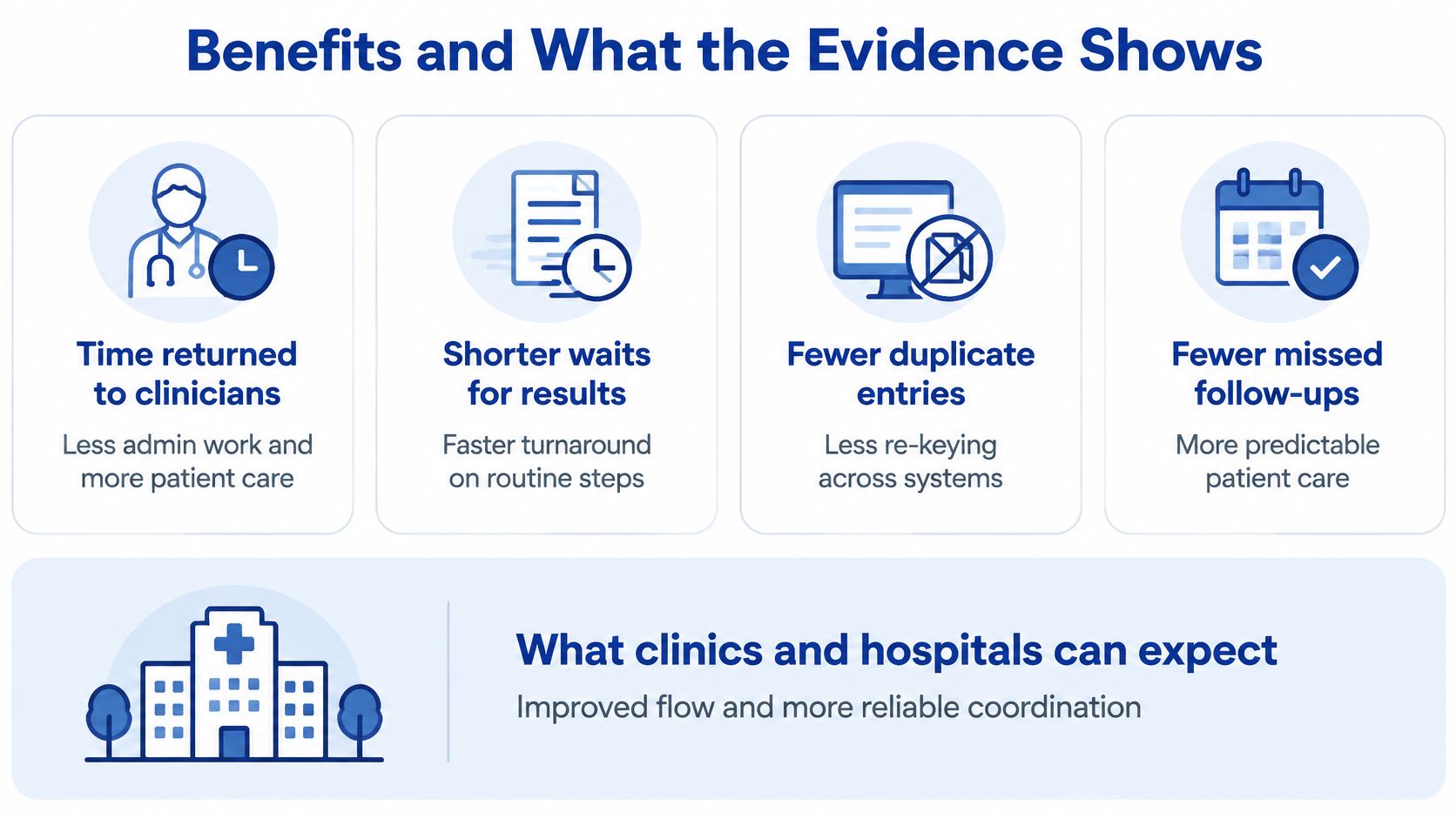
The 2025 McMaster Forum evidence review reports Canadian administrative-task reductions ranging from 25% to 70%, while cautioning that most of that evidence comes from pilots or early implementations rather than steady-state operation. Read each result with its caveat attached.
Reported Results From Canadian Workflow Automation
| Setting or source | Reported result | What to note |
|---|---|---|
| Canadian administrative tasks, 2025 McMaster Forum review | Reductions of 25% to 70% | Mostly pilots or early implementations, not guaranteed returns |
| Documentation and chart-routing pilots | Time savings reported; amounts vary by role, workload and clinician adoption | Measure your own baseline before projecting savings |
| Hospital to long-term-care medication reconciliation | Less manual reconciliation where staff were trained and alerted to changes | Gains depended on staff awareness, training and clear exception ownership |
A worked example keeps expectations honest. If a clinic saves two hours a week on chart routing, that is roughly 100 hours over a year, but only if staff use the new route consistently and exception handling does not recreate the old work. Run one check before anything is built: do the systems being connected agree on patient identity and on the data the workflow will move? Where they disagree, the automation circulates the mismatch faster than anyone can correct it.
Measure More Than Hours Saved
Build a before-and-after scorecard covering time saved per role, document turnaround, rejected or corrected items, patient wait time, safety events, accessibility by language and disability, clinician override rates, and any new reconciliation work the automation creates. That wider view shows whether healthcare process automation improved care or moved effort to a different desk.
Patient access belongs on the same scorecard. The Canadian Institute for Health Information report says 81% of Canadian adults are interested in accessing their health information online, yet only 39% had done so in a 2023 survey. Track digital uptake and assisted alternatives, so convenience for one group doesn't become a barrier for another.
Risks and Limits to Plan Around
Automation doesn't fix a weak process. It repeats that process faster, at a larger scale, and sometimes with less human checking. That is manageable when you name the risks before connecting systems.
Poorly connected workflows: If two systems hold different medication lists, automation can circulate the wrong list quickly. Reconcile patient identity and core data first, then route conflicts to a named reviewer.
Privacy and security: An automated result sent to an outdated address can expose sensitive information. Review destinations, apply least-privilege access, keep audit trails, and test incident-response steps before launch.
Data quality: Duplicate records and failed patient matches don't disappear inside a workflow engine. Create an exception queue with clear ownership, response times, and a record of how each conflict was resolved.
Staff trust: A tool designed without frontline input may be bypassed with spreadsheets and phone calls. Test realistic cases with the people who'll use it, including the awkward referrals and incomplete forms.
Equity of access: A portal-only route can exclude patients with limited connectivity, language needs, or disabilities. Pair every digital path with an assisted or non-digital alternative and monitor who uses each one.
Accountability: An overdue result still needs a human owner after the alert fires. Assign a clinician or manager to each automated step, escalation point, and final outcome.
The Office of the Privacy Commissioner of Canada resolution recommends moving away from traditional fax and unencrypted email towards encrypted email, patient portals, electronic referrals, and electronic prescribing. It also calls for encryption, firewalls, access restrictions, staff training, regular reviews, and security testing.
In Canada, provincial health privacy laws, such as Ontario's PHIPA, often govern health information alongside federal requirements. Organisations serving patients in Europe or the United States may also face GDPR or HIPAA obligations. We prioritise compliance with global standards such as GDPR and HIPAA, and our development process includes strong encryption, secure data storage, anonymisation techniques, and access control measures.
Automating a poorly connected workflow can create more reconciliation work, not less. Integration and data checks come before speed.
Technologies That Connect Patient Journeys
Most useful automation sits in an integration layer between systems, not inside one application. Picture that layer as a controlled exchange point: it receives an event, checks identity and consent, translates the data into an agreed format, routes it, records the transaction, and sends problems to an exception queue.
That picture matters because digitisation is already widespread. CIHI and Canada Health Infoway material summarised in CIHI's connected health information report notes that 93% of Canadian primary-care physicians reported using electronic medical records in 2022, up from 73% in 2015. Yet clinicians still struggle to exchange conditions, results, medications, allergies, and care records across organisations.

Core Technologies for Connected Patient Journeys
| Technology | Best used for | Main limit |
|---|---|---|
| Workflow engines and business process tools | Routing tasks, approvals and escalations across teams | Needs clear process maps and named owners |
| APIs and FHIR-based data exchange | Sharing patient summaries, medications and results between systems | Requires standards support on both ends |
| HL7 v2 messaging | Sending admission, discharge and laboratory messages between hospital systems | Older and variable message formats |
| Robotic process automation (RPA) | Repetitive data entry in legacy screens with no interface | Brittle when screens change, so best as a short-term bridge |
| Document AI and natural language processing | Reading referrals, faxes and forms and extracting key fields | Low-confidence data needs human review |
| Rules engines and eligibility checks | Applying coverage, referral and triage rules automatically | Rules must be kept current and clinically approved |
| Patient messaging and portals | Reminders, secure messages and results notifications | Assisted routes needed for patients without digital access |
A sound healthcare system integration design is API-first where possible and uses standards such as FHIR and HL7 for clinical exchange. It also needs identity matching, consent controls, role-based access, audit trails, message acknowledgement, retry handling, and human review for records that can't be matched safely.
RPA has a narrower role. It's acceptable as a temporary bridge when a legacy screen has no interface and the task is stable, repetitive, and easy to audit. It becomes a fragile dependency when critical journeys rely on bots copying between screens that vendors can change without notice.
For technical detail on standards-based exchange, read this overview of healthcare interoperability with HL7, FHIR, and APIs. Before choosing tools, check which interfaces your current systems already expose. The best technology choice often follows from that inventory, not from a vendor shortlist.
Choose Your First Workflow and Plan the Rollout
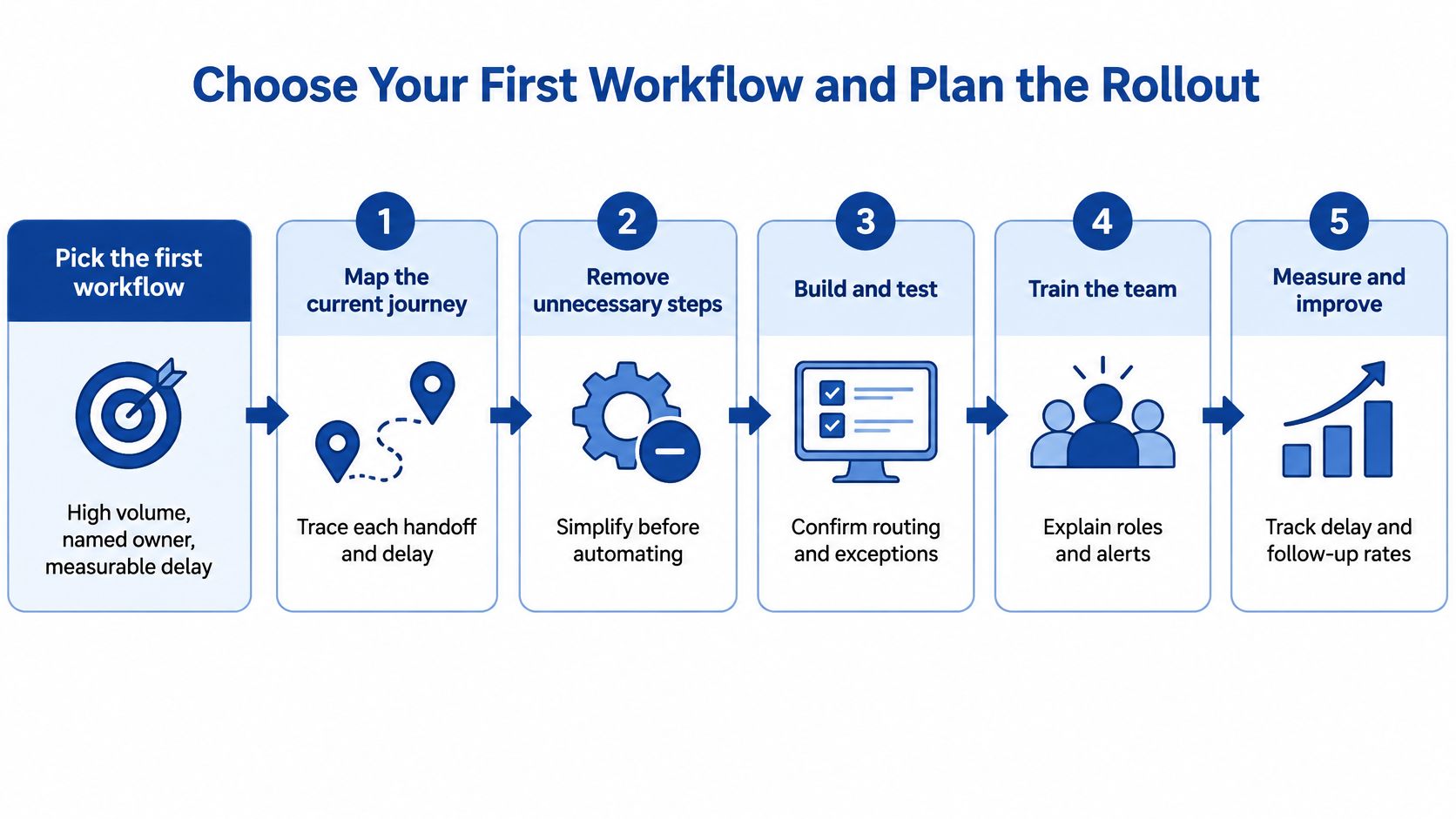
Start where the delay is easiest to count. A referral desk handling a steady stream of chase calls, or a results inbox where staff retype reports into the chart, gives you something a vendor demo cannot: a baseline. Your first workflow should have high volume, a named owner, and a measurable delay. Referral acknowledgement, results routing, and appointment follow-up usually meet those tests because staff can already count the calls, waiting time, and corrections involved.
One caveat shapes every step below. Automating a poorly connected workflow does not close the gap between systems. It works like a faster conveyor feeding a jammed packing station: output speeds up until the jam forces someone to clear it by hand. The exception queues and reconciliation work move downstream.
Check the connections first, then build.
Seven Steps From Map to Decision
Map the current journey: Walk through the work with frontline staff and record each handoff, system, waiting point, and workaround. The official procedure rarely matches reality, and significant delays often occur during informal phone calls.
Choose one workflow: Pick the route with clear volume, an accountable owner, and a delay you can measure. A narrow success gives you evidence and staff confidence for the next decision.
Find every boundary crossing: Mark where patient data moves between teams, organisations, or provincial systems. Those points need consent, identity, security, and accountability checks before you build.
Use the least invasive integration: Connect and wrap existing systems before considering replacement. Lightweight patient workflow management around a working platform is usually safer than a disruptive rebuild.
Define human control points: Set approval steps, exception queues, consent rules, retention periods, and escalation owners. Staff should know exactly which cases automation may complete and which cases it must stop.
Set the baseline and pilot window: Record the scorecard before launch: turnaround time, staff hours, rework counts, and exception rates. Then run the pilot for a fixed period with a defined patient or transaction group, and compare like with like, including overrides.
Expand, redesign, or stop: Let the scorecard make the case, not enthusiasm from the project team. If administrators save time while clinicians gain corrections, redesign the route instead of scaling it.
Set measurable connectivity goals rather than promising a joined-up journey in general terms. The federal-provincial bilateral agreement for British Columbia identifies targets including 70% of clinicians using electronic medical records able to send clinical summaries through a vendor-conformed solution and 60% of primary-care physicians able to exchange patient summary records. Your local goals can be smaller, but they should be just as explicit.
Decision rule: Proceed only when the baseline shows enough recoverable time, delay, or error reduction to justify integration, training, licences, and ongoing support.
Cost matters as much as capability. Estimate the full commitment before signing: integration work, licence or platform fees, staff time for mapping and training, data clean-up, testing, and ongoing support. Compare that total with the hours and delays your baseline suggests the workflow can recover. Be cautious when the projected return depends on perfect adoption, because few rollouts reach it.
We provide healthcare software integration for North American healthtech companies, enabling hospital connectivity, compliance, AI diagnostics, and scalable platforms. We also built a web-based MDT treatment planning app for hospitals, supporting collaborative decisions, medical imaging, and secure workflows, and we integrate AI capabilities into existing platforms such as CRMs, ERPs, and custom software without disrupting current workflows. You can review the scope through our healthcare software integration service and our implementation guidance on healthcare automation software implementation.
Frequently Asked Questions About Healthcare Workflow Automation
1. How long before a project shows results?
A small pilot on one high-volume workflow can show measurable change within weeks. Keep the scorecard running for the full fixed pilot window before deciding whether the improvement is durable.
2. Do we need to replace our EMR first?
Usually no. Lightweight automation around existing systems is safer, and replacement makes sense only when the current system blocks standards-based exchange or essential controls.
3. What is the difference between patient journey automation and patient workflow management?
Patient journey automation covers the sequence of events a patient moves through, from booking to follow-up. Patient workflow management covers the staff tasks, queues, approvals, and accountability that make those events happen.
4. Which privacy rules apply in Canada?
Federal private-sector rules under PIPEDA and provincial health privacy laws, such as Ontario's PHIPA, may apply. Confirm the exact requirements for your province, data flows, and vendors with qualified legal counsel.
Answers will vary by jurisdiction, clinical risk, and the systems involved. Start with the workflow map and integration check, then choose technology that fits those facts.
If you're planning healthcare workflow automation but your referrals, results, or follow-ups still depend on retyping and chase calls, we can help you map the first workflow, test the integration points, and build a measurable pilot around your existing systems. Visit Cleffex Digital Ltd to discuss your patient journey priorities and identify a practical, secure place to start.