

A Monday morning at a Canadian clinic often starts with a queue before the doors open. A patient rewrites the same medication history they provided at another appointment, reception re-enters demographic details from a paper form, and a referral sits in an inbox because the attachment that should have accompanied it never arrived. Nurses and physicians then spend valuable time clarifying information that should have been captured once, validated, and routed correctly.
This is the starting point for healthcare intake automation. The objective isn't to replace paper with an online form. It's to create a connected process from registration and data collection through referral review, scheduling, clinical preparation, and follow-up. The strongest implementations reduce duplicate work without hiding important decisions inside an opaque system.
What a Busy Intake Desk Really Looks Like
At 8:15, reception is answering calls while checking patients in. One person has completed an online form, but their address doesn't match the record in the practice-management system. Another has uploaded an image of an insurance card, but the file is unreadable. A third patient has arrived with a paper referral and assumes the clinic already has their imaging report.
The staff member handling the referral now becomes a detective. They search email, check the fax queue, call the referring office, and leave the referral in a pending folder. Meanwhile, a patient with a complete referral waits behind a case that needs manual reconstruction.
The hidden work behind registration
Manual intake creates work that patients rarely see:
Re-keying demographics: Staff copy names, dates of birth, addresses, and contact details into more than one system.
Repeating clinical questions: Patients provide medication histories or symptoms online, then repeat them by telephone or at reception.
Chasing attachments: Teams request missing identification, lab results, referral notes, or insurance details after the submission.
Resolving ambiguity: Staff decide whether a free-text answer is complete enough for scheduling or requires clinical review.
Managing exceptions: Incomplete, duplicate, or mismatched records move between inboxes without a consistent owner.
A well-designed patient intake form template can help teams think through the information they need, but a template alone won't solve routing, identity matching, consent, or downstream record updates. Those are workflow and integration decisions. Clinics evaluating the wider operating model can also explore connected healthcare systems to understand why the intake layer must communicate with the systems staff already use.
What the redesigned morning should feel like
The patient receives a mobile-friendly request, answers only the questions relevant to their appointment, and sees a clear explanation of how their information will be used. The system checks required fields, identifies a possible duplicate, sends an exception to a staff queue, and places validated information where the authorised team needs it.
That doesn't remove people from the process. It gives them a better role. Reception handles exceptions instead of transcription, nurses review clinically meaningful information instead of hunting for missing documents, and physicians begin with a more coherent record.
Why Intake Automation Matters for Canadian Clinics
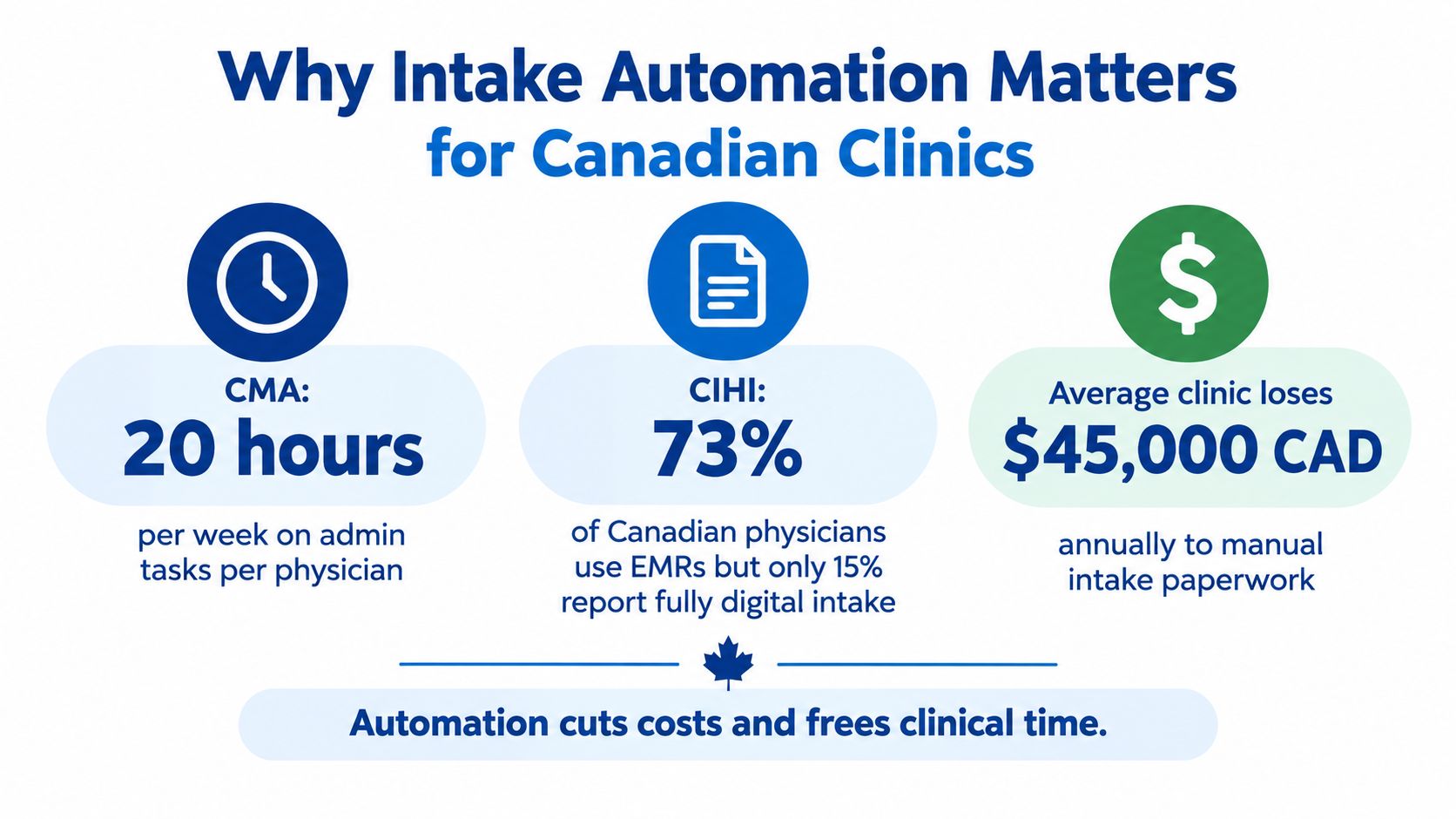
Canada has much of the infrastructure needed for digital intake. CIHI reported that 93% of Canadian primary care physicians used electronic medical records in 2022, up from 73% in 2015 and 86% in 2019. CIHI describes this growth alongside the continuing need for connected electronic health information.
The operational opportunity is substantial. The Canadian Medical Association estimates that physicians spend 18.5 million hours each year on unnecessary administrative tasks, equivalent to 55.6 million patient visits. The CMA links this burden to the need for better use of digital health and information technologies. Intake is one contributor, but it feeds registration, referral preparation, information transfer, and documentation. Poorly connected intake therefore creates work well beyond the front desk.
Digital access isn't evenly distributed
A clinic cannot assume that every patient can complete an online workflow. Between 2021 and 2023, the share of Canadians reporting that they checked health information online rose from 32% to 39%. The same CIHI survey found differences by location and income: in 2023, 40% of urban residents had used online records compared with 32% of people in rural or remote areas. Usage reached 46% among households earning at least $100,000 and 33% among households earning below $50,000.
Clinics should keep accessible alternatives, staff-assisted completion, mobile support, and clear escalation paths alongside any digital intake rollout. These are workflow requirements, not optional service features.
Forms are not the finish line
A standalone form can collect information efficiently and still create another silo. Automation produces value when validated data reaches the correct EMR, scheduling queue, referral worklist, or billing process without avoidable re-entry. That requires field mapping, identity matching, consent handling, and clear ownership for exceptions.
Teams assessing those decisions can review this guide to choose a healthcare technology partner in Canada. The business case should focus on fewer rejected referrals, less duplicate entry, cleaner handoffs, and more predictable triage, rather than the volume of forms submitted online.
Mapping Your Current Intake Workflow
Document what happens from the first patient contact to the point where a clinician can act on the information before evaluating software. Treat the exercise as workflow and interoperability analysis, because a digital form creates little value if its data still requires manual interpretation or re-entry.
Bring reception, nursing, clinical leadership, IT, privacy, and referral coordinators into the same mapping session. Each group sees different failure points. Reception can identify where patients abandon forms, clinicians can specify which missing details create unsafe ambiguity, and IT can confirm which system owns each field.
Capture the full path, not just the form
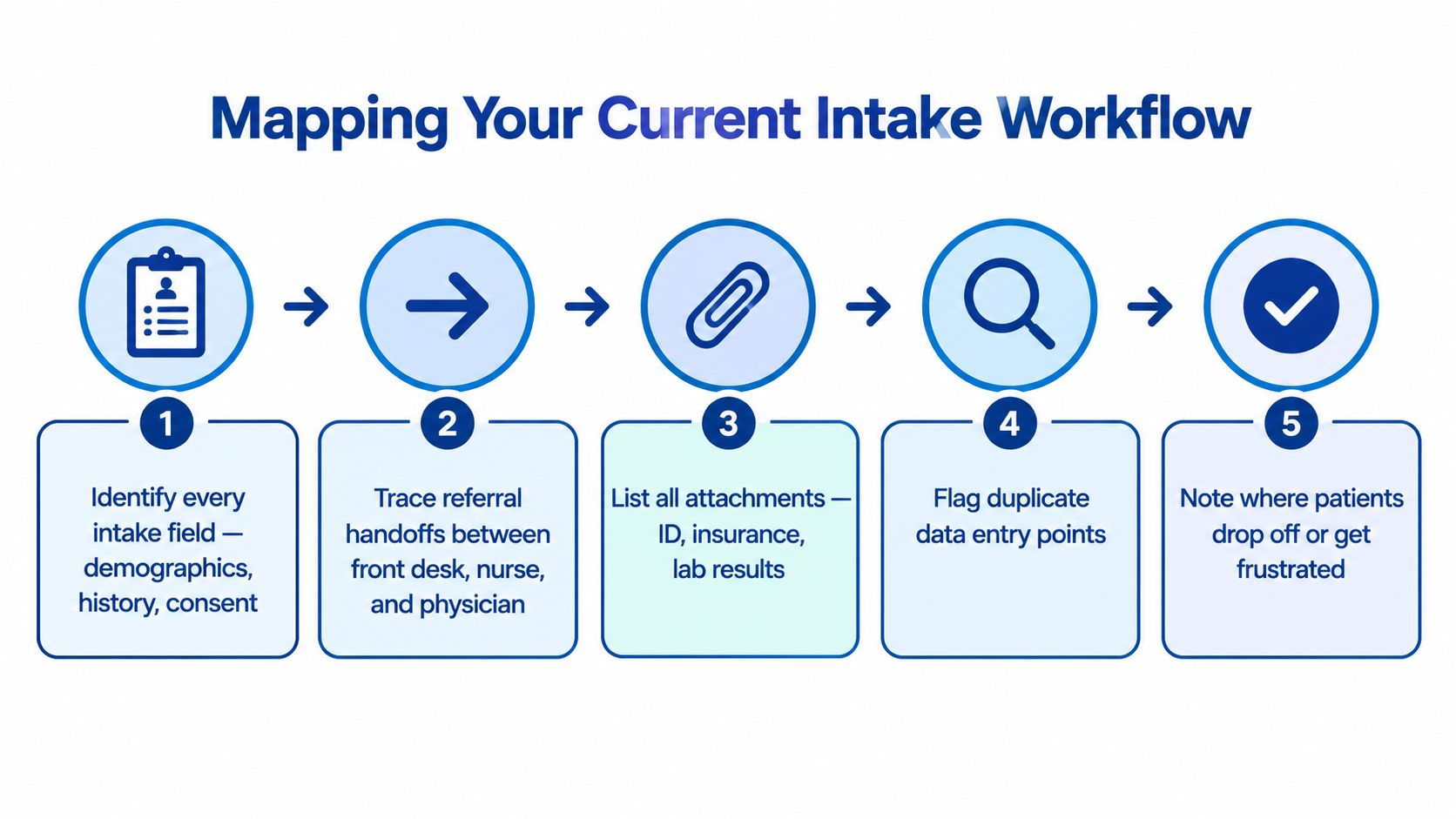
Document each of these elements:
Every data field: Include demographics, contact preferences, symptoms, medical history, medications, allergies, consent, insurance, referring provider, and appointment purpose.
Every handoff: Trace movement from patient to reception, nurse, referral coordinator, physician, billing team, and external provider.
Every attachment: Record requirements for identification, insurance documents, lab results, imaging, referral notes, and authorisation forms.
Every validation rule: Define what makes a submission complete, what requires correction, and what must receive human review.
Every destination: Identify whether each field belongs in the EMR, practice-management system, document repository, referral queue, scheduling platform, or another authorised system.
Include steps that sit outside the formal form. Identity verification, consent capture, duplicate-record checks, appointment confirmation, and notification preferences can all affect safety, privacy, and routing.
Make exceptions visible
Draw a separate path for an incomplete referral, a possible duplicate patient, an unreadable document, a patient who cannot use the portal, and information arriving from a system that exchanges data unreliably. Assign an owner and service expectation to each exception. A workflow that only describes the successful digital path will fail at the points staff handle most carefully.
CIHI reported that 52% of Canadian providers shared patient information electronically with providers outside their practice, while 17% said they did not routinely access electronic information from other care settings because of barriers including poor system integration. That finding makes exception handling a core design requirement, particularly where disconnected systems force staff to reconcile records manually.
Record a baseline before changing anything. Useful measures include completion rate, duplicate-entry rate, referral rejection rate, median time to triage, and the percentage of records requiring manual correction. Teams can use this guide to integrate healthcare workflow to turn the mapped handoffs into technical requirements and assign responsibility for unresolved cases.
Designing the Automated Intake Workflow
At reception, a patient may complete intake on a tablet while staff answer questions, check identity, and prepare the next appointment. The workflow must support both paths. Intake automation is an interoperability and workflow-design project, not a paper form placed on a screen.
Start with progressive disclosure. Ask for the appointment reason first, then show only the questions relevant to that response. A routine follow-up should not trigger the same history pathway as a new concern. Use plain-language prompts, examples beside unfamiliar terms, and clear explanations for required questions.

Minimise fields before adding intelligence
A standardised digital-referral study found an average of 55.0 fields per form compared with 30.5 on paper. That result shows how digitisation can increase effort when teams copy a paper packet without redesigning its logic.
Use conditional fields, reuse authorised information where appropriate, and let patients review existing details instead of typing them again. Mobile screens need large controls, saved progress, accessible language, and a staff-assisted option at reception. Clinics serving patients with different language, access, or technology needs should also provide multilingual communication and non-digital alternatives.
Separate deterministic work from clinical judgement
Automation fits rule-based tasks:
Completeness checks: Identify missing required fields or attachments.
Format validation: Check dates, telephone numbers, postal codes, and identifiers.
Document handling: Use OCR to extract text from paper referrals or insurance cards, then send uncertain results for review.
Consent and signatures: Present the relevant disclosure, capture an electronic signature, and record the event in an auditable way.
Basic routing: Send submissions to the correct queue using appointment type, location, referral source, or defined rules.
AI can summarise or classify information, but ambiguous or clinically consequential content should reach a qualified reviewer. Staff need access to the source information and the reason for each automated route. Otherwise, faster processing can conceal an unsafe decision or a bad field mapping.
Teams assessing where automation should stop and human review should begin can see how Wisely can help. The practical test is whether each automated action produces usable data in the right system, with a clear owner when the workflow cannot proceed.
Choosing the Right Integrations
A patient can submit accurate information and still create rework if the intake platform cannot place it in the authorised clinical or administrative record. Assess each connection by its system of record, data elements, exchange direction, validation rules, failure path, and production support.
Statistics Canada found that 92% of Canadian healthcare providers had access to a digital health system in 2024, yet 78% reported at least one barrier to sharing information outside their main practice. Insufficient integration affected 50%, while systems unable to send or share information electronically affected 46%. Statistics Canada's survey findings show why a polished patient interface cannot compensate for disconnected systems.
Compare the stack by responsibility
| System | What It Holds | Integration Goal | Key Evaluation Criterion |
|---|---|---|---|
| EMR or EHR | Clinical history, medications, allergies, notes, patient summary | Write validated intake data into the authorised chart | Standards support, field mapping, provenance, and auditability |
| Practice-management system | Registration, appointments, demographics, billing status | Keep identity and appointment details aligned | Duplicate prevention and reliable update handling |
| Identity service | Patient identifiers and verification signals | Match the person to the correct record | Match confidence, exception handling, and privacy controls |
| Payment platform | Deposits, uninsured services, receipts | Collect authorised payments without exposing unnecessary health data | Secure tokenisation, reconciliation, and role-based access |
| Laboratory or pharmacy system | Results, orders, medication information | Support relevant clinical preparation and handoffs | Supported exchange method, consent, and data freshness |
Prefer standards-based exchange where it fits the workflow. Canada Health Infoway's interoperability work and Patient Summary Specification offer reference points for shared data elements and terminology across care settings.
An AI layer on a poorly connected stack only produces a faster silo. Require demonstrations of identity matching, failed-message handling, duplicate prevention, data provenance, and reconciliation using realistic workflows rather than a successful submission alone. For organisations assessing custom integration options, a specialist partner can demonstrate identity matching, failed-message handling, and reconciliation with real workflows. The decision should rest on reliable handoffs and clear recovery paths, not the front-end experience alone.
Privacy, Consent, and Patient Control
A fast intake workflow earns patient trust when people understand what they are providing, why it is needed, who can access it, and whether automation will summarise, classify, or route their information. Treat these decisions as workflow design requirements, not wording added after implementation.
Health Canada's Pan-Canadian AI for Health guiding principles emphasise privacy protection, appropriate consent, de-identification, secure systems, and patient control over personal health information. Put those principles in the patient experience. Explain the purpose of a request before submission, identify the teams that may use the information, and make optional choices clear.
Make control visible at each step
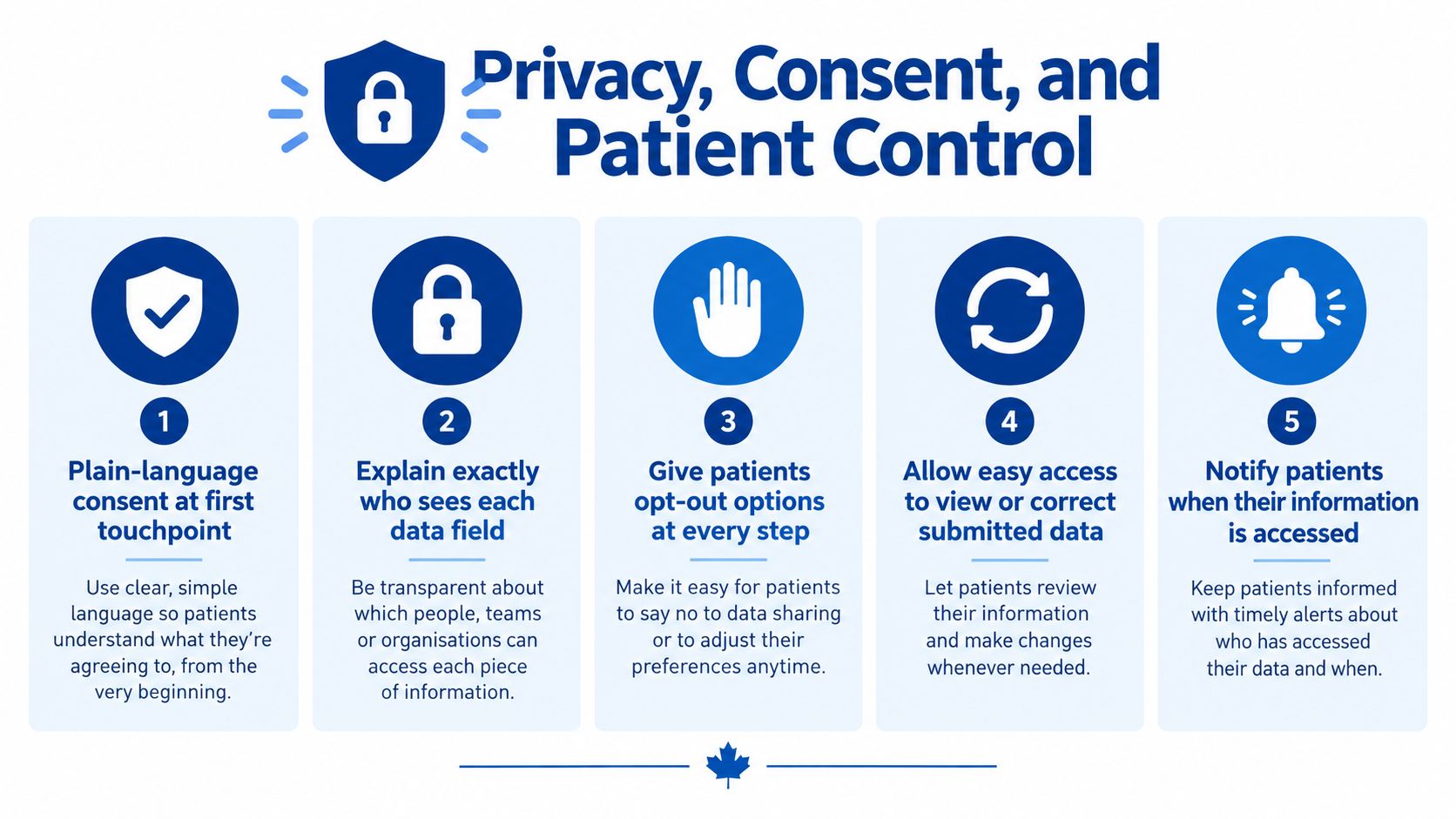
A patient should encounter:
Plain-language disclosure: Explain why each information request supports care or administration.
Purpose limitation: Collect the information required for the task, rather than every potentially useful detail.
Role-based access: Give reception, nursing, clinicians, billing staff, and external partners only the information their work requires.
Correction and withdrawal paths: Provide a practical way to correct submitted information and withdraw optional consent where applicable.
Auditability: Record who viewed or changed information and when.
Build encryption, authentication, retention rules, breach procedures, and provincial requirements into the operating model. Review those controls with the organisation's privacy officer or legal adviser. The AgentStack compliance guide for support teams offers useful control categories, but Canadian healthcare organisations must assess their own jurisdictional obligations instead of copying a generic checklist.
Design for patients who aren't fully online
In 2025, only 13% of Canadian adults reported online access to all three core components of their health records, namely lab and imaging results, immunisation records, and medication history and renewals. That gap makes a portal-only intake route unsuitable for many patients and reinforces the need for multiple access channels.
Offer telephone assistance, staff-supported intake, accessible paper alternatives, and a process for entering information on a patient's behalf with appropriate permission. Patient control includes choosing a channel that works for them, while the system preserves consent, provenance, and the same privacy safeguards across every route.
Testing, Deployment, and Measuring ROI
Treat deployment as a controlled workflow change, not a software switch. Start with one location, intake pathway, or referral category. That limited scope lets staff observe the complete journey, identify integration defects, and correct them before they affect every patient.
Establish a baseline before launch. Track:
Completion rate: How many submissions arrive ready for review?
Duplicate-entry rate: How often do staff re-key information?
Referral rejection rate: How many referrals return because content is missing or invalid?
Median time to triage: How long does a complete submission wait for review?
Manual correction rate: How many records require staff changes after automation?
Keep definitions unchanged after launch. A dashboard can show apparent improvement because the organisation changed what it counts.
Test the difficult cases first
A polished demonstration rarely reflects production intake. Test a changed surname, shared family telephone number, unreadable attachment, patient without portal access, conflicting demographic details, referral from an unsupported system, and clinically important ambiguity.
For each scenario, confirm that the system:
Preserves the original information.
Flags uncertainty instead of guessing.
Routes the case to a named queue.
Shows staff exactly what requires attention.
Records the action and outcome.
Stops an incomplete record from appearing complete.
Run these tests across the actual systems involved, including the patient-facing channel, electronic medical record, scheduling tools, and referral interfaces. A field can pass validation in the intake tool yet fail in the receiving system because of different formats, required values, or identifier rules. That is an interoperability defect, not a form-design detail.
Train reception and clinical teams with realistic examples. Define which tasks the system owns, which exceptions require review, and how staff report defects. Patients need support during the transition too, particularly when the clinic changes the timing or channel of pre-visit communication. Keep telephone and staff-assisted routes available for patients who cannot use the digital pathway.
Measure improvement without overpromising
A 2025 evidence review reported administrative time reductions ranging from 25% to 70% across AI applications. Examples included 2.7 to 5.7 fewer administrative hours per week in British Columbia and documentation-time reductions of up to 70% in Ontario, saving as much as four hours weekly. The McMaster Health Forum review notes that many findings came from pilots or early implementation. Use these figures as benchmarks for investigation, not promises about production performance.
Before go-live, confirm signed-off field mappings, named exception owners, tested privacy controls, completed staff training, working non-digital alternatives, and documented rollback procedures. After launch, review error rates, rework, wait times, and patient feedback on a defined schedule. Cleffex Digital Ltd offers custom healthcare workflow automation connecting intake with pre-visit forms, validation, document capture, scheduling, billing, and clinical systems. Visit Cleffex Digital Ltd to discuss a workflow built around existing Canadian operations, integration requirements, and privacy controls.