

Canadian primary care clinicians lose 19.8 million hours each year to administrative work, the equivalent of 9,100 full-time physicians sidelined by paperwork. HealthcareOps automation offers the most practical remedy when it targets repetitive scheduling, records, billing, and staffing tasks before attempting higher-risk clinical decisions.
A practice manager can start the day answering rota queries, moving appointments, chasing missing referral details, checking billing exceptions, and logging compliance activity. By mid-morning, the team is already behind, not because people lack commitment, but because valuable time is being consumed by work that follows predictable rules.
That distinction matters. The strongest automation programmes don't try to remove people from care. They remove avoidable handoffs, duplicate entry, and manual checking so staff can spend more time coordinating patients, supporting clinicians, and solving exceptions.
For Canadian organisations, this is becoming an operational priority. Canada spends about CA$330 billion annually on healthcare, equal to 12.2% of GDP in 2022, and McKinsey estimates that full-scale deployment of known AI applications could reduce net healthcare spending by 4.5% to 8.0% per year. The opportunity is substantial, but the implementation lesson is simple: automate the work that slows teams down, and keep accountable humans in control.
The Heavy Lift of Repetitive Healthcare Admin Work
At 8:30 in the morning, a practice manager may already be balancing an understaffed reception desk with a full appointment book. One patient needs to reschedule, another has submitted an incomplete intake form, a clinician needs a missing report, and the billing team has flagged a claim for review. None of these tasks is especially complex. Together, they create a queue that grows faster than the team can clear it.

The strain is operational as well as personal. Staff switch between scheduling software, email, an electronic health record, payer portals, spreadsheets, and internal messaging. Every switch creates another opportunity for a missed update, a duplicated record, or a patient waiting for an answer.
Where the queue forms
The most persistent sources of repetitive work usually include:
Scheduling: Finding suitable slots, managing cancellations, confirming appointments, and balancing clinician availability.
Referral administration: Checking whether forms are complete, requesting missing information, and routing documents to the right service.
Billing support: Verifying eligibility, identifying exceptions, submitting claims, and following up on unresolved items.
Records handling: Downloading reports, renaming files, attaching documents, and entering the same information into separate systems.
Compliance logging: Recording actions, maintaining evidence, and preparing information for review.
Automation won't fix an unclear policy or an unsafe staffing model. It can, however, handle a defined sequence consistently, alert a person when a decision falls outside the rules, and create a reliable record of what happened.
That is why healthcare administrative automation should begin with repetitive friction rather than ambitious claims about replacing professional judgement. A well-designed workflow gives the practice manager fewer interruptions, gives clinicians cleaner information, and gives patients more predictable communication.
Defining Healthcare Operations Automation
HealthcareOps automation is the use of connected software, workflow rules, robotic process automation, and artificial intelligence to move operational work through a defined process with less manual intervention. It goes beyond digitisation.
Digitisation turns a paper form into an electronic form. Automation decides what happens after submission. It can check whether required fields are present, send the form to the appropriate queue, update another system, notify a team member, and record the outcome.
A useful way to understand the difference is to compare a digital filing cabinet with a coordinated assistant. The filing cabinet stores information. The assistant retrieves it, applies a rule, moves it to the next person, and asks for help when the situation is ambiguous.
The main components
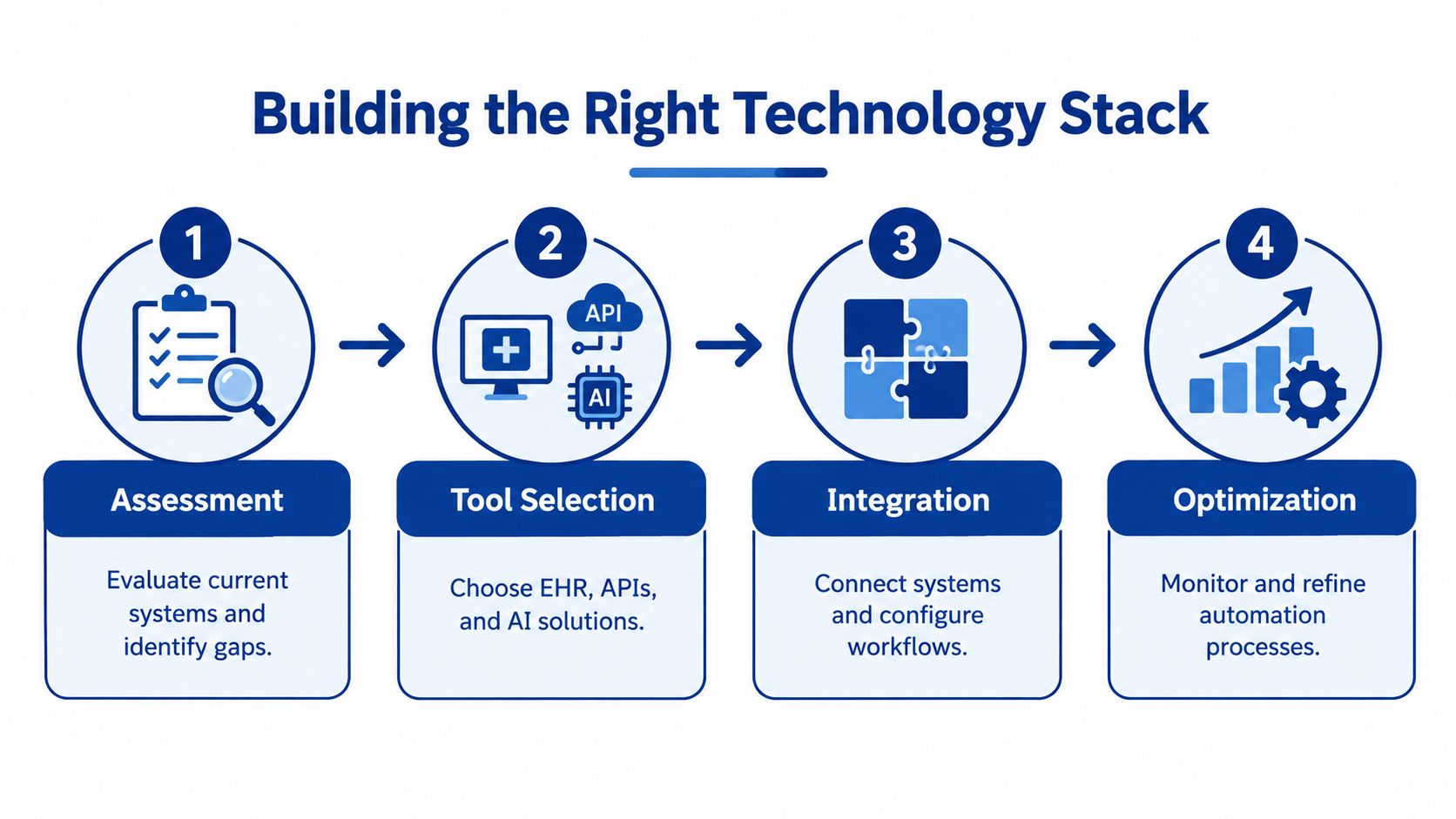
A practical stack usually combines four capabilities:
Workflow orchestration: A rules engine determines what should happen next, based on information such as appointment type, referral status, or billing outcome.
Integration: APIs and connectors allow the EHR, scheduling platform, billing system, communications tools, and reporting layer to exchange information.
RPA: Software robots handle structured, repetitive actions in systems that may not offer modern integrations.
AI assistance: Natural-language tools can classify documents, summarise information, draft messages, or identify cases that need human review.
The right balance depends on the task. Use deterministic rules for predictable actions, RPA where legacy systems require it, and AI where language or document variation makes fixed rules impractical. AI should support a controlled workflow, not become an unreviewed decision-maker.
Evidence from Canada supports a focused approach. A rapid review found a 70% reduction in documentation time in Ontario and a 2.7 to 5.7 hour weekly reduction in administrative tasks in British Columbia for AI scribes and related automation tools. Those results don't mean every deployment will achieve the same outcome. They show why workflow design, integration, and governance matter as much as the software itself.
Key Use Cases and Operational Benefits
The quickest gains usually appear where work is high-volume, rule-based, and spread across several systems. Scheduling and staffing deserve particular attention because labour shortages make wasted coordination time expensive.
A staffing coordinator may spend hours filling gaps, checking availability, contacting workers, and updating multiple calendars. A healthcare workflow automation platform can consolidate availability, apply role and qualification rules, surface conflicts, and route exceptions to a human coordinator. It won't solve every rota problem, but it can remove much of the repetitive search and data entry.
Automation Impact by Function
| Function | Time Saved | Error Reduction |
|---|---|---|
| Appointment scheduling | Less manual booking and rescheduling | Fewer calendar conflicts and missed updates |
| Staff scheduling | Faster availability checks and rota changes | Fewer duplicate assignments and coverage gaps |
| Referral routing | Less document sorting and manual forwarding | Fewer misrouted or incomplete referrals |
| Billing and claims | Less eligibility checking and follow-up | Fewer transcription and submission errors |
| Patient communications | Less repetitive calling and messaging | More consistent reminders and status updates |
| Inventory administration | Less manual stock recording and reordering | Fewer discrepancies between usage and records |
Billing is another strong candidate because the process often follows clear rules but involves multiple sources of information. Practices exploring this area can review medical billing automation solutions to understand how eligibility checks, claim preparation, exception queues, and follow-up workflows can fit together.
The overlooked staffing opportunity
Canadian healthcare still faces a projected 370,000 job openings by 2025, while an RBC analysis says only about 17% of healthcare occupations are at risk from automation (RBC's analysis of healthcare skills and automation). The operational implication is important. Automation is better positioned to reduce administrative friction than to replace the clinical workforce.
Start with work that consumes scarce staff capacity without requiring clinical judgement:
Shift matching: Compare availability, role requirements, and service demand.
Absence management: Identify affected appointments and notify the appropriate coordinator.
Queue balancing: Direct work to available teams based on rules and urgency.
Routine outreach: Send approved messages and escalate non-responses.
The benefit isn't just faster processing. It is more reliable capacity planning, fewer interruptions, and a clearer division between routine work and professional judgement.
Building the Right Technology Stack
A dependable healthcare operations software environment starts with the data flow, not the vendor catalogue. Map where information originates, where it is transformed, who needs it, and which system owns the authoritative version.
Ontario's health-data modernisation work emphasises real-time linkage, shared standards, and integrated patient records as prerequisites for scaling automation across the care system. That principle applies to a small clinic as much as it does to a multi-site provider. An automated reminder is only useful if it reads the current appointment status. A referral workflow is only safe if the receiving service sees the correct patient and document.
A practical architecture
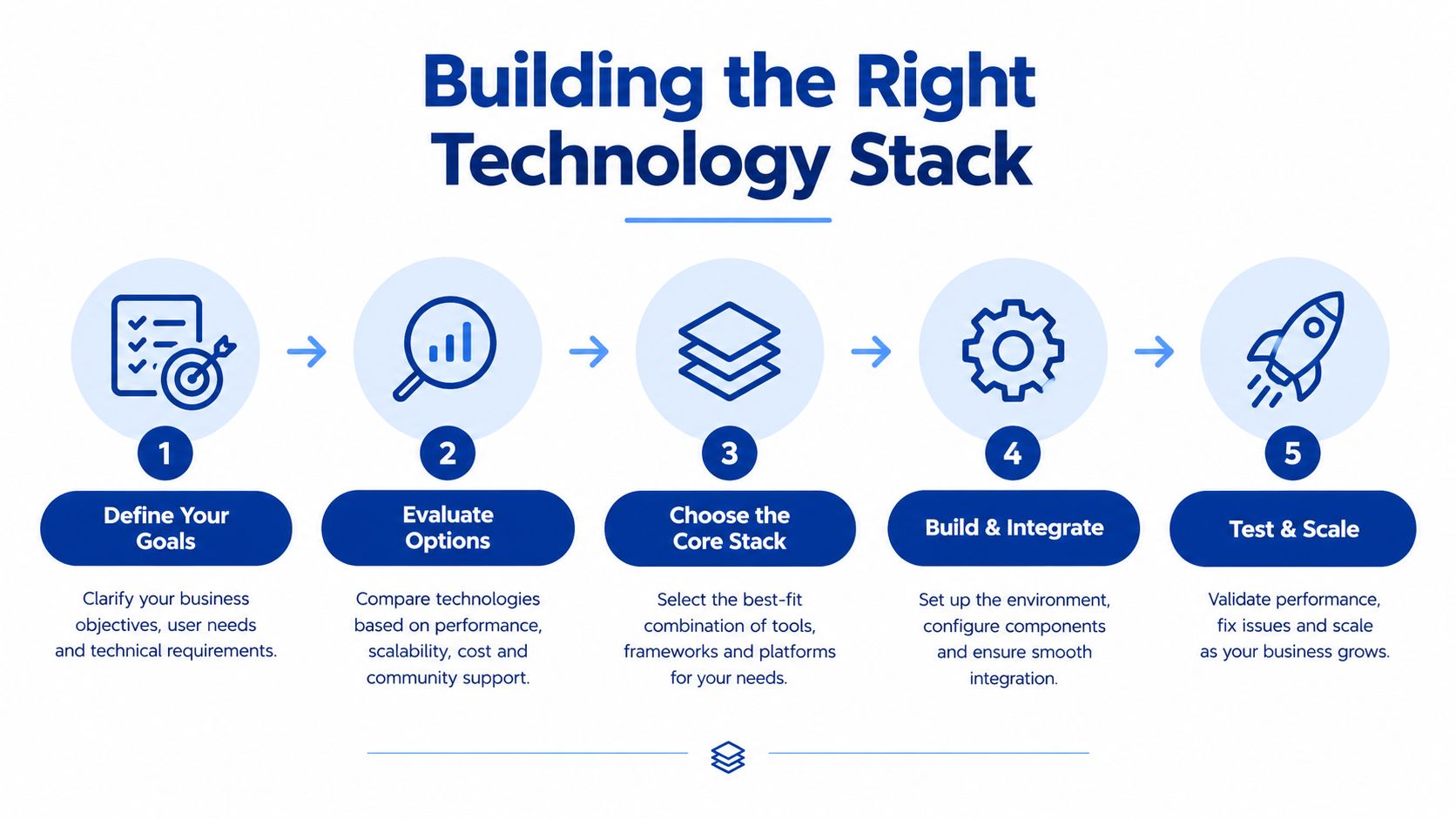
Use a layered design:
System of record: Define where patient, appointment, staffing, and billing data is authoritative.
Integration layer: Use secure APIs, standardised interfaces, and carefully controlled middleware to move information.
Workflow layer: Apply rules, approvals, queues, and escalation paths.
Intelligence layer: Add document classification, summarisation, or prediction only where the use case justifies it.
Control layer: Record access, changes, approvals, failures, and overrides for audit and improvement.
Ask suppliers how the system handles incomplete data, duplicate records, failed messages, revoked access, and manual overrides. A polished demonstration rarely shows these failure states, but they determine whether the workflow remains safe on a busy day.
Patient and staff feedback should also enter the design loop. Teams can build logic-driven surveys to collect structured feedback after a pilot, such as whether a rota workflow produces useful recommendations or creates new correction work.
For a broader view of integration decisions, see this guide to the modern CareOps technology stack. The central test is whether each component reduces reconciliation, rather than adding another screen for staff to maintain.
A Practical Implementation Roadmap
Start with one process, one accountable owner, and one clearly defined failure path. A programme becomes difficult to manage when it launches several automations at once without knowing which change produced which result.
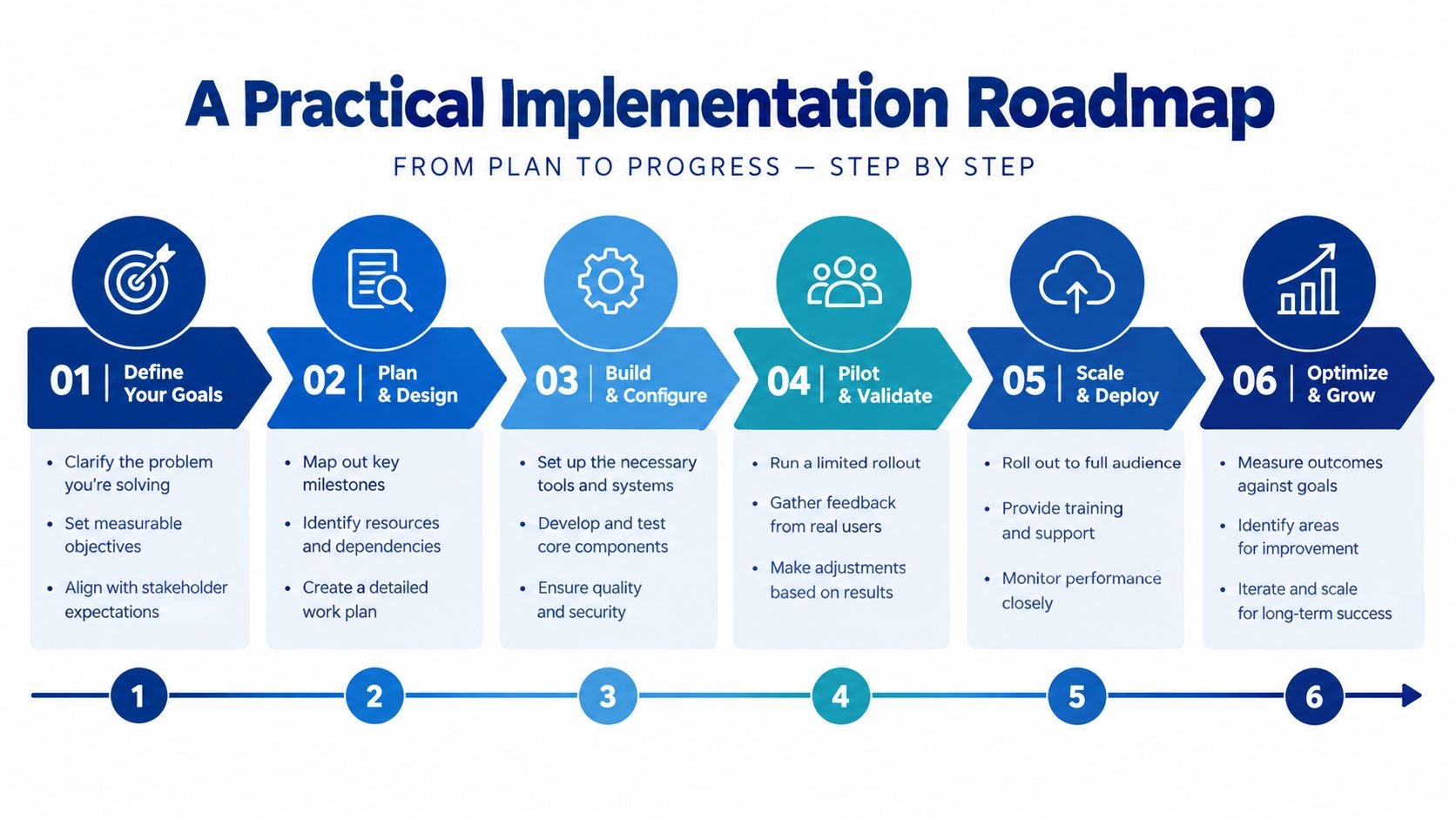
Six phases that work in practice
Select the process: Choose a repetitive workflow with visible ownership, stable rules, and a manageable risk profile. Scheduling exceptions, referral completeness checks, and billing queues are often suitable starting points.
Map the current state: Document every handoff, data field, approval, exception, and workaround. Include the spreadsheet or inbox that people rely on, even if it isn't formally approved.
Design the future state: Remove unnecessary steps before automating them. Define what the system can do independently and where a person must review, approve, or intervene.
Pilot with guardrails: Run the new workflow alongside the existing process where appropriate. Keep a rollback route, test edge cases, and review outputs with the people who perform the work.
Train and adjust: Explain how the workflow changes daily responsibilities. Capture corrections as product feedback rather than treating them as user failure.
Scale deliberately: Expand only after the workflow is stable, measurable, and supported. Reuse proven integration patterns, but reassess the rules for each new process.
Change management checklist
Name a clinical or operational champion: Give staff a trusted person who can resolve concerns quickly.
Set escalation rules: State exactly when automation stops and a human takes over.
Track maintenance work: Check whether the new workflow creates monitoring, correction, or data-cleaning duties.
Review staff feedback: Look for hidden friction, alert fatigue, and tasks that moved rather than disappeared.
Protect local knowledge: Include experienced coordinators in process mapping and testing.
A Canadian report on administrative burden recommends asking whether the right person is doing the work, whether an inefficient process is being automated, and whether the automation introduces new maintenance work or failure modes. Those questions should be answered before a supplier is selected.
Measuring Success with ROI and Case Studies
The business case for automation shouldn't depend on a vague promise that staff will be more efficient. Measure the work before and after implementation, and separate time removed from time merely shifted to another queue.
Useful measures include:
Administrative minutes per completed appointment
Time spent filling staffing gaps
Referral processing time
Billing exception volume
Manual touches per transaction
Escalation and correction rates
Staff-reported interruption burden
Patient response and completion rates
Use a baseline that reflects normal operations, including busy periods and exceptions. A workflow may look successful because it processes routine cases quickly while leaving complex cases stranded. Track both the automated path and the human review path.
A Canadian benchmark
Canadian primary care clinicians lose 19.8 million hours each year to administrative tasks, described as the equivalent of 9,100 full-time physicians sidelined by paperwork. That benchmark helps leaders explain why administrative automation deserves operational funding, but it isn't an ROI calculation for an individual organisation.
A local business case should translate the selected workflow into capacity and quality measures. If automation reduces scheduling coordination, calculate the recovered staff time and decide how it will be used. The gain might support more reliable coverage, faster patient responses, fewer overtime requests, or better service continuity. It shouldn't be counted as a saving unless the organisation can identify the actual financial effect.
Practical rule: Count a benefit only when you can name the workflow, the person affected, the measure that changed, and the decision enabled by that change.
Avoid case studies that report only a headline percentage. Ask what happened to exceptions, data corrections, training time, integration maintenance, and patient complaints. A credible result includes those costs and shows whether the new process remained useful after the initial implementation period.
Navigating Risks and Compliance Considerations
Healthcare automation creates a direct comparison between two types of risk. Manual processes produce inconsistency, delays, and transcription errors. Automated processes can spread an incorrect rule quickly, expose sensitive data through a weak integration, or create false confidence in an AI-generated result.
The answer isn't to choose manual work by default. It is to match the control to the consequence.
Lower-risk administrative automation
Rules-based tasks are usually easier to govern when the system moves information rather than making a clinical decision. Examples include appointment reminders, document routing, status notifications, and queue assignment. Give staff clear override controls, retain audit logs, and stop the workflow when required information is missing.
Higher-risk intelligent automation
AI-supported triage, clinical summarisation, and recommendations require stronger validation. Define the intended use, test representative cases, identify bias and data-quality risks, and require human review where a decision could affect care, access, payment, or safety.
Canadian buyers also need to distinguish regulatory treatment by use case. Administrative tools may be exempt, while clinical tools can be regulated as software as a medical device. The federal AIDA proposal lapsed in January 2025, leaving a fragmented policy environment, so legal and privacy review should happen before deployment rather than after procurement.
For practical security controls covering access, integration, monitoring, and governance, review data security in healthcare information systems.
Governance is part of the workflow, not paperwork added after launch.
Conclusion and Next Steps for Healthcare Leaders
HealthcareOps automation works best when leaders treat it as an operating model change rather than a software purchase. The immediate opportunity is not unlimited autonomy. It is the steady removal of repetitive work that consumes scheduling teams, referral coordinators, billing staff, and clinicians without improving the patient experience.
Start with the staffing and scheduling gap. Map how a shift is filled, how a cancellation is handled, or how an absence affects the appointment book. Then identify the rules, the systems involved, the exceptions, and the point where a human must make the decision.
A focused starting plan
Choose one high-friction workflow: Select a process that happens often and has a clear owner.
Measure the current effort: Record touches, delays, corrections, and staff time before changing the process.
Fix the design first: Remove duplicate approvals and unnecessary re-entry before adding automation.
Integrate with control: Connect the systems that hold authoritative data, and define failure and rollback procedures.
Pilot with the people doing the work: Their corrections will reveal gaps that a demonstration won't show.
Scale only when the evidence is useful: Expand when the workflow reduces effort without creating unsafe or hidden maintenance work.
Canada has already built substantial digital infrastructure. Ontario's earlier health information strategy helped move hospitals and physicians from paper-based workflows towards electronic records, digital imaging, and digital laboratory information, while national adoption remains constrained by interoperability and sharing barriers. The next phase is operational: make those systems work together so staff don't have to bridge every gap manually.
Cleffex Digital Ltd can support healthcare organisations with custom software development, healthcare software integration, scheduling and billing workflows, reporting, and secure automation designs. If your team is ready to identify one process worth improving, visit Cleffex Digital Ltd and start with a clear workflow assessment rather than a broad technology wish list.