

You're halfway through a full clinic day, a patient is waiting for an answer, and the result you need sits in a different system with a different login. The electronic health record isn't broken. It's isolated.
That's the situation EHR integration solutions are built to fix. Instead of replacing a familiar system and forcing everyone to relearn it, you connect what you already have so records, results and referrals move where they're needed. Done well, legacy healthcare integration gives you much of the benefit of a new platform, without the disruption of starting over.
Why Connecting Your EHR Beats Replacing It
Say a family physician needs to know whether a patient's lab result has arrived. She opens the chart, then the laboratory portal, then a separate inbox for imaging. Three screens to answer one question, and the patient watches her do it.
Think of EHR system integration as plumbing between rooms. Each room works fine on its own. You can file notes, order tests and prescribe. But nothing flows between rooms, so staff carry information by hand, retyping, printing, faxing and phoning.

That gap is common in Canada. In 2024, 50% of Canadian health care providers identified insufficient integration between different systems as a barrier to sharing patient clinical information digitally, according to Statistics Canada. Most organisations already own digital systems. The missing piece is the connection between them.
Why replacement is the slower route
Replacing an EHR means migrating years of records, mapping every field to a new structure, retraining every user and absorbing downtime while people adjust. New fields don't always match old ones, so allergy lists, problem lists and scanned documents need checking by hand. The cost isn't only the licence. It's the lost clinic time.
Integration takes the opposite path. You keep the system staff-known, then add connections around it one workflow at a time. Risk stays small because each link can be tested, measured and, if needed, switched off.
Signs integration should come first
Duplicate data entry: The same allergy or medication gets typed into two or three systems.
Faxed or printed referrals: Staff print a digital record so another office can scan it back in.
Portals that miss records: Patients see some results online but not others from the same episode of care.
Several logins open all day: Clinicians keep multiple windows running because nothing pulls data together.
If those sound familiar, the problem is rarely your EHR itself. It's the gaps around it. The approaches, standards, use cases, security checks and evaluation steps that follow show how to close those gaps and prove the improvement with one pilot before committing further.
Interoperability Standards in Plain Language
A standard is an agreed way of describing information, like standard shipping labels or agreed units of measure. Without one, two systems can exchange data and still misunderstand it. With one, the receiving system knows what each field means before the message arrives.
| Standard | What it covers | Typical use | Watch-out |
|---|---|---|---|
| HL7 v2 | Messages for orders, results and admissions | Laboratory and admission feeds | Wide local variation between sites |
| HL7 CDA | Structured clinical documents | Summaries, referral letters and discharge notes | Document-based, so harder to query |
| HL7 FHIR | Resources exposed through APIs | Portals, apps and new clinical tools | Profiles must be defined and governed |
| DICOM | Medical imaging files and metadata | Radiology and imaging systems | Usually separate from core EHR data |
| IHE profiles | Agreed transaction patterns between systems | Cross-organisation document sharing | Requires conformance testing to be useful |
Here's one example of each in daily work. An HL7 v2 message carries a potassium result from the laboratory into the chart. A CDA document holds a discharge summary that another organisation can read in full. A FHIR resource, a standard package of data about one thing, returns a current medication list to a patient portal through an API, which is a controlled doorway one system uses to request data from another.
Three levels of interoperability
Foundational means data can move from one place to another. Structural means the format is understood, so the receiving system can find the right fields. Semantic means the meaning is understood, so a code for penicillin allergy means the same thing on both sides.
Think of posting a letter. Delivery is foundational. A legible address in the expected layout is structural. The reader interpreting your words as you intended is semantic. Many projects stop at level one and then wonder why clinicians still check everything manually.
What this means in Canada
Canada Health Infoway reports that 91% of Canadian clinicians use electronic records at their main practice setting, while 70% can access important patient information from other care settings. Clinicians identify the lack of universal adoption of exchange standards as the leading barrier to connected care. That's why EHR interoperability depends less on buying another system and more on agreeing how existing ones talk.
FHIR integration services and well-designed interface engines, tools that route and translate messages between systems, can expose selected data through consistent resources without rewriting the source system. The Canadian Baseline gives FHIR a governed shared definition, so a resource built for one province doesn't need complete remapping for another. The Canadian Core Data for Interoperability and Canadian terminology services help legacy fields map to agreed data elements and standard codes.
If you're comparing vendors, a deeper look at healthcare interoperability with HL7 and FHIR APIs will help you prepare. Ask three questions every time. Which FHIR version do you support? Which profiles do you follow? Which terminology do you use for codes?
Five Integration Approaches Compared
| Approach | Best for | Typical effort | Main risk |
|---|---|---|---|
| Point-to-point interface | Two systems with one or two data flows | Low at first, high at scale | Many fragile links that break during upgrades |
| Interface engine | Hospitals with many HL7 feeds | Medium, with licensing and build time | Central dependency that needs strong monitoring |
| Integration platform (middleware) | Mixed cloud and on-premises tools | Medium to high | Vendor lock-in and per-connection fees |
| FHIR API layer | Patient portals, apps and new clinical tools | Medium, with profile governance needed | Inconsistent profiles across vendors |
| Read-only data hub | Analytics, reporting and population health | Medium | Data may lag live records and cannot support action |
Point-to-point interface
This is a direct wire between two systems. Your registration system sends new patient details straight to your billing system, and that's all it does. It's quick and cheap for one job, but every new connection adds another wire. With several systems, the web of links grows faster than your team can maintain, and one upgrade can break links nobody remembered existed.
Interface engine
An interface engine sits in the middle and handles traffic for many systems. For example, a laboratory sends results to the engine, which translates the message, checks the patient match and delivers it into the EHR. Hospitals with many HL7 feeds favour this approach because you fix a translation once, centrally, instead of in every receiving system. The trade-off is that the engine becomes critical infrastructure, so it needs monitoring, alerts and someone who owns it.
Integration platform
Middleware platforms do similar work, but they usually run partly or fully in the cloud and come with prebuilt connectors for common tools. They suit organisations mixing cloud apps with on-premises systems. Watch the pricing model. Per-connection fees can look small at signing and grow sharply as you add workflows, and moving away later can be hard if your logic lives inside one vendor's tools.
FHIR API layer
Here you place a FHIR layer in front of your existing systems. A patient portal can then pull an allergy list through a FHIR API rather than scraping screens or reading the database directly. New apps connect to the layer, not to each legacy system. The effort sits in governance. Someone must decide which profiles to follow and test that each resource behaves as promised.
Read-only data hub
A hub gathers copies of data from several systems into one place for viewing and reporting. A population health team might use it to find patients overdue for screening across multiple sites. Because it's read-only, clinicians can't act on the data inside the hub, and the copy may lag behind the live record. It answers questions well. It doesn't fix bedside workflow.
Practical rule: Choose the simplest approach that covers your current workflows and can grow without a rebuild.
A hybrid is common and often sensible. Keep an interface engine for high-volume legacy HL7 traffic, then add a FHIR layer for portals and new applications. Match the approach to the job rather than forcing every workflow through one tool.
Healthcare Use Cases That Pay Off First
Start where volume and frustration overlap. These five use cases usually return value earliest, roughly in the order most organisations tackle them.
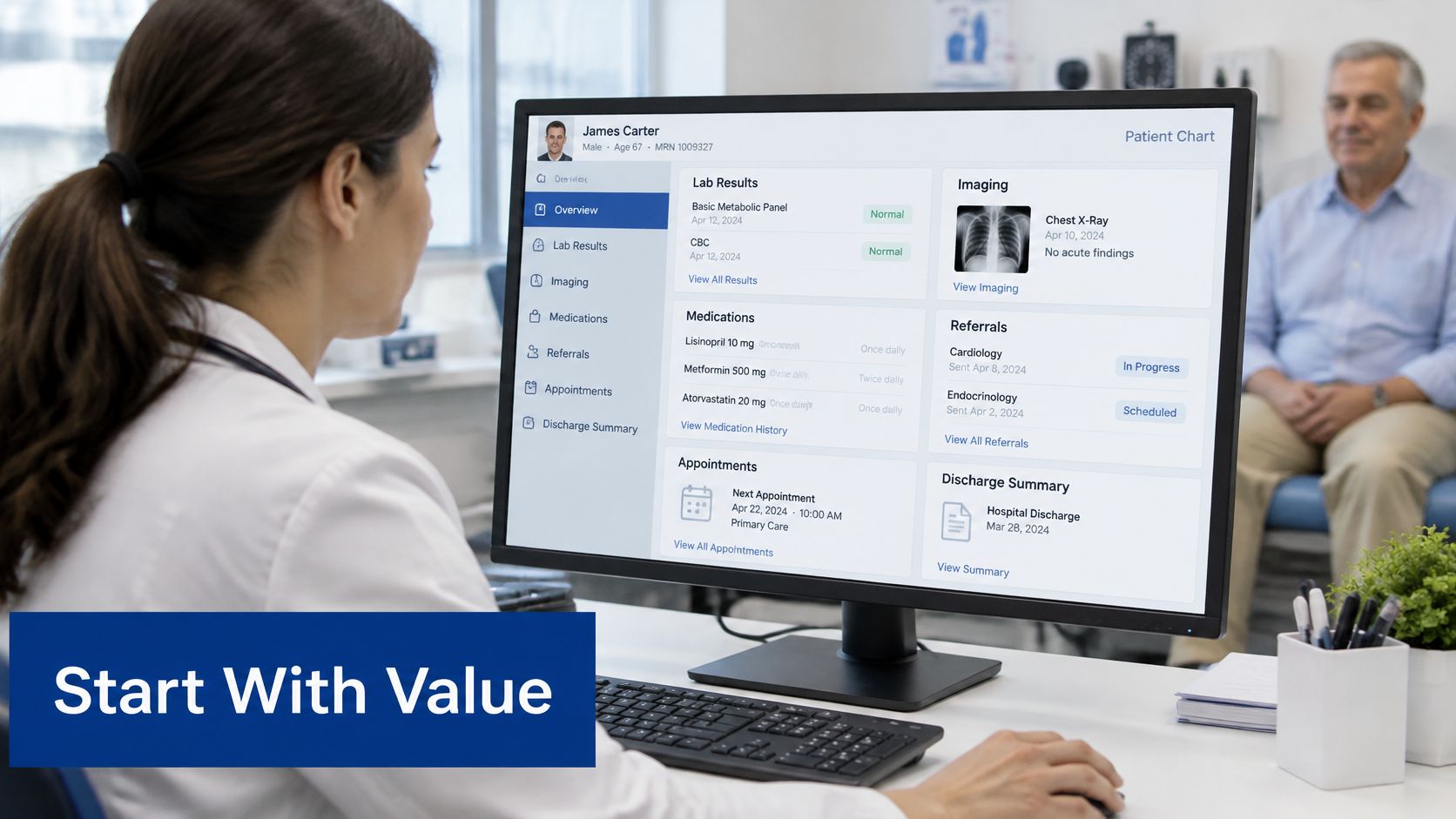
Lab and imaging results into the chart: Results file directly against the right patient instead of sitting in a separate portal. Track time to retrieve a record and how often staff still check outside systems.
Electronic referrals with a clinical summary: The referral carries problems, medications and allergies with it, not just a short letter asking for an appointment. Track the duplicate-entry rate at the receiving office and how many referrals bounce back for missing information.
Medication reconciliation between pharmacy and clinic: Changes made at the pharmacy surface in the clinic record before the next visit, so disagreements get resolved early. Track discrepancies found per month and failed-message rate.
One patient portal view across sites: Patients see results and visits from several locations together instead of holding accounts with each one. Judge completeness, not existence. In 2025, 69% of Canadians could access at least one type of electronic health information, yet only 13% of adults could access all three core categories of laboratory and imaging results, immunisation records, and medication history and renewals, according to the Canadian Institute for Health Information. A portal showing one category isn't a longitudinal record.
Eligibility and claims checks for insurers: Automated checks during onboarding and approvals reduce manual review of routine cases. Track handling time per case and how often staff rekey the same evidence.
A small clinic example
Say a 12-physician clinic starts with lab results only. Before go-live, the team times how long clinicians spend hunting results each week. After go-live, they measure again and record failed messages and clinician adoption, meaning how many physicians use the new flow. Only then do they fund the next workflow.
Begin with the highest-volume workflow that causes the most daily friction, and let its measured results argue for the rest.
Security and Compliance Checks to Build In
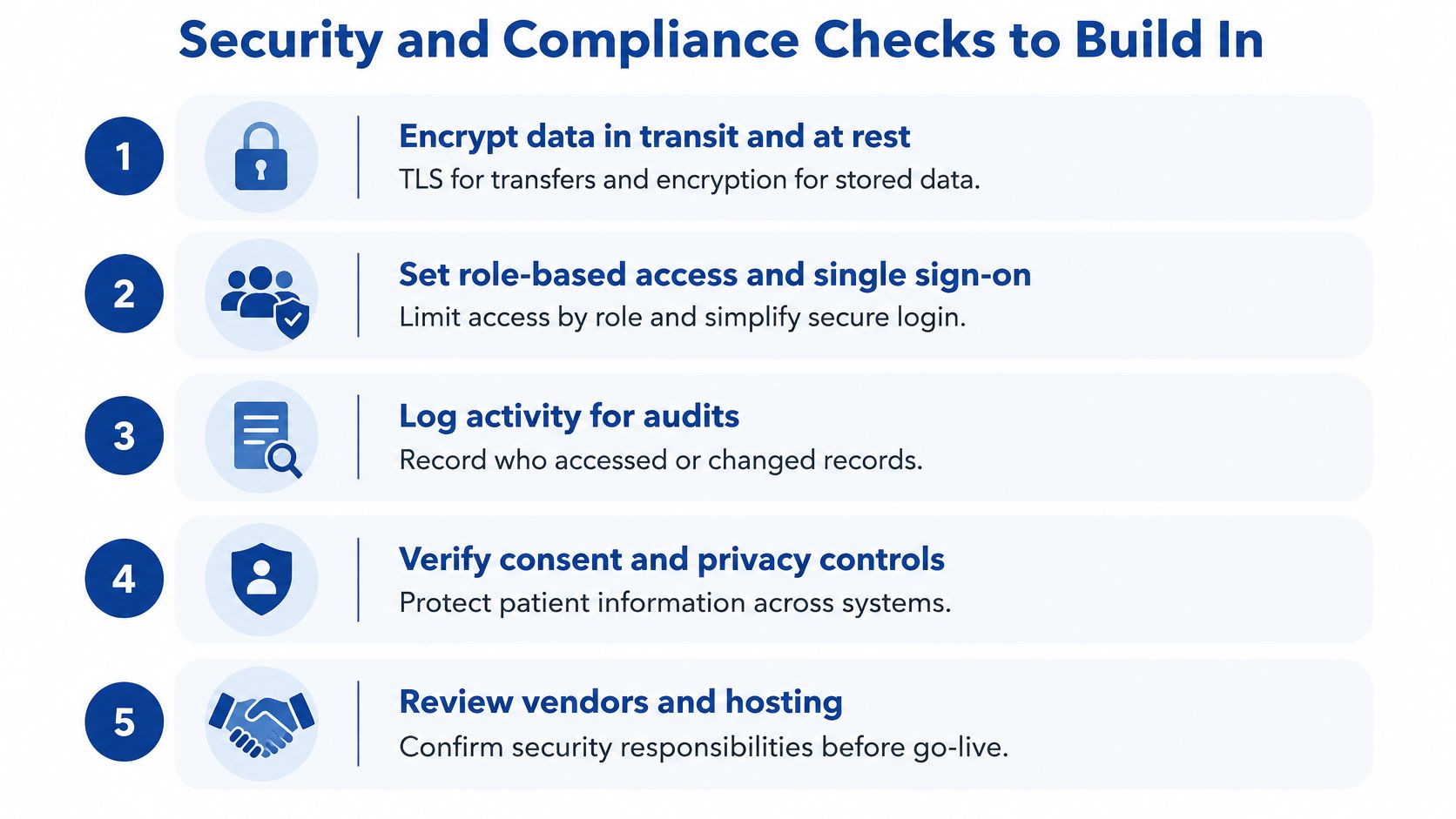
Integration moves health information between more places, so security can't be bolted on afterwards. Settle these checks in order, before build work starts.
The checklist in sequence
Encrypt data in transit and at rest: Use TLS, the standard protection for data moving over a network, for every transfer, and encrypt stored data so a copied database isn't readable.
Set role-based access and single sign-on: Each user sees only what their role needs, and single sign-on means one secure login provides access to the systems they're allowed to use.
Log every record access: Record who viewed or changed a record and when, in a form privacy officers can review during an audit.
Apply consent and data minimisation: Share only the fields a workflow needs. A referral doesn't require the full chart.
Verify identity matching: A wrong-patient match is one of the most serious integration errors. Define matching rules, send uncertain cases to a human, and set a clear process for correcting records that arrive with errors.
Review vendors and hosting: Confirm where data is stored, who can access it and what happens at contract end.
The legal context at a high level
Provincial health privacy laws govern most clinical data in Canada, such as Ontario's PHIPA. Federal PIPEDA can also apply to private organisations in certain situations. Requirements differ by jurisdiction and by the type of organisation holding the data, so legal counsel should confirm what applies to your project before you sign anything.
Ask vendors for independent evidence rather than assurances. Penetration test summaries and SOC 2 reports show that someone outside the company checked their controls. Our overview of data security in healthcare information systems explains what to look for in those documents.
If a vendor can't describe how a failed or suspicious access gets detected, logged and reviewed, treat that as a gap, not a detail.
How to Evaluate an Integration Solution
| Criterion | Question to ask | Red flag |
|---|---|---|
| Standards support | Which FHIR version and profiles are supported? | Only proprietary APIs or vague answers |
| Conformance testing | Can you show test results for our required workflows? | No test evidence offered |
| Interface monitoring | How are failed messages alerted and replayed? | Failures are found by users first |
| Security and audit | Is every record access logged and reviewable? | Shared logins or missing audit trails |
| Total cost | What are the per-connection and upgrade fees over five years? | Only the licence price is quoted |
| Vendor exit | How is our data returned if we leave? | Data held only in proprietary formats |
Standards support and conformance testing
Ask which FHIR version and profiles the vendor supports, and which terminology they use for codes. Vague answers here usually mean custom work later, billed to you. Then ask for conformance testing evidence, which means test results showing the system handles your required workflows correctly. Patient lookup, medication retrieval and laboratory results make a good starting set. A vendor who tests seriously will have results ready to show.
Monitoring and security
Interfaces fail without warning. A result message stops at midnight, and nobody notices until a clinician complains. Ask how failed messages trigger alerts, who receives them and whether messages can be replayed or resent after a fix, without manual retyping. For security, confirm every record access is logged against an individual user. Shared logins make audit trails worthless.
Total cost over five years
The licence is rarely the expensive part. Ask about per-connection fees, charges when your EHR upgrades and breaks an interface, and which support tier covers after-hours failures. Model five years, including the connections you plan to add in years two and three. A cheap first year can hide a steep curve.
Vendor exit
Confirm your data comes back in an open, documented format if you leave. Ask what happens to interface configurations and mapping tables you paid to build. If the answer involves proprietary formats only, you're not buying a solution. You're renting your own data back.
Scoring rule: Score each criterion from one to five, require evidence for any score above three, and insist on a pilot before signing a multi-year contract.
Start With One Workflow Before You Commit
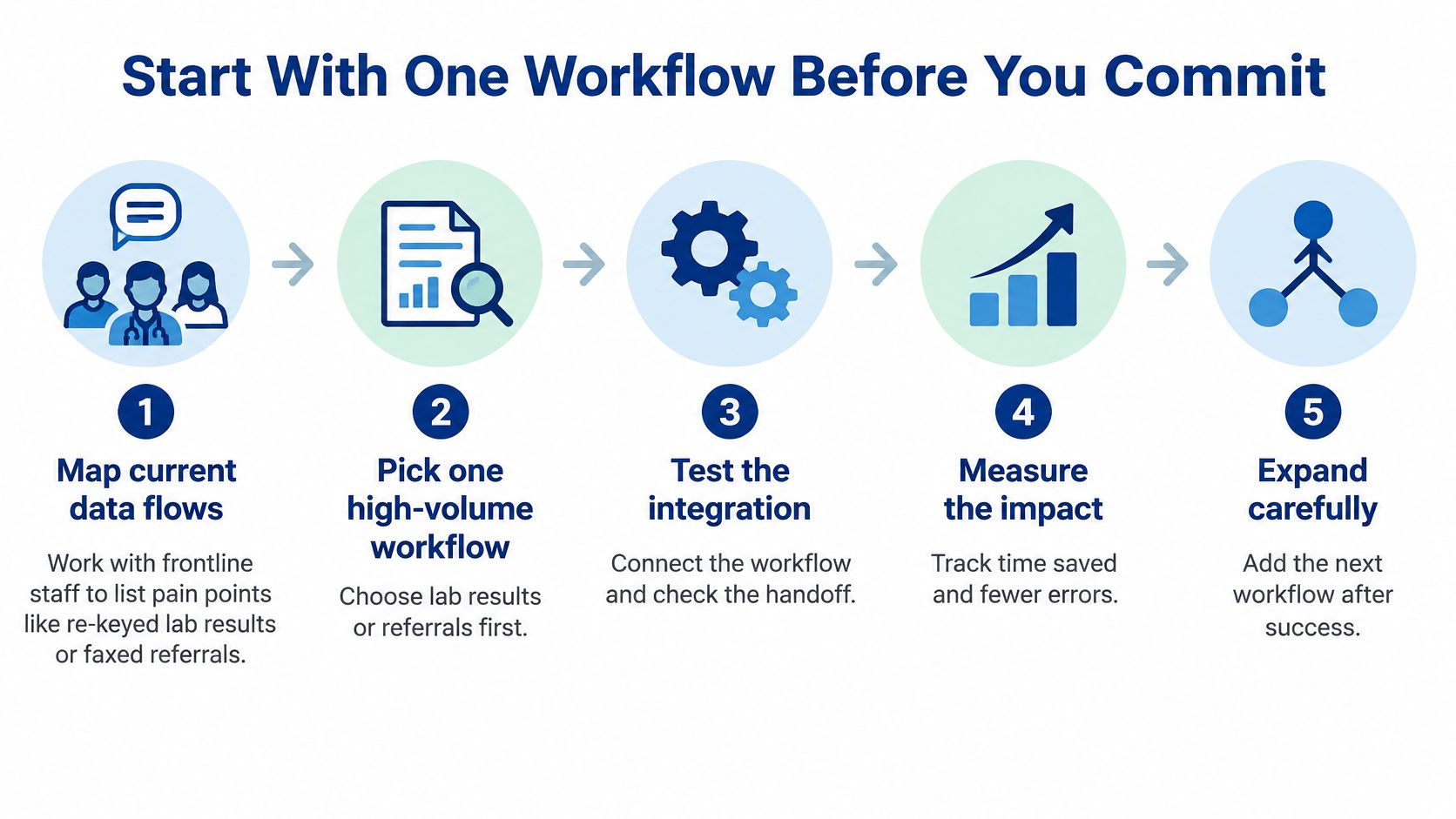
A pilot turns promises into numbers. Connecting one workflow first works like renovating a single room before committing to the whole house: you find out where the pipes run while the stakes are still small. Six steps keep that first project tight enough to finish and clear enough to judge, whether you build in-house or bring in a partner. For background on sequencing work like this, see the guide to healthcare workflow automation.
Map current data flows with frontline staff: Sit with the people who do the work and list daily pain points in their own words, such as rekeyed lab results or faxed referrals. Note which systems each flow touches, because a workflow that crosses three systems needs a different plan than one that stays inside your EHR.
Pick one high-volume workflow: Lab results or referrals usually cause the most daily friction, so an improvement there shows up fast and staff notice it.
Record a baseline: Measure time to retrieve a record, duplicate-entry rate and failed-message rate before anything changes. Without a baseline, you cannot prove the pilot worked.
Choose an approach and confirm the standards: Match the workflow to one of the five approaches, then pin down the FHIR version, profiles and terminology it needs.
Run a 60- to 90-day pilot with a go or no-go gate: Agree the target numbers in advance, then decide plainly whether the pilot met them.
Expand only after the pilot meets its targets: Add the next workflow with the same baseline discipline rather than expanding on optimism.
Judge the pilot by workflow outcomes, not by how many systems you connected. Faster record retrieval and fewer duplicate entries are the win. A second connected feed that changes nothing for staff is not.
Some teams run these steps alone; others want outside help. If you prefer a partner, review the healthcare software integration services from Cleffex Digital, or visit Cleffex for general information. Cleffex provides healthcare software integration for North American healthtech companies, covering hospital connectivity, compliance, AI diagnostics and scalable platforms, and specialises in integrating AI capabilities into existing platforms without disrupting current workflows. Either way, the baseline stays yours. A partner can build the connection, but only your own measurements tell you whether it worked.
Frequently Asked Questions About EHR Integration
Can integration work when our EHR has no modern API?
Yes, in most cases. An interface engine or read-only hub can extract data through HL7 feeds, database exports or vendor interfaces, so an API isn't a precondition.
How long does a first integration usually take?
A single-workflow pilot often runs 60 to 90 days. Hospital-wide rollouts take longer, depending on how many feeds and sites are involved.
Do we need a FHIR profile before starting?
Only if the data will be shared beyond one system, agree the profile with your partners before build work begins, so nobody remaps later.
Who should own the integration after go-live?
Name a clinical owner for each workflow and a technical owner for monitoring. Failed messages need to reach a named person quickly.
Will integration remove the need for a future replacement?
Not necessarily. It buys time and clarifies your requirements, which makes any later replacement far less risky.
If your team is weighing integration against a costly replacement, Cleffex Digital Ltd can help you connect existing healthcare platforms around one measurable workflow first, so you see results before committing further. We work with North American healthtech companies on healthcare software integration that supports hospital connectivity and compliance without disrupting daily care. Visit Cleffex Digital Ltd to start the conversation about your first pilot.