

You know the moment when a customer orders an item you were sure was in stock, your staff can't find it, and then someone discovers the spreadsheet was never updated after a store transfer two days ago. That's usually the point where inventory stops feeling like an admin task and starts feeling like a brake on the business.
For a lot of Canadian small businesses, the breaking point isn't dramatic. It's cumulative. One stockout here. One duplicate purchase order there. One Saturday spent recounting shelves because Shopify, the POS, and accounting all show different numbers. If that sounds familiar, you're not behind. You've probably just outgrown the tools that got you this far.
Why Your Business Is Ready To Move Beyond Spreadsheets
Spreadsheets work longer than they should. That's why so many owners stick with them. They're cheap, familiar, and flexible. Until they become the place where errors hide.
A typical pattern looks like this. You start with one location, one sales channel, and a manageable number of SKUs. Then you add online orders, a second storage area, maybe wholesale, maybe a marketplace, maybe staff who all touch inventory in different ways. Suddenly, stock counts depend on who updated the file last, which tab they used, and whether a transfer was recorded at all.
That's where inventory management software changes the conversation. It's not just a digital stock list. It gives you one operating system for what you own, where it is, what's committed to customers, and what needs replenishment.
The market shift reflects that. The global inventory management software market reached USD 3.74 billion in 2025 and is projected to reach USD 7.14 billion by 2033, while North America held over 35.1% of the global market share in 2025, according to Grand View Research's inventory management software market report. That doesn't mean every business needs enterprise software. It means more businesses are deciding that manual tracking now costs more than automation.
What the Spreadsheet Stage Usually Feels Like
You count too often: Staff spend time checking what should already be known.
You still don't trust the number: Even after a count, you hesitate to promise availability.
You buy defensively: Extra stock becomes your insurance policy against bad data.
Your cash gets trapped: Slow-moving items sit on shelves because no one has a clear view.
Practical rule: If inventory accuracy depends on one person “knowing how the sheet works,” you don't have a system. You have a workaround.
There's also a mindset issue. Owners often assume software is only worth it when they become “big enough.” In practice, the better trigger is complexity, not size. Multiple channels, multiple locations, recurring stock errors, and manual re-entry are stronger signals than revenue alone.
If you're sorting through conflicting advice, this guide on inventory system myths for SaaS is useful because it clears up some common assumptions about what these systems can and can't do.
What Changes After You Move
The first win usually isn't fancy forecasting. It's a relief. Staff stop chasing counts across emails, spreadsheets, and sticky notes. Owners stop making purchasing decisions based on partial information. Customer service gets more confident because promised stock is more likely to be real stock.
That's why businesses make the jump. They want fewer surprises, faster decisions, and inventory that behaves like a controlled asset instead of a daily mystery.
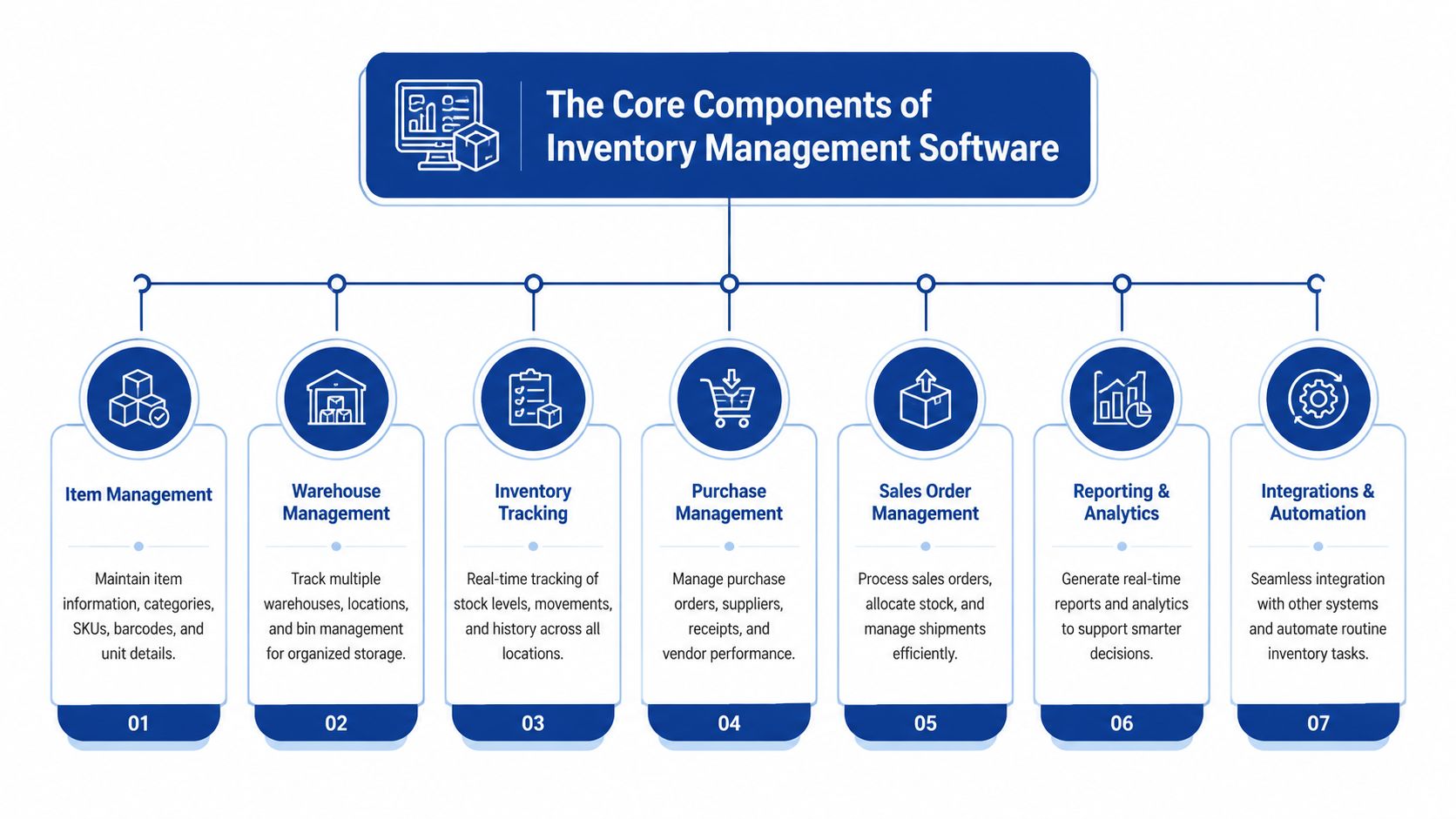
The Core Components of Inventory Management Software
Think of inventory management software as a digital warehouse manager that never stops watching movements. It doesn't replace judgment, but it does replace guesswork.
At its core, the system should answer a few basic questions at any moment. What do you have? Where is it? What's available to sell? What's already committed? What needs to be reordered? The difference between weak software and useful software is how reliably it answers those questions across all your channels.
Item Records and Stock Visibility
Every good system starts with a clean item master. That means each SKU has a consistent identity, description, unit of measure, and location history. If your catalogue is messy, the software won't fix that on its own. It will expose it faster.
Stock visibility is the part most owners think of first. You want to see quantity on hand, quantity available, quantity committed, and quantity incoming. Those are not the same thing. A spreadsheet often blends them, which is how overselling happens.
Near-Real-Time Sync Across Channels
This is an essential component for any business selling in more than one place. Effective systems rely on near-real-time synchronisation across locations and sales channels. When a sale happens, the quantity on hand needs to be updated everywhere so you don't create overselling or allocation conflicts, especially in distributed Canadian operations, as described in Netstock's overview of effective inventory software features.
If you sell in-store through Square, online through Shopify, and fulfil from two stock rooms, the system has to keep all three in agreement. If one part lags, staff start using side notes and “temporary fixes.” That's usually the beginning of system drift.
The software doesn't need to be magical. It needs to be consistent. A slightly less flashy system with dependable sync beats a feature-rich system that updates late.
Order and Purchasing Workflows
Inventory software also serves as an order control tool. It manages sales orders, purchase orders, backorders, returns, and transfers between locations. Through these functions, many businesses discover that the software's value isn't just stock counting. It's process control.
Useful order management should help you:
Reserve inventory: Keep committed items from being sold twice.
Track inbound stock: See what's on order and when it should arrive.
Handle transfers: Move inventory between locations without losing traceability.
Manage returns cleanly: Put returned goods back into the right status, not just “back on shelf.”
Barcode Scanning and Operational Accuracy
Barcode scanning matters because manual entry is where small mistakes multiply. One missed digit in a SKU, one wrong quantity, one unrecorded receive. Those don't look serious in isolation, but they distort purchasing and fulfilment.
Scanning gives the system a faster, cleaner way to capture events like receiving, picking, packing, and counting. Some businesses also need lot, serial, or batch tracking, especially if traceability matters.
Reporting, Alerts, and Automation
A decent platform should show more than the current stock. It should help you act on it. That means dashboards, low-stock alerts, reorder suggestions, ageing reports, and movement history.
Here's the simplest way to judge reporting quality:
| Function | What it should tell you | Why it matters |
|---|---|---|
| Stock status | What's available, committed, and incoming | Prevents false promises |
| Item movement | What changed, when, and by whom | Helps trace errors |
| Purchasing view | What needs replenishment soon | Supports better buying |
| Location view | Where the stock actually sits | Reduces search time |
The best systems feel boring in the right way. They make routine work predictable. They reduce the need for memory, heroics, and after-the-fact corrections.
Choosing Your Foundation: SaaS vs On-Premise Solutions
This decision is easier if you stop thinking in technical terms and start thinking in property terms. SaaS is like renting a well-maintained space. On-premise is like owning the building.
Neither is automatically right. The better choice depends on how much control you need, how much technical responsibility you're willing to carry, and how quickly you need to move.
Why Cloud Is Usually the SMB Default
For most Canadian SMBs, cloud-based inventory management software is the practical starting point. You can deploy faster, avoid maintaining servers, and give staff access from stores, warehouses, or home offices without building your own infrastructure.
Market adoption supports that direction. Cloud deployment held 65.51% of revenue share in 2025, and SMBs are projected to be the fastest-growing segment at a 13.12% CAGR, according to Mordor Intelligence's inventory management software market analysis.
That doesn't prove the cloud is right for you. It does show where the market is moving, particularly for businesses that want scalability without a heavy IT burden.
SaaS vs On-Premise at a Glance
| Criterion | SaaS (Cloud-Based) | On-Premise |
|---|---|---|
| Upfront cost | Usually lower upfront commitment | Usually higher initial setup effort |
| Ongoing maintenance | Vendor handles updates and hosting | Your team or partner manages infrastructure |
| Access | Easier for multi-site and remote access | Can be more restricted unless specially configured |
| Speed to launch | Typically faster | Usually slower |
| Custom control | More standardised | Often more controllable |
| Internal IT demand | Lower | Higher |
| Scaling to new locations | Usually easier | Often requires more planning |
When SaaS Makes Sense
SaaS is usually the better fit when your business has limited internal IT capacity, plans to add channels, or needs staff to work across multiple sites. It also works well if you want predictable monthly costs and regular updates without managing them yourself.
This matters in Canadian retail and distribution because businesses often operate across provinces, use mixed fulfilment models, and need systems that can be accessed by store staff, warehouse teams, and finance without a lot of friction. If you want a broader view of how software choices affect retail operations, this piece on supply chain software for retail in Canada gives useful context.
When On-Premise Still Has a Place
On-premise can make sense if you have strict internal control requirements, unusual workflows, or existing infrastructure you're committed to keeping. Some businesses also prefer owning their environment because they've already invested in IT staff and custom integrations.
But many small businesses underestimate the cost of owning the “house.” It's not just the licence cost. It's upgrades, backups, access management, support, and recovery planning when something goes wrong.
Buying software without accounting for maintenance is like buying a delivery van and forgetting tyres, insurance, and servicing.
The Practical Choice
If this is your first serious inventory software investment, don't treat control as an abstract virtue. Ask what kind of control you need. Most SMBs don't need to control servers. They need to control stock, orders, and cash flow.
That's why the cloud often wins. Not because it's trendy, but because it removes technical weight from a business that already has enough operational complexity to manage.
Key Business Benefits and Performance Indicators To Track
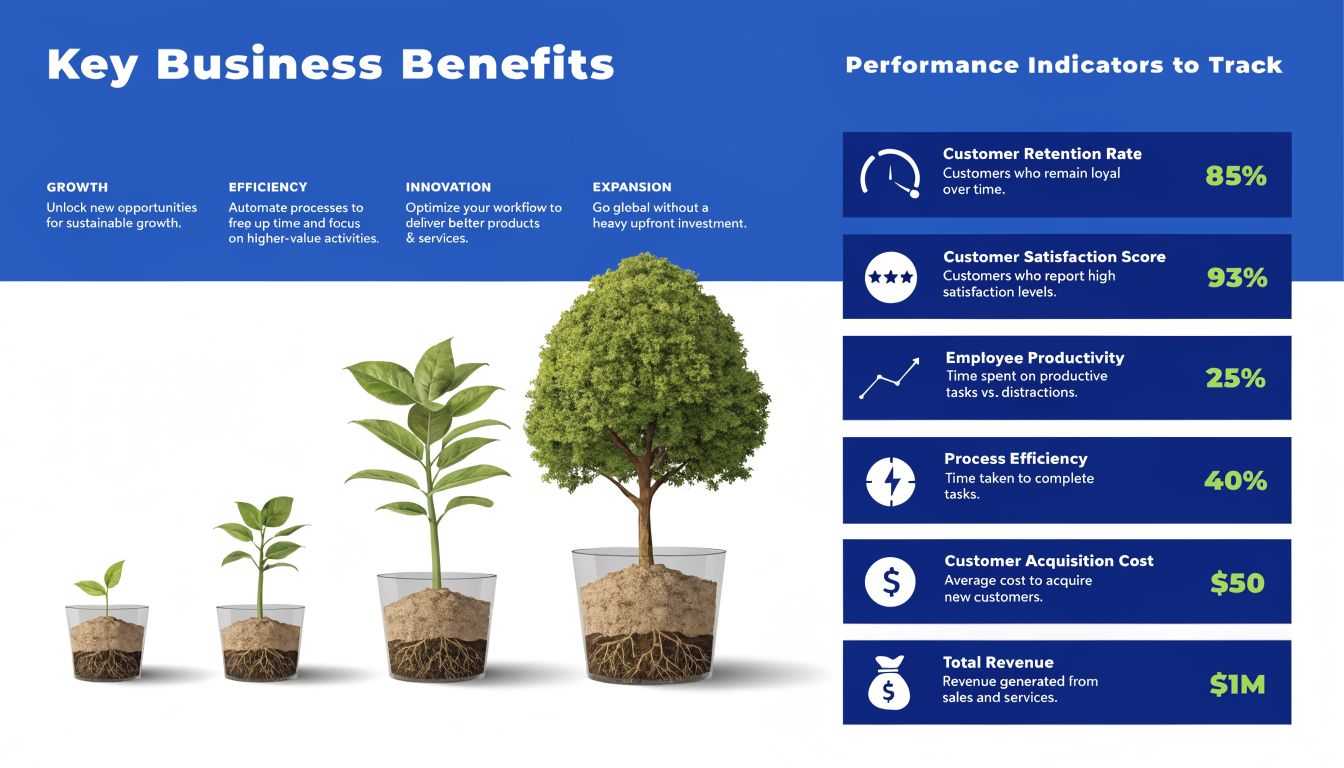
Most software demos focus on features. Owners should focus on outcomes. Barcode scanning, multi-location support, and reorder rules matter only if they improve how the business runs.
The easiest way to think about value is this. Good inventory management software should help you sell what customers want, carry less dead weight, and spend less staff time fixing preventable errors.
Better Cash Flow Starts With Less Guesswork
A common hidden cost in manual inventory is overbuying. When you don't trust stock data, you buy extra “just in case.” That feels safe, but it puts cash on shelves instead of keeping it available for payroll, marketing, or expansion.
The software helps by making replenishment more disciplined. You can see what's moving, what's sitting, and what's already on order. That gives you a cleaner purchasing rhythm.
Useful KPIs here include:
Inventory turnover ratio: How often stock sells through over a period.
Days to sell inventory: How long products tend to sit before moving.
Carrying cost trend: Whether storage-heavy habits are improving or getting worse.
Fewer Missed Sales and Cleaner Fulfilment
Stockouts don't only hurt revenue. They also train customers not to trust availability. If your online store says an item is available and then you cancel the order, the customer remembers the cancellation, not the reason.
A stronger system reduces that risk by improving the availability of data and allocation logic. If you're also exploring forecasting and automation, this article on AI inventory management for ecommerce is a useful extension of that conversation.
For fulfilment performance, track:
| Benefit | KPI to watch | What good movement looks like |
|---|---|---|
| Fewer stockouts | Stockout frequency | Fewer urgent replenishment situations |
| Better order handling | Order accuracy rate | Fewer wrong-item or short-ship issues |
| Faster processing | Order cycle time | Less delay between order and shipment |
| Cleaner returns handling | Return reason patterns | Fewer returns tied to picking errors |
Labour Savings Are Often the Fastest Win
Most owners expect ROI from better forecasting. In practice, the first measurable gains often come from reduced manual work. Staff spend less time reconciling numbers, searching for products, updating multiple systems, or correcting bad orders after the fact.
That matters because labour waste in inventory work is sneaky. It shows up as interruptions, duplicate entries, and constant verification. The software doesn't remove work. It removes avoidable work.
A good KPI set is small enough to review every month. If your dashboard has twenty metrics and nobody acts on them, it's decoration.
Don’t Track Everything
Start with a short scorecard. One cash metric, one availability metric, one fulfilment metric, and one labour metric are enough for most SMBs. If the software can't help you improve those, the rest of the reporting won't save the investment.
Your Vendor Selection and Implementation Checklist
Choosing inventory management software is partly a product decision and partly a discipline test. Vendors will show polished demos. Your job is to pressure-test how the system behaves in your business, with your taxes, your channels, and your day-to-day messiness.
For Canadian SMBs, one issue gets missed constantly in generic comparisons. The right system needs to connect inventory movement with tax treatment and accounting rules across provinces, not just offer barcode scanning and integrations, as highlighted in NerdWallet's inventory software coverage.
Vendor Questions That Actually Matter
Start with your operational reality, not the vendor's feature sheet.
Ask these questions in live demos:
Tax handling: Can the system support GST, HST, PST, and QST workflows without manual side calculations?
Province complexity: How does it handle reporting when you sell and fulfil across more than one province?
Currency needs: Can it support Canadian dollar reporting and any cross-border requirements you already have?
Multi-location control: How are transfers, committed stock, and location-level availability managed?
Sales channel sync: Does it connect cleanly to Shopify, Amazon, a POS, or wholesale ordering tools you already use?
Accounting integration: What exactly syncs to QuickBooks, Xero, or your ERP, and what still requires human review?
Auditability: Can you see who changed stock, when they changed it, and why?
Don't settle for “yes, we integrate.” Ask what the workflow looks like. Some systems integrate in the technical sense, but still leave staff doing manual reconciliation every week.
Red Flags in Vendor Conversations
These signals usually predict trouble later:
Too much focus on generic features: If the demo stays at barcode scans and dashboards, push harder.
Vague implementation answers: If onboarding sounds easy because details are skipped, expect surprises.
Weak tax discussion: For Canadian businesses, that gap matters.
No clear support model: You need to know who helps when sync breaks or when the data looks wrong.
If a vendor can't explain how stock movement affects finance records in plain language, they probably expect your team to solve that gap manually.
If you're comparing broader operational platforms alongside inventory tools, this overview of supply chain management software can help frame what should live inside one system versus what should connect through integrations.
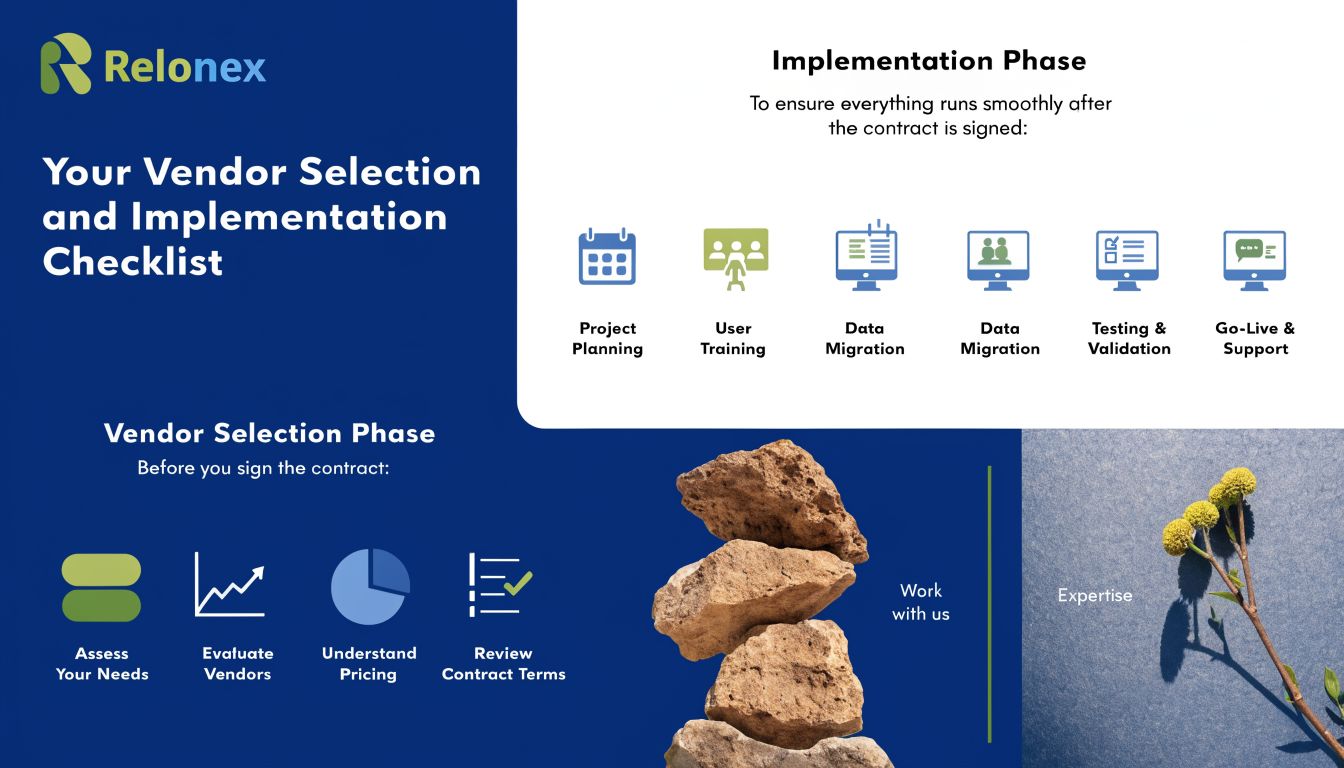
A Phased Implementation Plan That Won’t Overwhelm Your Team
Implementation goes better when you treat it like an operations project, not an IT event.
Phase 1 Data Preparation
Clean the item list before import. Standardise SKUs, units of measure, supplier names, and location names. Remove duplicates. Decide how bundles, variants, and discontinued products should appear.
Phase 2 System Configuration
Set up locations, reorder logic, user permissions, taxes, and workflow rules to define how the software should behave, not just how it should look.
One option some businesses evaluate alongside commercial platforms is custom workflow support from providers such as Cleffex Digital, particularly when inventory needs have to connect with broader operational software rather than a standalone tool.
Phase 3 Team Training
Train by role, not by menu. Warehouse staff need to receive, pick, and count. Finance needs stock valuation flow and reconciliation touchpoints. Managers need dashboards and exception handling.
Phase 4 Go-Live and Stabilisation
Pick a realistic launch window. Run a short parallel check if needed. Then watch the first weeks closely. Most early issues come from bad master data, misunderstood process steps, or incomplete integrations, not from software failure alone.
A calm rollout beats a rushed “big bang” every time.
Migrating Data and Integrating With Your Existing Tools
Most owners worry about two things more than anything else. Losing data and breaking what already works. Both are reasonable fears.
The good news is that migrations usually go wrong for predictable reasons. The bad news is that those reasons are often self-inflicted. Dirty data gets imported. Old naming habits get preserved. Teams assume integrations will “just sync” without agreeing on which system is the source of truth.
Clean First, Migrate Second
If you're moving from spreadsheets, resist the temptation to export everything and deal with the mess later. Bad inventory data behaves like bad plumbing. Once it's in the system, the problems spread into purchasing, fulfilment, and finance.
Before migration, review:
SKU consistency: One item should have one identifier.
Naming rules: Standardise product names, variants, and units.
Location labels: Make sure bins, shelves, warehouses, and stores are named logically.
Inactive products: Archive what you no longer sell.
Supplier records: Merge duplicates and remove outdated entries.
Decide Your Source of Truth
Integration only works if each system has a clear job. Shopify may own the order capture. Your POS may own in-store sales transactions. QuickBooks may own the final accounting records. The inventory platform should usually own stock status and movement logic.
Problems start when two systems both think they are in charge of quantity updates. That creates timing conflicts, duplicate adjustments, and mystery discrepancies.
A simple model works best:
| System type | Usually owns | Should not guess at |
|---|---|---|
| Ecommerce or POS | Sales event capture | Final stock truth across all channels |
| Inventory platform | Stock movement and availability | Final financial reporting |
| Accounting software | Ledger and tax records | Warehouse-level operational logic |
Integrations Should Remove Re-Entry
The point of connecting tools isn't convenience alone. It's operational consistency. When orders, stock deductions, receipts, and accounting handoffs move automatically, staff stop retyping information from one platform to another.
That matters whether you use Shopify, Square, QuickBooks, Xero, Amazon, or a warehouse tool. A healthy integration setup reduces human intervention to exception handling, not routine data transfer.
The best integration is the one your staff forget exists because it quietly keeps records aligned.
Test Ugly Scenarios, Not Just Happy Paths
Before launch, test more than a basic sale. Test returns, partial shipments, transfer receipts, cancelled orders, duplicate SKUs, and out-of-stock situations. That's where weak mappings show up.
If a vendor only demos the perfect order, ask to see what happens when reality gets messy. That's where your future support tickets live.
Calculating Your ROI and Preparing for Future Growth
Software ROI doesn't need a finance department model. For most SMBs, a back-of-the-napkin estimate is enough to make a sound decision.
The mistake is looking only at subscription cost. The core question is whether the software gives back time, prevents avoidable losses, and helps you use cash more intelligently.
Recent industry coverage has pushed this point in the right direction. For Canadian businesses, the value often comes less from simple inventory counting and more from automating manual work, improving fulfilment speed, and avoiding overstock cash traps, especially where logistics are more complex and replenishment can take longer, as noted in Supply Chain Digital's coverage of inventory platforms.
A Simple ROI Framework
Use three buckets.
Labour Savings
List the weekly hours spent on manual counts, duplicate entry, spreadsheet maintenance, stock checks, and reconciliation. Estimate how much of that work should disappear or shrink after implementation.
Margin Protection
Think about how often stock errors create cancelled orders, rush purchases, markdowns, or wrong shipments. Even without precise historical numbers, most owners know where these leaks happen.
Cash Flow Improvement
Look at products you routinely overbuy because visibility is weak. Better replenishment discipline doesn't just reduce clutter. It frees working capital.
You can use a simple formula like this:
Estimated annual ROI = labour savings + avoided losses + improved cash availability – total software and implementation cost
You don't need false precision. You need honest assumptions.
What Tends To Pay Back Fastest
For smaller businesses, the fastest payback usually comes from:
Removing duplicate admin work
Reducing stockouts on core items
Cutting over-ordering driven by uncertainty
Improving pick, pack, and transfer accuracy
Those are practical gains. They don't depend on advanced analytics. They depend on the business using the system consistently.
Buy for the Next Operating Model
Don't choose inventory software only for today's pain. Choose it for the business you expect to run next.
If you may add another warehouse, launch wholesale, expand to more provinces, or increase cross-border ecommerce, your system should support that without requiring a full replacement. Features like automated replenishment, stronger analytics, and AI-assisted forecasting are becoming more accessible, but they only work if your underlying inventory records are already clean and trusted.
A future-ready system isn't the one with the longest feature list. It's the one your team will still be using properly two years from now.
The best software investment usually feels modest at first. Then six months later, you realise fewer decisions are being made from panic, memory, or incomplete data. That's when inventory stops being reactive and starts becoming manageable.
If your business is weighing inventory automation, system integration, or a broader operational software upgrade, Cleffex Digital Ltd works with organisations on custom software, cloud, and process-focused solutions that can support those initiatives. The right next step is usually a practical review of your current workflow, data quality, and integration gaps before you commit to any platform.