

A lot of Canadian business leaders are sitting in the same uncomfortable spot right now. The brokerage management system is old, the CRM only tells part of the story, staff still copy data between portals, and every compliance review turns into a fire drill. Customers expect faster service, but your systems were never built to move that quickly together.
That problem isn't limited to very large enterprises anymore. A mid-market insurance firm, a growing clinic group, or an automotive business with multiple locations can hit enterprise-level complexity long before they feel like an “enterprise.” When teams rely on disconnected tools, growth creates friction instead of momentum. New branches, new products, and new reporting obligations all expose the same weakness: the software stack can't support the business model.
Navigating Your Digital Future
A common example is a regional insurance brokerage that grew through acquisition. On paper, growth looks healthy. In practice, the service team logs client updates in one system, underwriting notes live somewhere else, and finance exports spreadsheets at month-end because the numbers don't reconcile cleanly. Every department works hard, yet the organisation still struggles to answer simple questions quickly.
That's where enterprise software development solutions start to matter. Not because the company wants something flashy, but because it needs one reliable operating layer across sales, service, finance, compliance, and leadership reporting. The project isn't really about software. It's about removing operational drag.
The broader market supports that shift. The Canadian enterprise software market continues to expand as businesses modernise core operations. In 2025, North America held a 40.7% revenue share of the global enterprise software market, and the regional market is projected to grow from $291.75 billion in 2025 to $750.03 billion by 2033, according to Grand View Research's enterprise software market analysis. In Canada, adoption is especially strong in compliance-heavy sectors such as insurance and healthcare.
Why This Matters for a Mid-Market Team
Large-enterprise advice often assumes deep internal IT departments, long procurement cycles, and very large budgets. Most Canadian SMBs and mid-market firms don't operate that way. They need practical sequencing, not theory. They need to know what to fix first, what can wait, and how to avoid replacing everything at once.
A useful starting point is building a cloud modernisation strategy, especially if your current environment mixes legacy applications, vendor platforms, and newer cloud tools. A good strategy gives you a migration path that protects operations while improving flexibility.
Practical rule: If your staff spend too much time re-entering data, chasing approvals, or preparing reports manually, you likely don't have a people problem. You have a systems problem.
Enterprise software development solutions give you a way out of that trap. Done properly, they create structure where the business has outgrown its tools.
Understanding Enterprise Software Foundations
A typical mid-market company in Canada reaches a tipping point. The CRM holds client history. The accounting platform handles billing. Operations teams track work in a separate system. Compliance records sit somewhere else again. Nothing is broken in isolation, but staff keep re-entering the same information, managers question which report is correct, and any process change starts to feel risky.
That is usually the moment to define what enterprise software needs to do for the business.
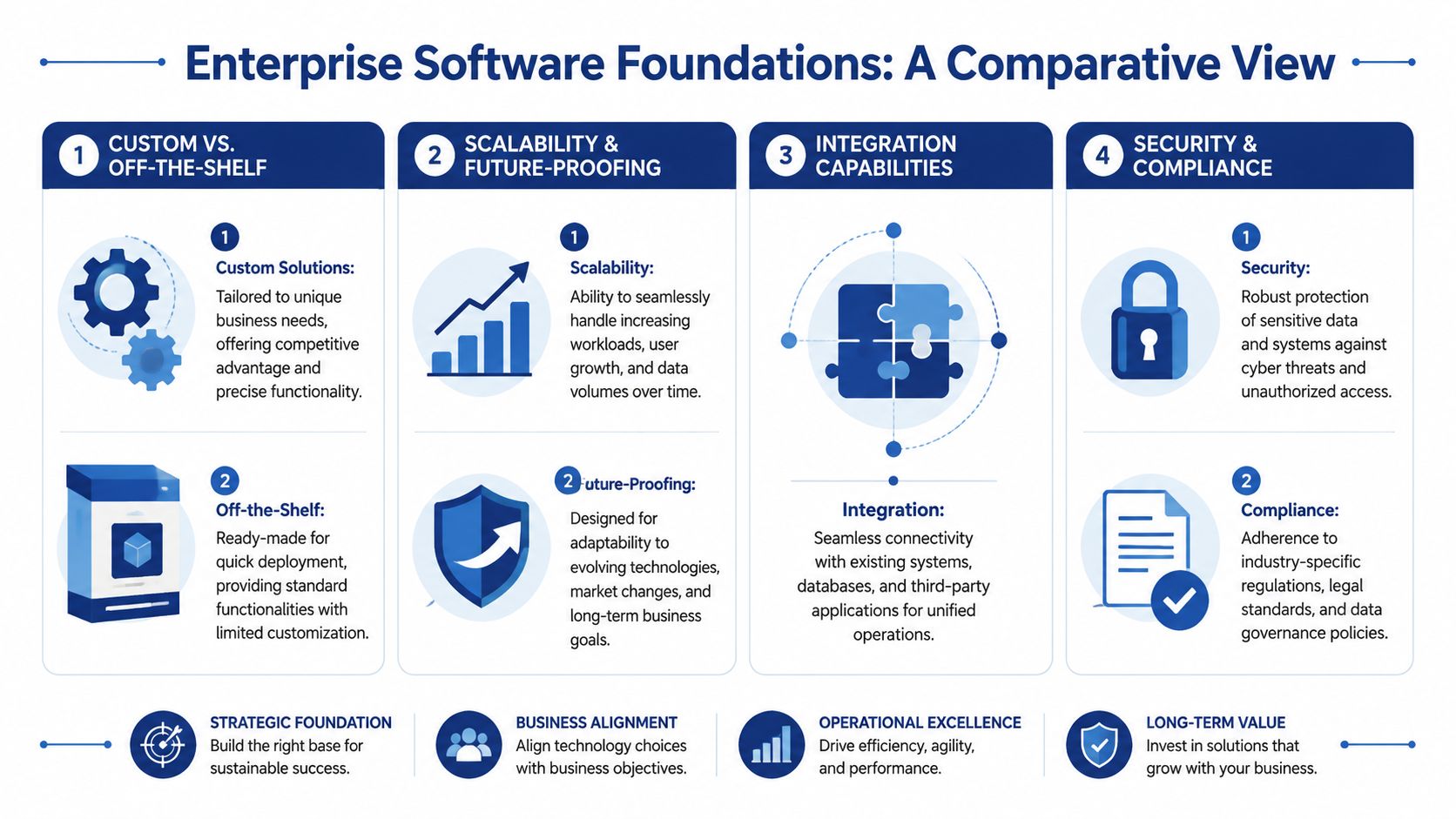
What Counts As Enterprise Software
Enterprise software supports the operations you cannot afford to run loosely. For a healthcare provider, that may mean intake, scheduling, records access, and audit trails. For an insurer, it often includes policy servicing, claims handling, broker workflows, reporting, and document control. For a growing services firm, it may be job management, billing, approvals, and customer communication.
The label matters less than the role it plays.
In practical terms, enterprise software usually covers one or more of these areas:
Customer management for sales, service, renewals, and account history
Operations management for claims, case handling, scheduling, inventory, or service delivery
Financial control for billing, reconciliation, approvals, and reporting
Compliance and audit support for permissions, retention, traceability, and policy enforcement
A useful test is simple. If the process affects revenue, risk, or client trust, it belongs in your enterprise software conversation.
The Architecture Choices That Shape Outcomes
Architecture decisions affect cost, speed, and change tolerance long before anyone sees the interface. IBM explains that API integration connects data and services across applications so organisations can automate workflows, reduce manual handling, and keep systems working together without replacing everything at once, as described in its guide to API integration. For Canadian SMBs and mid-market firms, that point matters because phased implementation is usually safer than a full rip-and-replace program.
Here is the simplest way to assess the main options:
| Approach | Best fit | Strength | Trade-off |
|---|---|---|---|
| Monolithic | Stable processes with limited change | Simpler to launch initially | Harder to update one function without affecting others |
| Microservices | Growing firms with varied workflows | Teams can change one service independently | Requires stronger integration discipline |
| Serverless and managed cloud services | Event-driven workloads and selective automation | Faster delivery for specific functions | Can become fragmented if not governed properly |
A monolithic application can still be the right choice if your workflows are consistent and your internal team wants fewer moving parts. The trade-off shows up later. A small change to intake, billing, or document handling can trigger a much larger release cycle than the business expected.
Microservices give more flexibility, but they also demand clearer ownership and better governance. I usually recommend them selectively for mid-market organisations, not as a default pattern. If one part of the business changes often, such as claims intake, patient communications, or partner onboarding, separating that capability can reduce operational disruption without turning the whole estate into an engineering project.
Serverless tools and managed cloud services can also be effective in the right places. They work well for notifications, file processing, scheduled tasks, and narrow workflow automations. They work poorly when every department starts buying point solutions without a shared data model, security standard, or retention policy.
The best architecture is the one your team can support, your vendor can document clearly, and your compliance obligations can live with.
Custom Versus Packaged
This decision is rarely all-or-nothing. Many successful enterprise programs use a commercial platform for standard functions, then add custom integrations, workflow logic, reporting, and compliance controls around it. That approach often fits Canadian organisations that need to respect budget limits, maintain business continuity, and account for requirements such as PIPEDA from the start.
The mistake is not choosing between packaged software and custom software. The mistake is assuming software categories matter more than process fit, data ownership, and integration quality.
For executives comparing options, the more useful question is this: where does the business need flexibility, and where is standardisation acceptable? If payroll, core accounting, or commodity HR functions are fairly standard, buying a proven platform often makes sense. If your competitive edge depends on how you adjudicate claims, coordinate care, route approvals, or produce audit-ready records, customisation usually belongs there. Our custom enterprise software development guide explains how to separate those decisions without overbuilding.
Strong foundations come from choosing systems that fit the way the business operates now, while leaving room to improve one phase at a time.
The Business Case For Custom Enterprise Solutions
The strongest case for custom enterprise software isn't aesthetic or technical. It's operational. When teams automate repetitive work and centralise data handling, they spend less time correcting errors and more time serving clients.

For businesses using custom enterprise software, the gains can be significant. Manual processes can fall by 50 to 60%, while error rates can drop from 8 to 12% in manual operations to 0.5 to 1% in automated workflows. For regulated sectors such as healthcare and insurance, purpose-built systems can reduce compliance audit failures by 70 to 80%, according to TDS's enterprise software development guide.
Where the Value Usually Shows Up First
Most executives see returns in a few predictable areas:
Workflow automation cuts repetitive administrative effort. Staff stop copying data between systems, recreating documents, or chasing basic approvals.
Data governance improves because the business works from one controlled source of truth rather than several conflicting records.
Compliance execution becomes more reliable when the software enforces permissions, audit trails, retention rules, and process steps by design.
Scalability improves because adding users, locations, or service lines doesn't require the same level of manual coordination.
For a non-technical executive, the key point is simple. Well-designed enterprise software development solutions replace hidden operational costs with controlled digital processes.
The Hard Parts Executives Should Expect
Custom software isn't effortless. It asks the business to make clear decisions. That includes agreeing on process ownership, data definitions, approval rules, and what “good” looks like after launch.
The usual risks are familiar:
Overbuilding too early happens when teams try to solve every future scenario in the first release.
Weak user adoption shows up when staff weren't involved in workflow design.
Vendor misalignment appears when a development partner talks mostly about features and not enough about operations, governance, and rollout.
A more sensible approach is to tie each release to a business outcome. Start with the highest-friction process, prove the model, and expand. If you want a deeper primer on how that planning works, this custom enterprise software development guide is a useful reference.
Executive test: If a proposed feature doesn't clearly reduce delay, risk, or duplication, it probably belongs in a later phase.
The firms that get this right don't avoid complexity by pretending it isn't there. They manage it by sequencing decisions properly.
Your Implementation Roadmap and Vendor Checklist
Most projects fail long before code becomes the issue. They fail when the scope is vague, ownership is unclear, or the business expects one release to fix every structural problem at once. Mid-market firms need a roadmap that protects operations while steadily improving them.

A phased model works best because budget reality matters. Global enterprises allocate an average of USD $33 million to modernisation projects, while Canadian SMBs operate at a fraction of that scale, which is why Mordor Intelligence's custom software market research makes the case for a more modular approach.
A Roadmap That Works in Real Organisations
1. Discovery and strategy
Leadership decides here what problem the project solves. Not every pain point belongs in phase one. Good discovery identifies business-critical workflows, compliance constraints, integration dependencies, and the minimum outcome that justifies the first release.
2. Process design and prototyping
Before development begins, teams should see proposed workflows in a visual form. That could be wireframes, clickable prototypes, or mapped process diagrams. This stage exposes bad assumptions early, when changes are still inexpensive.
3. Development and controlled testing
Build in increments. Release modules to a controlled group, test the workflow, then refine. Agile practice earns its value through this process because business users can react to working software rather than abstract requirement documents.
4. Deployment and change management
A launch plan should include data migration, user training, support coverage, and fallback planning. The software may be ready before the organisation is. That gap causes more pain than most technical issues.
5. Ongoing optimisation
Enterprise software is an operating asset, not a one-time purchase. Usage patterns, regulatory changes, and process bottlenecks should feed the next round of improvements. A practical planning aid for this stage is a technology roadmap template for product and platform evolution.
Questions To Ask Any Development Partner
The vendor shortlist should get harder, not easier, as the deal gets larger. Ask direct questions.
Industry depth
Have they delivered systems for regulated workflows such as insurance servicing, healthcare administration, or financial approvals?Integration capability
Can they work with your current CRM, ERP, document repository, payment tools, identity systems, and reporting stack without forcing a full rip-and-replace?Delivery method
Do they use iterative delivery with visible checkpoints, or do they disappear for months and return with a large reveal?Security practice
How do they handle access control, auditability, data retention, and testing for sensitive environments?Post-launch support
Who owns monitoring, fixes, feature enhancements, and knowledge transfer once the system goes live?
What Good Vendor Behaviour Looks Like
A strong partner won't rush to estimate before understanding your operations. They'll ask awkward but necessary questions about approvals, exceptions, role permissions, and where data quality currently breaks down.
A weak partner often treats software like a design exercise. A useful partner treats it like an operational system with legal, financial, and human consequences.
Choosing Your Modern Technology Stack
A mid-market insurer or clinic group rarely starts with a blank slate. The usual starting point is a claims system or practice platform, a CRM, spreadsheets that still run key approvals, document storage, and a few third-party tools no one wants to disturb during busy season. A good stack decision has to reduce that complexity. If it adds another isolated application, the project cost rises while day-to-day work stays messy.
Start With System Fit, Data Flow, and Integration
Executives often get pulled into debates about frameworks, cloud vendors, or AI features too early. The better first question is simpler. How will this system exchange accurate data with the platforms your staff already use every day?
For Canadian SMBs and mid-market firms, that question usually matters more than chasing the newest tool. A customer portal is only useful if it reads the right policy, patient, inventory, or billing data. An internal dashboard only helps if teams trust what it shows. Integration work is not glamorous, but it is where a large share of business value gets protected or lost.
That usually means defining a clear integration approach up front. APIs are often the cleanest option. Middleware can help where older systems were not built for modern connections. In some cases, a phased model is safer. Keep the core platform in place, add a modern interface, then replace high-friction components in stages rather than forcing a full rip-and-replace.
The Practical Components of a Modern Stack
A stack that holds up in production usually includes a few distinct layers, each with a business job to do:
Cloud infrastructure on AWS, Microsoft Azure, or Google Cloud for hosting, resilience, backup, and scaling
Application services that support portals, internal tools, workflow management, and mobile access
Integration services that connect core systems, handle data exchange, and manage events between platforms
Data and analytics layers for reporting, operational visibility, and governance
AI-enabled functions for targeted use cases such as document intake, classification, summarisation, routing, or decision support
The right mix depends on operational pressure points. In insurance, that may be underwriting intake, endorsements, or claims handling. In healthcare, it may be referrals, scheduling, patient communication, and record-driven workflows. In distribution or automotive groups, it may be lead management, service coordination, and multi-location reporting.
Choose for the Next Three Years, Not the Next Demo
A stack should match your team's ability to maintain it. That sounds obvious, but it gets missed often.
I have seen organisations approve technically impressive architectures that looked strong in procurement meetings and became expensive to support six months later. The problem was not the software alone. It was the gap between what the business bought and what internal teams could govern, extend, and troubleshoot after launch.
That is why stack decisions should account for more than feature breadth. Look at hiring realities in Canada, vendor dependency, support costs, release cadence, and how easily the platform can meet your data residency and privacy obligations. If the system will handle personal information, modernisation decisions should also support the compliance work that follows. This enterprise application modernisation strategy for deciding what to retain, rebuild, or replace is a useful reference during that evaluation.
What To Avoid
The common failure pattern is tool accumulation without discipline. A company adds AI, automation, and a new portal, but keeps inconsistent identity rules, duplicate records, and unclear ownership of key workflows. Staff then work around the system instead of relying on it.
Another risk is accepting a vendor's preferred stack as the default answer. Their familiarity matters, but your integration requirements, regulatory exposure, budget tolerance, and growth plans matter more.
Buy fewer disconnected tools. Keep the systems that still earn their place. Customise where the process affects margin, service quality, or compliance.
Cleffex Digital Ltd works in that space alongside other custom development partners, building enterprise software development solutions for web, mobile, and operational platforms where integration and agility matter.
Mastering Security and Compliance in Canada
For Canadian firms in insurance, healthcare, and other regulated environments, security can't sit on a feature checklist beside search, dashboards, and mobile access. It has to shape the system from the first workshop onward. If the software handles sensitive client or patient information, every workflow decision becomes a security decision.

PIPEDA is the obvious reference point for many private-sector organisations in Canada, but the practical issue is broader than naming a regulation. Leaders need systems that support consent handling, access control, auditability, retention discipline, and clear accountability for how information moves through the business.
Security by Design Beats Security by Patching
A lot of organisations still treat compliance as a documentation exercise. That approach rarely holds up under pressure because risk lives in day-to-day behaviour. Who can view records, export data, approve exceptions, or bypass steps? If the software doesn't control those actions, policy documents won't save you.
Security by design usually includes:
Role-based access so staff only see what their role requires
Audit trails that record who changed what and when
Data minimisation so the system only collects and exposes what is necessary
Workflow enforcement so that required approvals or disclosures can't be skipped casually
Testing discipline across authentication, permissions, integrations, and release changes
Why Executives Should Push This Early
Compliance problems are expensive even before they become legal problems. They slow onboarding, delay vendor approvals, complicate audits, and damage confidence internally. Teams become hesitant because they don't trust the system boundaries.
In contrast, a secure enterprise platform gives leadership cleaner oversight. You can delegate with more confidence because the system itself enforces rules that would otherwise depend on memory and manual diligence.
Board-level view: A secure system reduces operational ambiguity. People know what they can do, what they can't do, and what gets recorded.
The Practical Standard To Insist On
Don't accept “we'll secure it later” from any vendor or internal team. Ask how security controls appear in requirements, design reviews, testing, deployment approvals, and support processes. Ask who signs off on access models and retention logic. Ask how third-party integrations are governed.
Good enterprise software development solutions don't bolt compliance on near the end. They make compliance part of the workflow itself. For Canadian organisations, that's not a premium extra. It's the baseline for responsible growth.
Enterprise Solutions Across Canadian Industries
The value of enterprise software becomes easier to judge when you look at operating problems rather than product categories. Different sectors use different languages, but the pattern is similar. Teams need cleaner workflows, better visibility, and stronger control over sensitive information.
Insurance Operations That Stop Relying on Workarounds
A mid-sized brokerage often reaches a point where policy servicing, renewals, claims support, and compliance checks are scattered across broker systems, email threads, and spreadsheets. Staff know how to keep the machine moving, but too much of that knowledge lives in people instead of the process.
A customised solution can unify intake, service requests, document handling, role-based approvals, and management reporting in one controlled environment. The true win isn't just speed. It's consistency. Every branch follows the same rules, every request leaves an audit trail, and leadership gets clearer visibility into service bottlenecks.
Healthcare Platforms Built Around Privacy and Coordination
Clinics and healthcare groups face a different version of the same issue. Appointment flow, patient communication, form intake, billing coordination, and internal triage can break down when each function sits in a separate tool with weak handoffs.
A custom platform might include a patient-facing portal, internal routing dashboards, secure messaging, and administrative workflow controls. The benefit is often felt first by front-desk and operations teams. Fewer manual follow-ups, fewer missed handoffs, and less uncertainty about who owns the next step.
A good healthcare system doesn't just store information safely. It helps the right person act on that information at the right time.
Automotive Groups That Need One Customer View
Dealerships and service networks often invest heavily in lead generation but struggle with follow-through once a prospect enters the system. Sales, finance, service, and marketing may all touch the same customer without sharing a reliable timeline of interactions.
Enterprise software can connect lead intake, showroom activity, service reminders, follow-up tasks, and reporting. That makes the customer journey more coherent for staff and less repetitive for buyers. It also gives management a better handle on where opportunities stall.
Startups and Scaling Firms That Need Structure Without Bloat
Startups don't usually ask for “enterprise software” in the early stages. They ask for a platform that won't collapse when usage grows, new features ship, or new business models emerge. The need is the same, just framed differently.
The right build often starts with a focused operational core. Admin tools, customer-facing workflows, integrations, and analytics are designed so the company can expand without rewriting the business every quarter. That's especially important for founders who need speed now but know governance and scalability will matter soon after.
Across these sectors, the strongest projects share one trait. They don't automate chaos. They first decide which workflows deserve standardisation, then build software around that decision.
Building Your Competitive Edge With Cleffex
Enterprise software development solutions are ultimately about control. Control over processes, over data quality, over compliance exposure, and over how well the business can grow without adding friction at every step. That matters a lot for Canadian SMBs and mid-market organisations because they don't have the budget or patience for sprawling transformation programmes that take over the company.
The practical path is narrower and smarter. Start with a high-value workflow. Define the operating model clearly. Integrate with the systems you need to keep. Build security and compliance into the design, not the clean-up phase. Then expand in phases as the organisation learns what works.
That approach fits the reality of sectors such as insurance, healthcare, automotive, and technology services. Each has different workflows, but all of them need software that reflects how the business operates. Generic enterprise advice often misses that point because it assumes scale solves complexity. In mid-market environments, clarity solves complexity.
A capable development partner should help you make fewer, better decisions. That means challenging weak assumptions, translating technical choices into business consequences, and structuring delivery so your team can absorb change without operational shock.
For many organisations, the best first move isn't a platform purchase. It's a disciplined discovery process that identifies the workflows worth rebuilding, the integrations worth protecting, and the compliance controls that can't be compromised. Once that foundation is in place, the technology decisions become much easier and much more defensible.
If you're evaluating a major software initiative and want a practical second opinion, Cleffex Digital Ltd can help you map the business case, define the implementation path, and assess what should be built, integrated, or modernised first.