

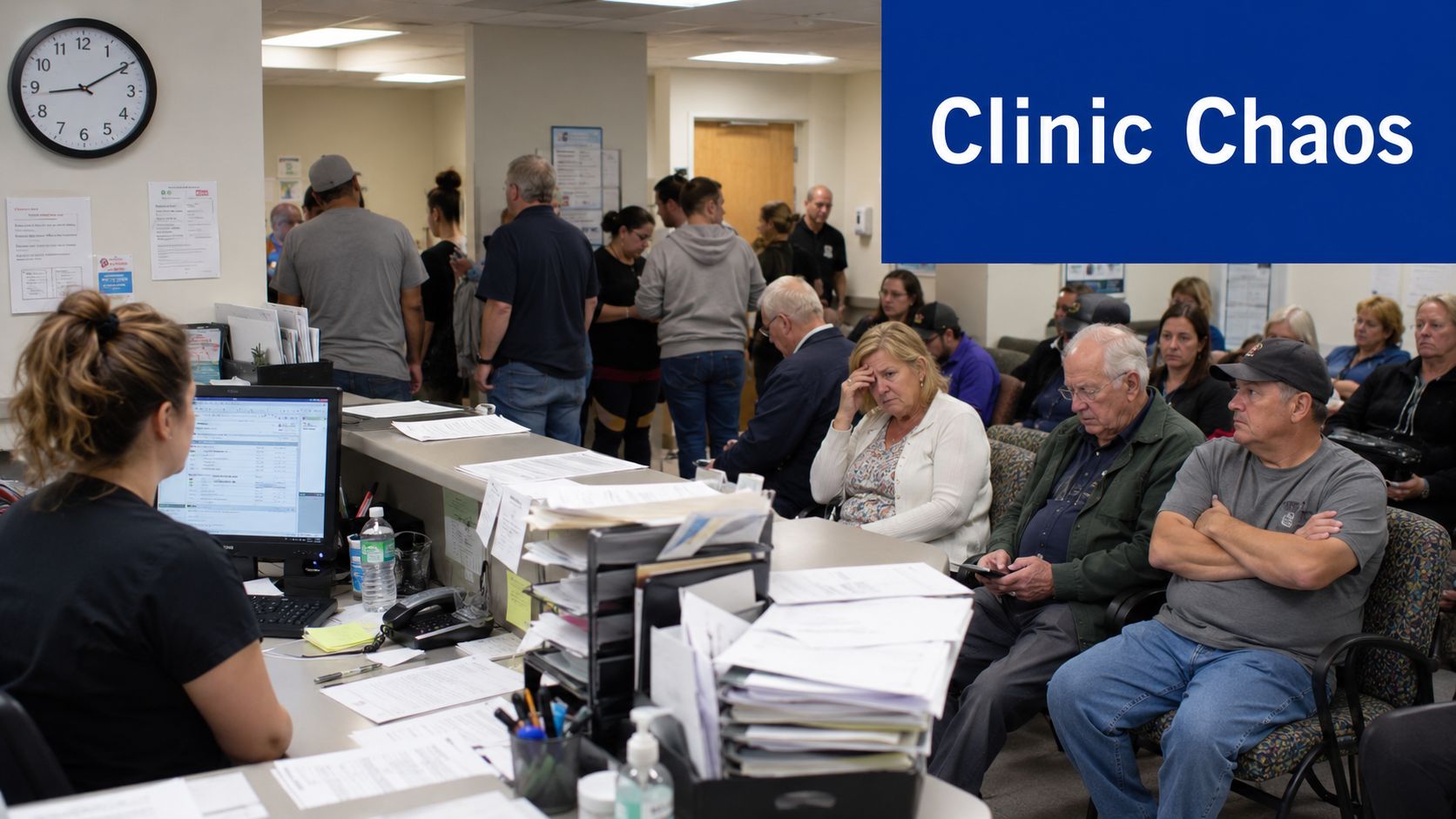
Your front desk is answering calls, two patients are waiting because one appointment ran long, a nurse is looking for a missing form, and billing is already behind. Nothing is technically “broken”, but the day still feels harder than it should.
That's the point where many clinic managers and IT leaders start looking at healthcare operations software. Not because they want another system, but because they need fewer handoffs, fewer delays, and fewer avoidable mistakes. For small and medium healthcare providers in Canada, that need is often sharper than the market admits. Most vendors still design for large hospital networks, even though many clinics need something lighter, faster to adopt, and easier to afford.
Beyond the Buzzwords: What Is Healthcare Operations Software
A useful way to think about healthcare operations software is this: it's the air traffic control system for a clinic, practice, or healthcare organisation. Patients, staff, records, rooms, claims, supplies, and follow-ups are all moving at once. If each part runs in a separate spreadsheet, inbox, or disconnected app, delays pile up quickly.
What it looks like in a real clinic
Take a typical morning at a family clinic. Reception checks a patient in. The nurse confirms the visit reason. The clinician needs a current chart. Billing needs clean data after the appointment. If the patient needs follow-up care, someone must schedule it before they leave.
Without an organised system, each step depends on memory and manual updates. One wrong phone number, one missed eligibility check, or one delayed note can create a chain reaction.
With healthcare operations software, those steps are coordinated inside one operational flow. Scheduling talks to patient records. Billing draws from the same visit data. Staff can see what's done, what's pending, and what's stuck.
Practical rule: If your team is re-entering the same patient or appointment data in more than one place, your operations process is doing extra work before care even begins.
More than an EHR
Often, readers get confused. An EHR or EMR stores clinical information. Healthcare operations software handles the movement of that information. It helps manage appointments, billing, staff time, reporting, workflows, and communication between systems.
Some platforms combine these functions. Others connect separate tools through integrations. Either way, the purpose is the same: less friction between tasks.
For Canadian clinics and growing practices, this matters because the market hasn't served them well. Existing content and many products still focus on enterprise deployments, while a major gap remains for lightweight tools built for smaller providers. In 2025, 78% of Canadian small healthcare providers reported that current software is too expensive or complex, and a 2026 Health Canada survey noted only 12% adoption of modern operations tools among small clinics, according to this review of medical software development trends and challenges.
If you're sorting through options, it helps to look at broader healthcare industry solutions to see how automation, integration, and workflow tools are being applied beyond large hospital settings.
The Engine Room Core Modules and Capabilities
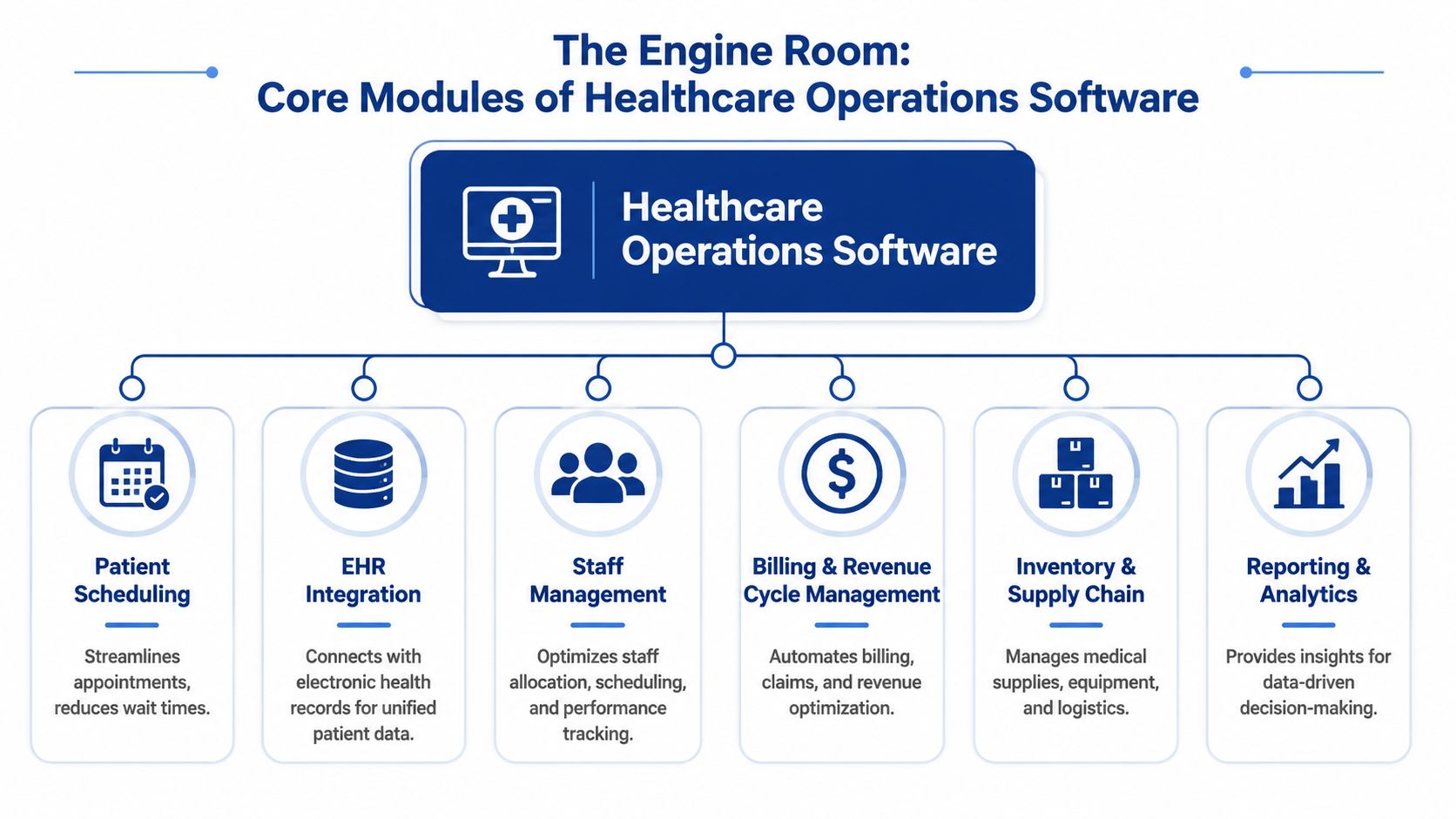
A modern clinic doesn't run on one feature. It runs on a set of connected modules that act like a digital central nervous system. Each module handles a specific job, but its true value comes from how they work together.
The core modules most teams actually use
Patient scheduling is usually the first pressure point. A good scheduling module does more than book time slots. It reduces double-booking risk, supports reminders, helps staff match appointment type to clinician availability, and gives front-desk staff a live view of the day.
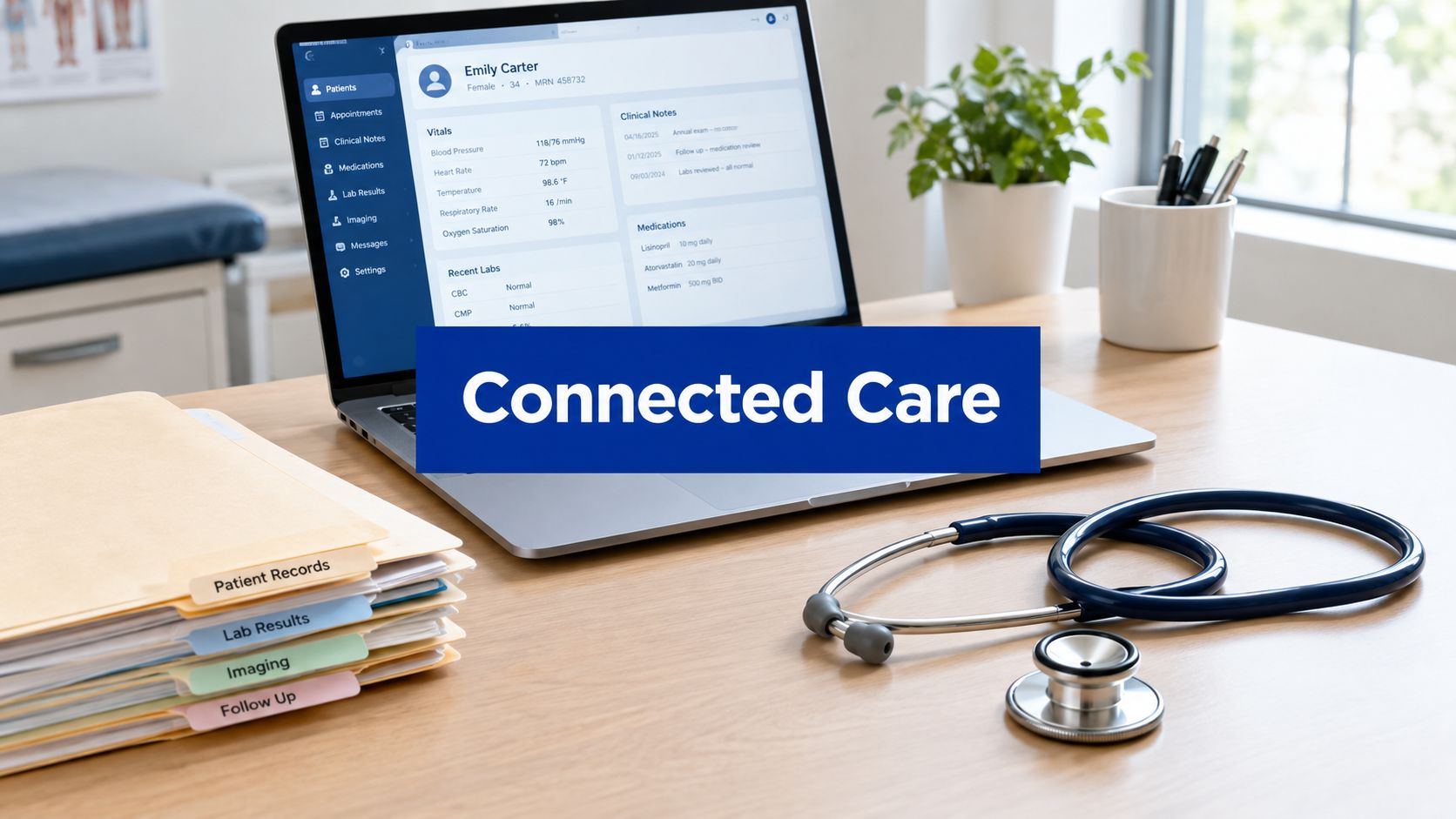
EHR integration is what keeps operations from becoming disconnected. If your scheduler, billing team, and clinicians all rely on different records, every update becomes a manual task. Integrated systems reduce that duplication by sharing the same patient and visit data across workflows.
Billing and revenue cycle management turn completed care into clean claims and predictable follow-up. In practical terms, this module helps your team capture visit details, verify required data, flag missing fields, and move claims through the process without endless back-and-forth.
The modules that reduce daily friction
Many clinics underestimate the value of staff management until schedules get messy. This module helps assign shifts, track availability, and align staffing with patient demand. For a multi-location practice, this can prevent one site from being overloaded while another has unused capacity.
Inventory and supply tracking matter more than people expect. Even a smaller clinic needs visibility into essential supplies, device availability, and reorder points. If a staff member spends ten minutes searching for something simple, that lost time spreads across the whole day.
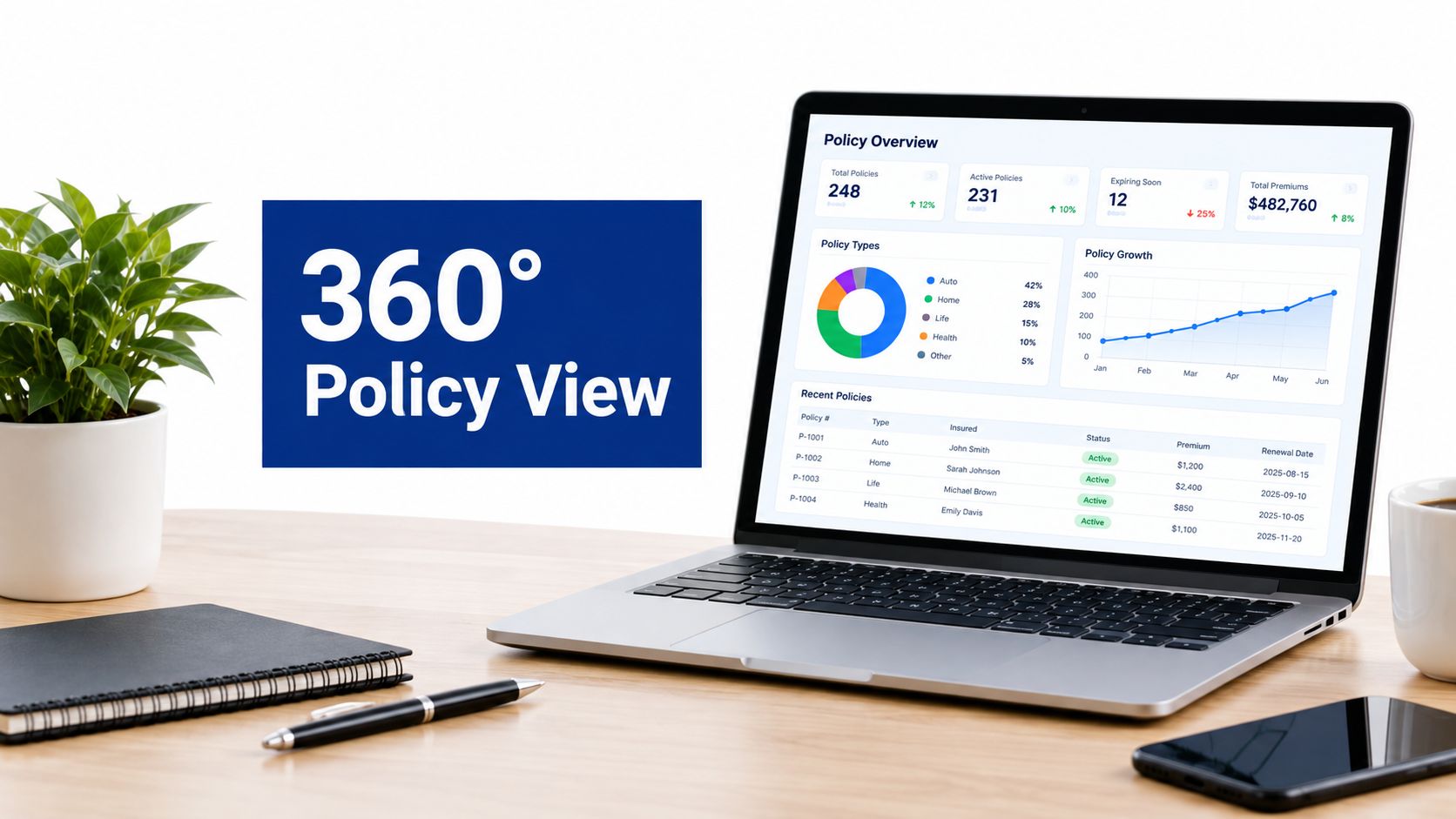
Then there's reporting and analytics. This isn't only for boardrooms or large hospitals. A clinic manager might use it to spot which appointment types regularly run late, which payer categories create the most billing rework, or which days need extra front-desk coverage.
A software platform starts paying for itself when it stops staff from hunting for information they should already have.
A simple way to judge capability
When you review a product, don't only ask whether it has these modules. Ask three better questions:
Does the data flow cleanly?
Can appointment, chart, and billing data move without re-entry?
Can non-technical staff use it?
If reception or nursing staff need constant workarounds, adoption will stall.
Does it fit your size?
A small clinic usually needs speed and simplicity. A medium enterprise often needs role controls, stronger reporting, and support for multiple sites.
The strongest healthcare operations software doesn't just collect information. It reduces the number of times your staff must stop, switch systems, and fix preventable errors.
From Chaos to Control: The Benefits of Integrated Operations
The biggest mistake buyers make is treating healthcare operations software like an admin tool. It's closer to a financial and operational control system. When your scheduling, staffing, billing, and reporting live in one connected environment, small inefficiencies stop leaking into every part of the organisation.
Financial health improves first
Healthcare is an expensive operating environment, and that pressure flows down to clinics and regional providers. In the United States, hospitals accounted for 31% of total healthcare spending in 2023, amounting to $1.5 trillion, while labour costs remained the largest expense category at 46% of all expenses, according to KFF's hospital cost overview. Even if you're running a Canadian clinic rather than a U.S. hospital, the lesson is familiar: staffing and administrative overhead can overwhelm margins fast.
Integrated operations software helps by reducing avoidable work. Fewer duplicate entries. Fewer rejected claims caused by missing data. Fewer overtime hours spent reconciling schedules, files, and invoices at the end of the week.
Operational efficiency becomes visible
When teams say they're “busy”, that often means they're compensating for broken flow. A receptionist answers the same question twice because information isn't visible. A nurse walks to another station to confirm an appointment note. Billing waits because a chart wasn't finalised in time.
Integrated software shortens those loops.
Here's what that usually changes in practice:
Front desk work becomes cleaner: Staff can check schedules, patient details, and follow-up tasks from one place.
Managers can spot bottlenecks: Delays move from being anecdotal to visible.
Handoffs improve: Teams don't need to rely on memory or hallway conversations to keep the day moving.
If your staff are talented but constantly improvising, the issue usually isn't effort. It's system design.
Better patient care follows better operations
Patients don't care what your software is called. They care whether the visit feels organised. They notice whether forms are missing, whether they repeat information, and whether follow-up is clear.
That's why operational software affects care quality indirectly but powerfully. When staff spend less time chasing paperwork, they can focus more fully on patients. When data moves cleanly between steps, continuity improves. When schedules run closer to plan, wait times feel more reasonable, and the whole clinic feels calmer.
For clinic leaders, this is the fundamental shift. You're not buying software to “digitise operations”. You're creating a more reliable environment for staff and patients alike.
Navigating Compliance and Security in Canadian Healthcare
For many Canadian providers, compliance worries slow down software adoption more than cost does. That hesitation is understandable. Patient data isn't just sensitive. It sits inside a legal framework that requires careful handling across collection, storage, access, and sharing.
Why compliance fears block progress
Many conversations about interoperability and AI in healthcare stay too abstract. They mention standards, but they skip the daily question a clinic manager or IT lead has: Will this setup keep us compliant under Canadian rules?
That gap is real. Data shows 65% of CA-based medical startups fail to integrate AI-driven operations due to compliance fears, while only 30% of vendors offer PHIPA-aligned AI operations, as discussed in this piece on digital health innovation for underserved communities. For Ontario-based providers, especially, PHIPA concerns can stop promising projects before they begin.
What secure healthcare operations software actually does
Good healthcare operations software doesn't remove your legal responsibilities, but it can make them easier to manage. The right platform usually includes controls such as:
Role-based access: A receptionist, biller, nurse, and administrator shouldn't all see the same information.
Audit trails: Your system should record who accessed data, when, and what changed.
Encryption and secure transfer: Patient information should be protected both at rest and during exchange.
Structured permissions: Temporary staff, outside consultants, and multi-site teams need clearly limited access.
These features matter because they replace risky habits. Paper notes left on desks, spreadsheets emailed around the office, and passwords shared casually are often bigger risks than the new platform itself.
The safest clinic isn't the one avoiding modern systems. It's the one replacing informal workarounds with controlled, auditable processes.
What to ask vendors in the Canadian context
If you're evaluating software for a Canadian clinic or healthcare business, ask direct questions about PIPEDA and relevant provincial requirements such as PHIPA. Don't settle for “we take security seriously”. Ask how permissions work, how data access is logged, where data is stored, and how integrations are secured.
If a vendor is building custom workflows, security review matters at the code level too. Teams considering AI-enabled or custom operational tools may find an AI code security audit useful as part of technical due diligence. For a broader Canadian software perspective, this guide to healthcare compliance software development is also a practical starting point.
Compliance shouldn't be treated as a brake on modernisation. In a well-designed system, it becomes part of the operating model.
Choosing the Right Software and Planning Implementation
A two-doctor clinic and a multi-site healthcare enterprise shouldn't buy software the same way. Their workflows, budgets, support needs, and risk tolerance are different. Problems start when smaller teams buy oversized platforms, or when growing organisations pick lightweight tools that can't scale.
Start with the practice you have, not the one vendors assume
A small clinic usually needs software that's easy to learn, affordable to run, and quick to implement. Staff often wear multiple hats, so the system must be intuitive without heavy training.
A medium enterprise tends to need stronger permission controls, better reporting, more formal integrations, and support for multiple teams or locations. It may also need custom workflow logic, especially if finance, clinical operations, and IT all have separate requirements.
Here's a practical comparison.
Software Selection Criteria by Practice Size
| Selection Factor | Small Clinic (<$10M Revenue) | Medium Enterprise ($10M–$1B Revenue) |
|---|---|---|
| Primary goal | Reduce admin burden and simplify daily flow | Standardise operations across teams or sites |
| Preferred setup | Simple SaaS platform with core modules | Scalable platform with integration options |
| Training needs | Short onboarding, minimal disruption | Structured training by role and department |
| Reporting depth | Basic dashboards for appointments, billing, and workload | Detailed analytics, audit visibility, and operational reporting |
| Integration priority | EHR, billing, reminders, and basic communications | EHR, finance, identity, analytics, and possibly custom systems |
| Support model | Responsive vendor help and practical setup guidance | Formal support processes, SLAs, and implementation planning |
| Best fit | Lightweight, affordable, easy to run | Configurable, secure, and able to grow |
The questions that reveal fit
When shortlisting products, ask questions that expose real-world usability:
How much configuration is required?
If every workflow change needs vendor intervention, agility suffers.
How quickly can front-line staff learn it?
Adoption fails when the software looks good in demos but slows real users down.
What happens when you grow?
Can the same platform support a second location, more roles, or more specialised workflows later?
If you're comparing a custom build versus an off-the-shelf deployment, a Canadian partner with healthcare experience can help map those trade-offs.
A rollout plan that won't overwhelm your team
Implementation goes better when it's phased. Don't try to transform every workflow at once.
A practical roadmap often looks like this:
Map the current process
Document how scheduling, intake, billing, and follow-up work today. This shows where duplication and delays already exist.Clean the data before migration
Old patient records, billing codes, and staff lists need review before import. Messy data carried into a new platform creates instant distrust.Launch one priority workflow first
Many clinics start with scheduling or billing because the benefit is easier to see quickly.Train by role, not all at once
Reception, clinical staff, billing, and managers need different scenarios and tasks.Review after go-live
Track what staff still do outside the system. Those workarounds reveal where workflows need adjustment.
One custom option in this space is Cleffex Digital Ltd, which develops healthcare software and AI-enabled operational tools for organisations that need secure, customized workflows rather than a fixed product template.
Real-World Impact and Measuring Your Return on Investment
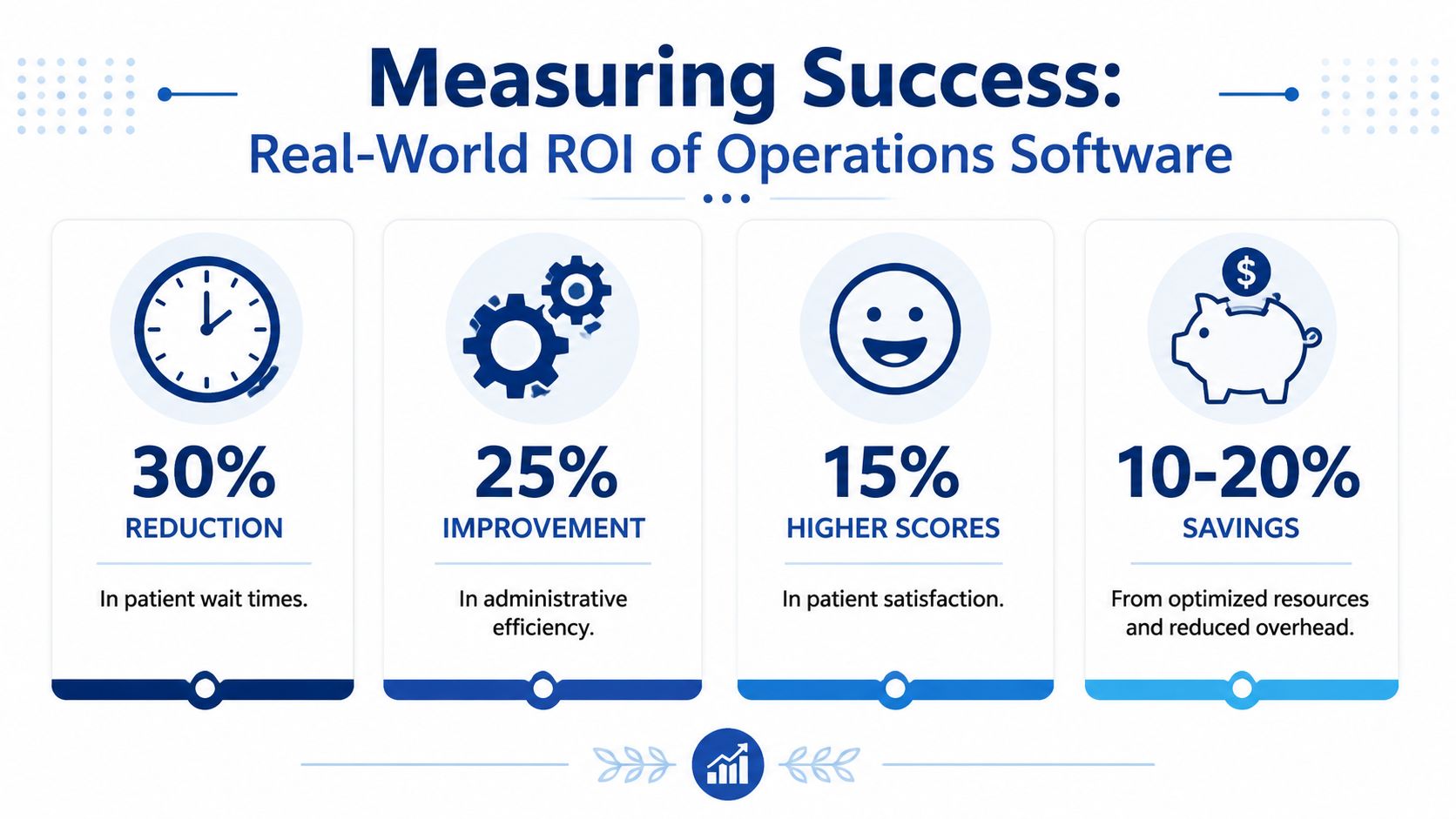
ROI gets vague when teams only talk about “efficiency”. It becomes much clearer when you tie software performance to specific operational friction: billing mistakes, slow collections, admin rework, and delays between visit completion and payment.
The numbers that make the business case
For Canadian providers, one of the strongest examples is in billing and revenue flow. Operations software that integrates automated billing and EHRs reduces billing errors by 75% and accelerates revenue cycles by 20–30 days. For small clinics and medium enterprises, that translates to an average annual savings of $45,000 in denied claims and administrative overhead.
Those aren't abstract improvements. They affect cash flow, staff workload, and the amount of time your team spends fixing preventable mistakes.
What to measure after implementation
You don't need a complex finance model to track value. Start with a small set of indicators that your team can review consistently.
Useful ROI measures include:
Billing accuracy: Compare error rates before and after automation.
Time to collect: Track how long it takes from service delivery to payment.
Administrative effort: Measure whether staff spend less time on manual corrections and follow-up.
Patient flow: Look for smoother check-ins, fewer missed handoffs, and better visit completion rates.
Watch for this: If staff say the new system is “fine” but billing or scheduling metrics haven't moved, you may have digitised the old workflow instead of improving it.
A simple way to frame ROI internally
For most clinics, the business case has three layers.
The first is direct savings, such as fewer denied claims and less rework. The second is time recovery, where staff can shift effort from repetitive admin to patient-facing work. The third is operational stability, which is harder to price but easier to feel. Fewer last-minute fixes, fewer missing details, and fewer end-of-day cleanups.
A practical internal review can compare:
| KPI | Before software | After software |
|---|---|---|
| Claim rework volume | Manual baseline | Lower with validation and integration |
| Revenue cycle speed | Current collection timing | Faster after workflow automation |
| Admin overtime | Existing pattern | Reduced if workflows are cleaner |
| Scheduling friction | Frequent rescheduling or confusion | Better visibility and coordination |
For teams shaping a broader business case, this overview of modern healthcare operations can help connect daily workflow metrics to larger operational outcomes.
The Future of Healthcare Operations: AI Cloud and Interoperability
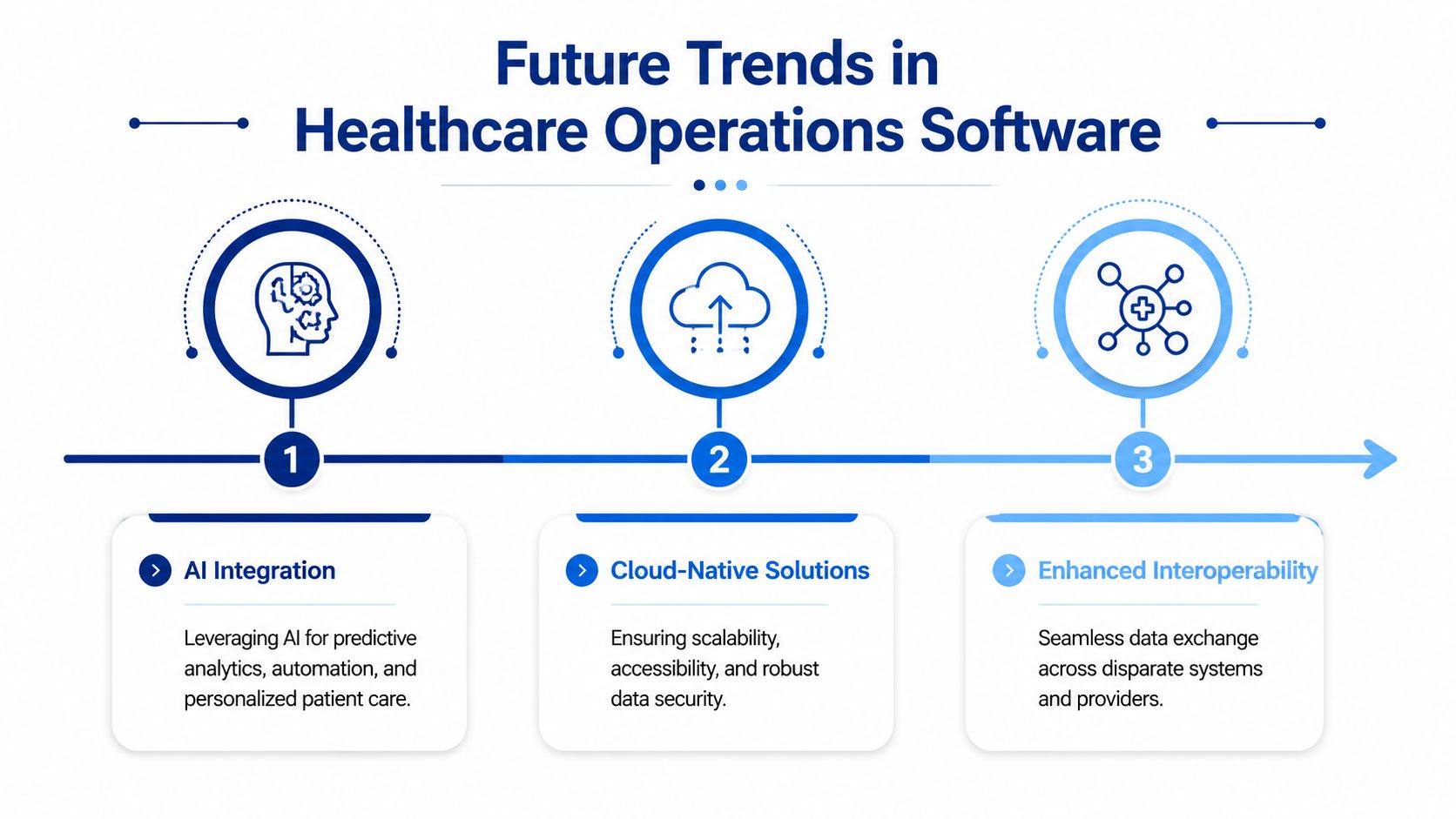
Many providers still think advanced healthcare operations software is only relevant once they become “big enough”. That assumption is already outdated. Cloud delivery, AI-assisted workflows, and stronger interoperability aren't enterprise luxuries anymore. They're becoming the practical foundation for clinics that want to stay manageable as demand grows.
What's changing next
Cloud-native platforms make it easier to support multiple locations, remote access, and ongoing updates without heavy local infrastructure. For a growing Canadian provider, that usually means less dependency on scattered machines and fewer version-control problems.
AI-enabled operations are moving from hype into daily use. That includes predictive staffing, billing validation, smarter triage support, and alerts that help staff catch issues earlier.
Interoperability is the long game. It's the ability for scheduling, records, billing, analytics, and partner systems to exchange data without manual patchwork. When that works well, the clinic feels less like a collection of tools and more like a coordinated service.
Why this matters for Canadian providers
The next step isn't only about speed. It's also about security and better decisions. Canadian healthcare operations software using blockchain for security and AI for analytics can reduce data breaches by up to 50%, improve early diagnosis accuracy by 35%, and AI models trained on millions of anonymised Canadian patient records can predict future health conditions with 88% accuracy, enabling proactive intervention.
That changes the role of operations software. It no longer just records what happened. It helps teams prepare for what's likely to happen next.
The future system for a clinic isn't a bigger version of today's admin stack. It's a connected platform that can support care, compliance, and decision-making at the same time.
If your clinic, healthcare startup, or medium-sized healthcare enterprise needs software that fits Canadian compliance requirements and real operational workflows, Cleffex Digital Ltd is one option to consider. The company builds custom healthcare software and AI-driven solutions for organisations that need secure, scalable systems for scheduling, billing, integration, reporting, and workflow automation.